


Best Processor for College Students: Intel i3 vs i5 vs i7 Laptop Guide
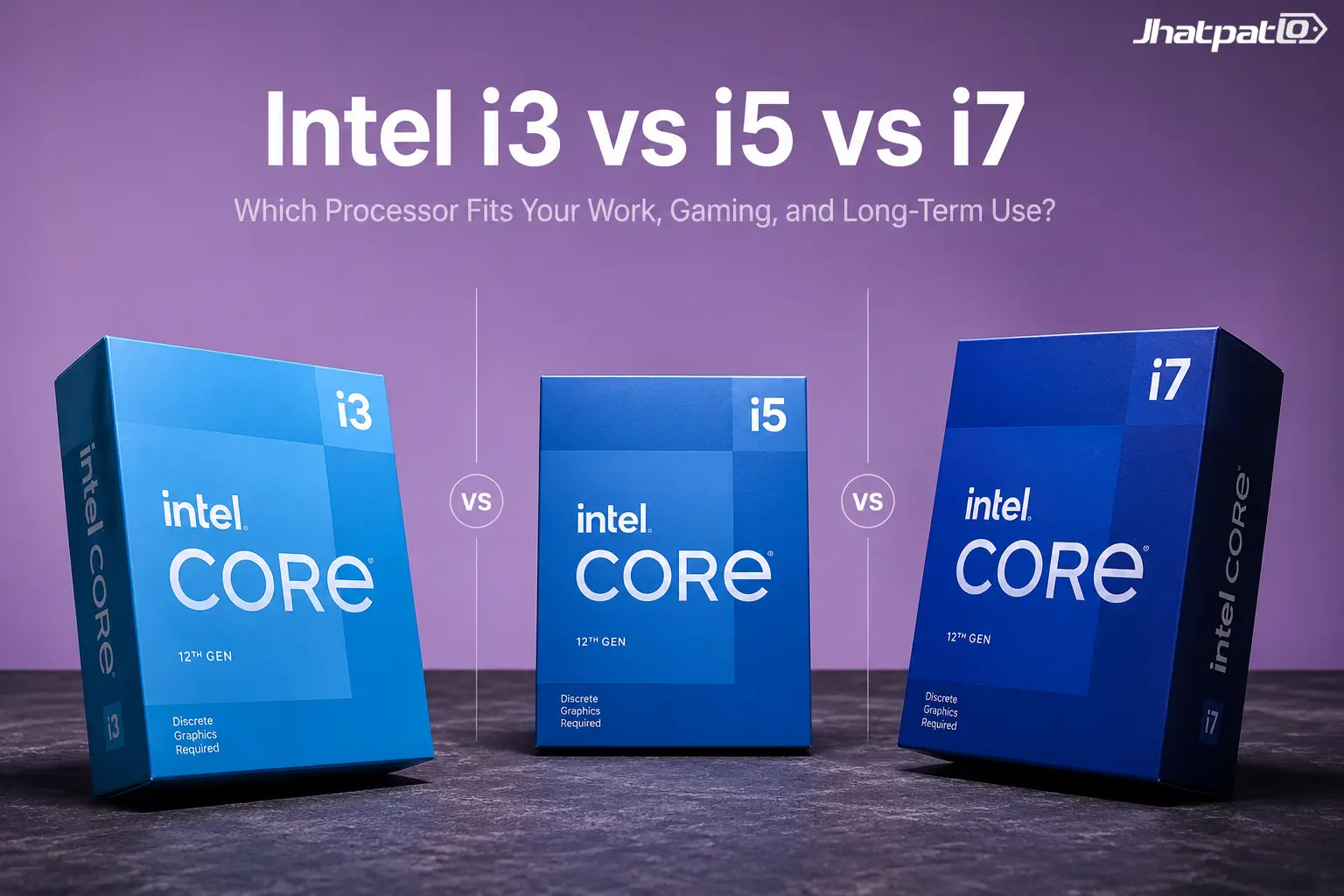
Choosing the best processor for college students sounds simple at first, but once you start comparing Intel i3, i5, and i7 laptops, the picture gets messy fast. The right choice depends on your course, your budget, and honestly, how long you want the laptop to stay useful without becoming annoying. So, let’s break it down in plain English, with real-world use in mind.
You might hear people talk about processor tiers like they’re the whole story, but they’re really just one part of the laptop equation. Generation, cooling, RAM, and the kind of software you use matter a lot too. That’s where the real buying decision starts to make sense.
Quick Highlights
- i3 works for light college tasks and tighter budgets.
- i5 is the sweet spot for most students.
- i7 is only worth it for heavy workloads.
- Generation matters more than the badge alone.
- EMI can make the jump to i5 feel very manageable.
What i3, i5, and i7 actually mean on a college laptop
Intel's Core names point to tiers: i3 for basic use, i5 for mid-range balance, and i7 for higher performance. But the badge alone tells you less than you think. A lot of students look only at the name and assume newer means better, or that i7 automatically wins. It’s not that neat.
What actually changes between tiers is usually the core count, cache size, Turbo Boost speed, and the split between performance cores (P-cores) and efficiency cores (E-cores). That P-core and E-core split is one reason newer laptops can handle multitasking and battery life better at the same time. In simple terms, some cores do the heavy lifting while others handle lighter background jobs more efficiently.
The most common mistake Indian college buyers make: A 13th gen i5 beats a 10th gen i7 in almost every real-world task. Generation matters more than the tier badge. Always check the generation, not just the number.
H vs U suffix — why this matters for students: An i7-U (ultra-low power) can be slower than an i5-H (high performance) under sustained load. If your course involves heavy software, the suffix matters as much as the tier. That's one of those details people ignore until the laptop starts slowing down during actual work.
In 2024–2026 laptops you may see 'Intel Core 5' and 'Core 7' instead of i5 and i7. These are the same tiers with a renamed branding. Core 5 = i5, Core 7 = i7 for practical purposes.
Is i3 the right processor for college students on a tight budget?
i3 handles browsing, YouTube, Zoom, MS Office, Google Meet, and PDFs without complaint. For a lot of students, that is genuinely enough — especially in the first year. If your laptop life is mostly assignments, lectures, and web research, an i3 can feel perfectly fine for a while.
Where it starts to struggle is heavy multitasking, large Excel files, multiple apps open together, and any software that needs to compile or render. The limits appear faster than most buyers expect. One day the laptop feels okay, and then suddenly every extra tab feels like a small argument with the machine.
The 4-year problem: Software gets heavier every year. Tabs multiply. College portals get clunkier. An i3 that feels fine in first year often feels cramped by third year. If you need the laptop to last your full degree, this ceiling matters. That’s the part many students forget when they’re only comparing price tags.
Who should pick i3: Arts, humanities, or commerce students with basic needs and a budget under ₹40,000 — and who are comfortable upgrading or replacing in 2–3 years.
Real college tasks where i3 is enough
- Online classes, Zoom, Google Meet
- Notes, PDFs, web research, Google Docs
- MS Office — Word, PowerPoint, basic Excel
- Light coding: HTML, basic Python scripts
- YouTube, OTT streaming
- Not recommended if your course involves AutoCAD, video editing, data tools, or running IDEs
Why i5 is the best processor for most college students in India
i5 is the sweet spot for most college students in India. More cores, better Turbo Boost, and a larger cache than i3 mean fewer slowdowns, faster app launches, and a laptop that doesn’t feel strained after a few months of use. It’s the tier that feels practical without being stingy.
It handles the college multitasking reality: 20 Chrome tabs open, Excel running, Spotify playing, and a Zoom call in the background — all at the same time — without the fan screaming or the screen freezing. That matters more than people admit. College life isn’t one clean task at a time; it’s a messy little pile of everything happening together.
Price bracket in India: A 12th or 13th gen i5 laptop sits between ₹50,000 and ₹70,000 on Amazon and Flipkart. That is the range where the best value laptops for college students currently live.
Longevity: A 13th gen i5 stays useful for a full 4-year degree comfortably. It is the one tier where you buy once and don’t think about it again until graduation. That peace of mind is underrated.
Already decided on i5? We've done the shortlisting — see the Best i5 laptops in India with current prices across Dell, Lenovo, HP, and Asus.
College use cases where i5 clearly beats i3
- Coding: VS Code with multiple terminals, Node.js, Python environments
- Light video editing for college assignments
- Data tools: Excel with large datasets, Python, R Studio
- Commerce students running Tally Prime + browser + Office simultaneously
- Engineering students using NetBeans or Eclipse with a local database
When is i7 actually worth it for a college student?
i7 makes sense for a specific kind of college student — one whose coursework genuinely pushes the machine. Not “I do a lot of multitasking.” Actually pushes it. That’s an important difference, because a lot of buyers jump to i7 when they really just need a better-balanced laptop.
Who actually needs i7: Engineering students running AutoCAD, SolidWorks, or heavy simulation software. Media and film students doing video editing in Premiere Pro or DaVinci Resolve. Students who also game seriously alongside their coursework. If that sounds like your daily routine, then yes, i7 starts making sense.
The real cost in India: i7 laptops start at ₹80,000 and quickly go above ₹1,00,000. The jump from i5 to i7 is ₹20,000–₹30,000 extra. That money spent on more RAM and a better SSD on an i5 often gives better real-world performance for college tasks. In other words, the more expensive badge doesn’t always buy the more useful laptop.
Thermal warning: A badly cooled i7 (thin chassis, poor ventilation) can throttle and perform worse than a well-built i5-H under sustained load. Always check thermal reviews before buying an i7 laptop. Heat changes everything, and a hot laptop is not a smart laptop.
If i7 is the right call for your course, see the best laptops under ₹80,000 for gaming and performance — it covers the Lenovo LOQ 15 with RTX 4050 and other options worth considering at this budget.
When i7 is overkill for college use
- Most B.Com, BBA, and BA students never need i7
- If your heaviest task is Zoom + Office + browser — i7 is wasted money
- Better spend: i5 + 16GB RAM + 512GB SSD beats i7 + 8GB RAM at the same price point
- Unless your college software specifically lists i7 as a requirement, i5 is enough
Best processor for college students — quick decision table
| Stream / Use case | Best processor | India price range | Why |
|---|---|---|---|
| Arts, Commerce, Humanities, general college | i3 (13th gen) | ₹35,000–₹45,000 | Light tasks, handles 4 years if needs stay basic |
| BCA, BTech, coding, data, engineering | i5 (12th/13th gen) | ₹55,000–₹70,000 | Balanced, handles all college tools without throttling |
| Media, design, heavy simulation, gaming | i7 (13th gen H) | ₹80,000+ | Needed for sustained heavy workloads — don’t compromise here |
Which processor handles your college software — mapped by stream
The fastest way to pick the right tier is simple: find your stream below and check what your college actually installs on day one. Software is the real test, not brand loyalty, and not the sales pitch on a product page.
BCA / BTech / Engineering
- Android Studio — i5 minimum; i3 will lag during the build process
- Eclipse / NetBeans — i3 manages light projects; i5 is smoother with multiple projects open
- Oracle DB + browser + IDE together — i5 minimum; i7 if you run virtual machines (VMware, VirtualBox)
- AutoCAD / SolidWorks — i7-H only; an i5-U will throttle under sustained 3D load
- Python / R Studio / Data tools — i5 comfortably handles most data science coursework
Commerce / BBA / CA Foundation
- Tally Prime alone — runs fine on i3
- Tally + Excel + Chrome together — i5 recommended for smooth switching
- Busy Accounting + PDF tools — i3 is enough
- MS Office heavy use (large pivot tables, macros) — i5 noticeably faster
Design / Media / Film
- Canva Desktop — i3 is enough
- CorelDRAW / Photoshop — i5 minimum for comfortable use
- Premiere Pro / DaVinci Resolve — i7-H, no compromise; i5 will work but export times will be painful
- Blender / 3D tools — i7 plus dedicated GPU; processor alone is not enough here
i3 vs i5 vs i7 on EMI — what the price difference actually looks like
Most Indian college students buy laptops on no-cost EMI. When you break the price down monthly, the decision looks very different. Suddenly that bigger processor doesn’t just feel like a one-time upgrade; it becomes a monthly number you can actually compare against your budget.
| Processor tier | Avg laptop price (India) | 12-month EMI (approx) | Monthly difference vs i3 |
|---|---|---|---|
| i3 (13th gen) | ₹38,000 | ~₹3,167/month | — |
| i5 (13th gen) | ₹58,000 | ~₹4,833/month | ₹1,666 more — less than one Swiggy order a week |
| i7 (13th gen) | ₹85,000 | ~₹7,083/month | ₹3,916 more — significant for a student budget |
Verdict: The gap between i3 and i5 is ₹1,666/month on EMI. For a laptop you will use every day for 4 years, that extra amount is almost always worth it. The gap between i5 and i7 is ₹3,916/month — only worth it if your software genuinely demands it.
Stretch to i5. Think twice before jumping to i7.
FAQ — What college students ask before buying
Q: Which is the best processor for college students under ₹50,000 in India?
A 13th gen i5 laptop. At ₹50,000 you may need to look at refurbished or sale prices, but this is the target tier. An i3 at ₹50,000 means you are overpaying for the tier — spend the same and get a better generation i5.
Q: Is i3 enough for a full 4-year college degree?
Depends on the stream. For Arts, Commerce, and basic Humanities — yes, if your tasks stay light. For BCA, BTech, Engineering, or Design — no. By year 3 the software demands will outgrow an i3 comfortably.
Q: Does generation matter more than i5 vs i7?
Yes. A 13th gen i5 outperforms an 11th gen i7 in most college workloads and uses less battery doing it. Always check the generation number before the tier badge when comparing laptops.
Q: i5 vs i7 for engineering students in India?
For most BTech coursework — coding, databases, basic simulations — i5 is enough. Go to i7 only if your course specifically requires AutoCAD, SolidWorks, or you plan to run virtual machines regularly.
Q: Should I save up for i7 or buy i5 now?
Buy i5 now unless your course explicitly needs i7. The ₹20,000–₹30,000 difference is better spent on 16GB RAM and a 512GB SSD on an i5 — that combination beats a barebones i7 laptop for almost all college tasks.
Q: What did my senior get wrong about processor advice?
Seniors who studied 3–4 years ago bought laptops when i7 was the clear performance king. Today a 13th gen i5 matches or beats many older i7s. Their advice was right for their time — it may not be right for 2026 hardware. Always check the generation, not just the tier they recommended.
Conclusion — Which processor should Indian college students actually buy?
The best processor for college students in India in 2026 is almost always a 13th gen i5. It handles every mainstream college workload, survives a full 4-year degree, and sits in a price range that makes sense on EMI without stretching the budget unnecessarily. If you want one honest answer, that’s it.
- i3 — Fine for arts, commerce, and basic use. Buy only if budget is the hard constraint and needs are genuinely light.
- i5 — The right choice for most students. Covers coding, data tools, multitasking, and 4 years of use without compromise.
- i7 — Only if your course demands it: AutoCAD, Premiere Pro, SolidWorks, or heavy simulation work. Don't buy it for the badge.
If your budget is under ₹50,000 see our picks for the Best laptops under ₹50,000 for students in 2026 all shortlisted for college use specifically.

Mahi Gupta
✉ mahigupta708076@gmail.comRelated Products




Dell 15 Launches in India With Intel Core Ultra 2 Series H Processors
Dell 15 launches in India with Core Ultra 2 series H chips Dell has launched the Dell 15 in India with Intel Core Ultra 2-series H processors, a dedicated NPU for on-device AI, and a starting price of Rs 69,699. The laptop is being sold through Dell.com, Dell Exclusive Stores, and large-format...

Intel Core Series 3 Processors Launch With Xe3 GPU and 40 TOPS AI Support
Intel Launches Core Series 3 For Schools, Small Businesses And Value Buyers Intel Core Series 3 CPUs were launched in global markets on Thursday, bringing the company’s first AI-ready Core Series chip to the market with support for up to 40 TOPS of AI compute. The new platform is built on Intel...

Asus Vivobook 15 2026 launch brings Intel Core 5 Series 3 in India
Asus has brought the Vivobook 15 2026 to India as the first laptop with Intel Core 5 Series 3, and it arrives with a clear pitch: everyday productivity with AI-ready features. At Rs 1,07,990, down from a Rs 1,59,990 MRP, it sits in the mid-premium Windows segment and aims at buyers who wan...

Asus Vivobook 15 AI features arrive in India with Core 7 and 17 TOPS NPU
Asus has brought two new Vivobook models to India with a clearer AI focus than the usual budget laptop launch. The Vivobook 15 and Vivobook 14 X1404MA both lean on Intel Core 7 Series 3 hardware, an on-device NPU rated up to 17 TOPS, and Windows 11 support. For buyers comparing everyday la...

Dell 15 2026 Launches in India With Intel Core Ultra 7 and 15.6 Inch Display
Dell 15 2026 arrives in India Dell 15 (2026) launched in India, waith the laptop going on sale through Dell India’s online store, authorised offline outlets and other multi-brand stores. The new model comes in two colour options, two RAM choices and two storage configurations, and can be conf...

ASUS Launches ExpertBook Ultra P3 and P5 in India with Intel Core Ultra Chips
ASUS expands ExpertBook business laptop lineup in India ASUS ExpertBook Ultra Launches in India along with the ExpertBook P3 and ExpertBook P5, widening its business laptop range with new Intel Core Ultra processors and updated displays. The lineup includes the ultra-light ExpertBook Ul...