


Lenovo Yoga Slim 7a 14 review that looks perfect but misses something
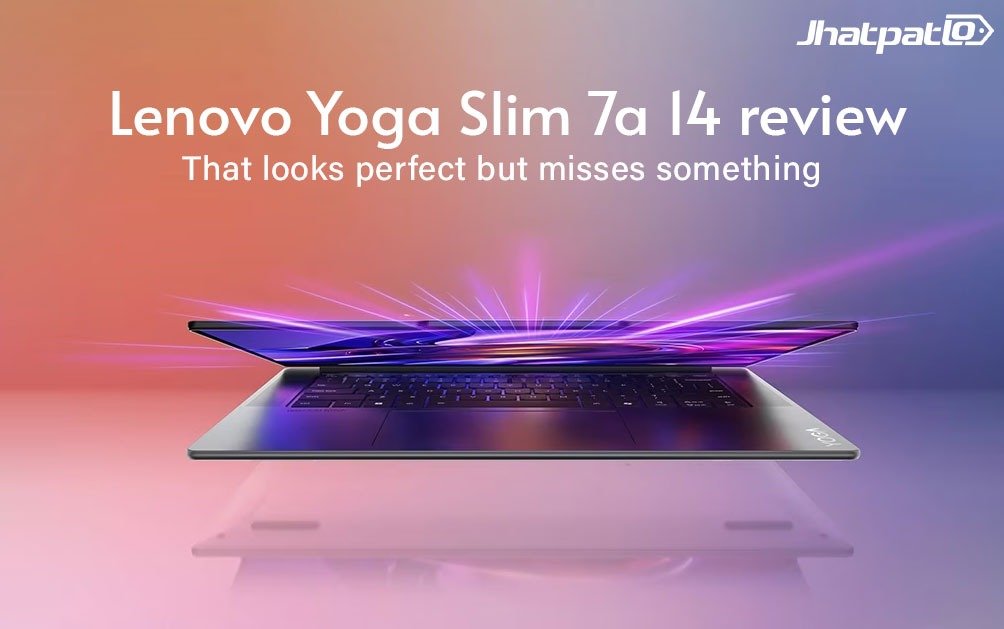
The Lenovo Yoga Slim 7a 14 is the kind of laptop that makes you do a double take when you pick it up. At around 1.15 kg and just 14 mm thin, it feels almost suspiciously easy to carry. And honestly, that’s the whole vibe here: elegant, light, premium, and very clearly built for people who move around a lot.
But there’s a catch, and it’s a pretty familiar one. When a laptop gets this slim, something usually gives. In this case, it’s not just a little compromise here and there. You’re looking at fewer ports, soldered RAM, a smaller SSD slot, and performance that’s good but not quite as strong as the hardware name might suggest. That tension runs through the whole Yoga Slim 7a 14 review.
Quick Highlights
- Very light and compact for everyday carry
- Excellent OLED screen with strong color and contrast
- Good battery life thanks to low power draw
- Connectivity is limited for a laptop at this price
- Performance is solid, but rivals do better in graphics
That balance of beauty versus practicality is really what defines this machine. If you’re the kind of person who wants a stylish 14-inch subnotebook that slips into a bag without complaint, the Yoga Slim 7a 14 makes a strong first impression. If you want a laptop that gives you more freedom to upgrade, plug in, game, or stretch performance over time, the story gets a bit less flattering.
Design that feels expensive, even before you turn it on
Lenovo has basically perfected the premium metal laptop look, and the Yoga Slim 7a 14 continues that trend. The chassis feels high quality, the opening angle is excellent at nearly 170 degrees, and the overall design is clean without screaming for attention. It looks like a laptop that belongs in a coffee shop, a meeting room, or a train seat tray. Probably all three.
The low weight is the real star, though. At roughly 1.15 kg, this is one of those devices you stop noticing in your backpack. That matters more than specs sometimes. A laptop can look great on paper, but if it feels like a brick after an hour of commuting, the magic fades fast.
Still, the build isn’t flawless. The test sample showed some unevenness where the sides and base plate met, so the fit and finish could be a little sharper. It’s not a dealbreaker, but it’s the sort of thing that reminds you Lenovo is aiming for sleekness first, not indestructible tank vibes.
Ports and practicality: this is where slim starts to cost you
This is probably the most controversial part of the Yoga Slim 7a 14. For a modern laptop, the port selection is lean to the point of frustration. There’s no LAN port, no card reader, no audio jack, no HDMI, and not even a USB Type-A port. That’s a lot to leave out, especially when you’re paying around €1,300.
To Lenovo’s credit, the laptop does include three USB-C ports, and two of them support USB4. All three support Power Delivery and DisplayPort, so the basics are covered if you live in a USB-C world. But the lack of legacy ports means many buyers will end up carrying dongles or a small hub. And that’s exactly the kind of extra clutter a slim laptop is supposed to help you avoid.
The webcam shutter is a nice touch, though, and the webcam itself is better than average. Wi-Fi 7 support also performed well in testing, which is useful if you already have a modern router at home or at work. So yes, the machine has some forward-looking features. It just doesn’t give you much flexibility around them.
The OLED display is one of the easiest things to love
If there’s one area where the Yoga Slim 7a 14 really earns its premium badge, it’s the display. The 14-inch OLED panel runs at 2880 x 1800 in a 16:10 format, and it looks excellent. Text is crisp, images pop, and the contrast is the kind of thing that makes ordinary IPS panels feel a bit flat by comparison.
Color coverage is strong too. The screen covers 100% of sRGB and nearly all of AdobeRGB and Display P3, which is more than enough for most creators, even if they’re not doing full-time color-critical work. Brightness is also very respectable, with nearly 500 nits at the center in testing. That means indoor use is easy and bright rooms are manageable, though the glossy surface can still get annoying outdoors.
Response times are fast, so scrolling and motion look clean. There is some PWM flickering at lower brightness levels, but the 600 Hz frequency is high enough that most users probably won’t notice it. If your eyes are especially sensitive, it’s worth keeping in mind, but it’s not the worst offender in the OLED world.
Specifications at a glance
| Specification | Lenovo Yoga Slim 7a 14AGP11 |
|---|---|
| Processor | AMD Ryzen AI 7 445, 6 cores, 12 threads |
| Graphics | AMD Radeon 840M integrated graphics |
| Memory | 16 GB LPDDR5X 8000, soldered |
| Storage | 1 TB Micron 2600 NVMe SSD, M.2 2242 |
| Display | 14 inch OLED, 2880 x 1800, 120 Hz, glossy |
| Weight | 1.154 kg |
| Price | Around €1,299 |
Performance is fine, but the slim body leaves something on the table
The Ryzen AI 7 445 inside the Yoga Slim 7a 14 is a capable chip, but it doesn’t quite get to stretch its legs. In CPU testing, it lands around the level of Intel’s Core Ultra 5 226V, which is respectable, but not exactly exciting for a laptop in this price range. What’s more telling is that the older Ryzen AI 7 350 in some competing Lenovo models can actually come out faster, largely because those devices have stronger cooling and, in some cases, a better integrated GPU.
That’s the tricky bit. The Yoga Slim 7a 14 isn’t slow. It’s just not as quick as the hardware category might make you expect. The cooling system is relatively small, with two fans and two heat pipes, and that seems to limit how much sustained performance the chip can hold under pressure.
For everyday use, though, it’s still perfectly comfortable. Office work, multitasking, browser-heavy sessions, video calls, and typical productivity stuff all feel smooth. The system performance sits in the middle of the pack, which is honestly where most people will live day to day anyway.
The graphics story is the biggest compromise
If you care about graphics performance, this is where the Yoga Slim 7a 14 starts to look less impressive. The integrated Radeon 840M is fine for light use, but in the current market it’s not especially competitive. Laptops at similar prices are already shipping with faster integrated graphics like AMD’s Radeon 860M or Intel’s Arc Graphics 130V.
That difference shows up in 3DMark testing and in games. Older or lighter games are playable, but current titles can be rough without lowering settings a lot, and sometimes even then they won’t feel great at 1080p. Cyberpunk 2077, for example, is more of a reality check than a gaming recommendation here.
So if your idea of a “do everything” laptop includes some casual gaming or heavier creative work, this isn’t the safest bet. The Yoga Slim 7a 14 is more of a polished productivity machine than a little powerhouse pretending to be one.
Keyboard, touchpad, speakers: Lenovo gets the familiar stuff right
One area where Lenovo usually does well, and still does well here, is input devices. The keyboard has a good layout, the key shape feels comfortable, and the two-stage white backlight is genuinely useful instead of just decorative. Typing feels natural, which matters more than people admit. A beautiful screen doesn’t help much if the keyboard is annoying.
The touchpad is also smooth and nicely sized at 13.5 x 8 cm. It gives the laptop that easy, premium feel during normal use, especially when you’re not connected to an external mouse. Nothing flashy. Just solid, reliable, and pleasant.
The speakers are decent but not remarkable. Loudness is fine, vocals come through clearly, mids and highs are balanced enough, but the bass is thin. That’s pretty normal for thin laptops, of course, but it still means music and movies won’t have much body unless you use headphones.
Battery life and thermals make the portability argument stronger
This laptop does have one very practical advantage: low power consumption. Around 5 W at idle and around 58 to 72 W under load is pretty reasonable for a thin OLED subnotebook. That helps battery life and keeps the whole experience from feeling wasteful or overheated.
In Wi-Fi browsing tests at 150 cd/m², the Yoga Slim 7a 14 lasted nearly 9 hours. That’s good, even if it doesn’t fully top the competition. You could probably get through a workday of mixed use without panic charging, which is what most buyers actually care about.
Heat and noise are also handled decently. In idle use, the fans are often off or barely audible. Under load, the machine gets noticeable, but not obnoxious. Temperatures rise into the mid-40s Celsius on the chassis during gaming, which is warm but still within the expected range for this kind of slim laptop. In other words, it’s not cool under pressure, but it’s also not falling apart.
A quick comparison with what else is out there
Here’s the annoying truth: the Yoga Slim 7a 14 has real competition, and some of it makes better trade-offs. Devices like the Lenovo Yoga Slim 7, Lenovo IdeaPad Pro 5, Asus Vivobook S 14 OLED, and Acer Swift 14 AI all occupy a similar 14-inch space, but some offer faster graphics, more memory, better value, or a less restrictive feature set.
| Model | Weight | Thickness | Graphics | Key takeaway |
|---|---|---|---|---|
| Lenovo Yoga Slim 7a 14AGP11 | 1.154 kg | 14 mm | Radeon 840M | Lightest feel, but most compromised |
| Lenovo Yoga Slim 7 14AKP G10 | 1.2 kg | 13.9 mm | Radeon 860M | Better graphics, still slim |
| Lenovo IdeaPad Pro 5 14AKP G10 | 1.4 kg | 15.5 mm | Radeon 860M | Less portable, more capable |
| Asus Vivobook S 14 OLED S5406SA | 1.3 kg | 15.9 mm | Arc 130V | Stronger graphics at a lower price |
| Acer Swift 14 AI SF14-51-58TU | 1.3 kg | 16 mm | Arc 130V | More balanced overall package |
And that’s why the Yoga Slim 7a 14 is a little hard to recommend blindly. It’s not a bad laptop. Not at all. It just feels like Lenovo leaned so hard into slimness that some buyers will wonder whether they should’ve spent the money on a more practical sibling instead.
So, who is this laptop actually for?
If you travel constantly, work on the move, and want a premium 14-inch laptop that’s genuinely easy to carry, the Yoga Slim 7a 14 makes a lot of sense. The OLED display is gorgeous, the battery life is solid, the keyboard is good, and the chassis feels classy enough to justify the premium feel.
But if you’re hoping for better graphics, more ports, upgrade flexibility, or simply a stronger value story, this is where the cracks show. The soldered RAM and small M.2 2242 slot also make long-term ownership a little less appealing than it should be. That’s the sort of thing that can quietly annoy you two years later, even if it doesn’t bother you on day one.
So, yes, the Lenovo Yoga Slim 7a 14 is a nice laptop. A really nice one, actually. Just not a perfectly balanced one. It’s slim at almost any price, and that’s both the charm and the problem. If you’ve been chasing a laptop that disappears in your bag and still looks premium when you open it, this one deserves a close look. If not, you might be happier with a slightly thicker machine that gives back a bit more than it takes away.
And maybe that’s the real question here: do you want the thinnest possible laptop, or the one that makes the fewest compromises once you start using it every day?
Related Products



Lenovo Unveils Yoga and IdeaPad Lineup at MWC 2026
Lenovo kicked off Mobile World Congress 2026 in Barcelona on a Monday with a broad slate of announcements. The company introduced a fresh set of laptops and tablets, including the Yoga 9i 2-in-1 Aura Edition, Yoga Pro 7a, Yoga Slim 7i Aura Edition, IdeaPad Slim 5i Ultra, and IdeaPad Slim 3...

LG Gram 14 2026 Debuts with Ryzen AI 450 and 72Wh Battery in Japan
The LG Gram 14 (2026) has been launched as the latest version of the company’s thin and light laptop line and is now available to pre-order in Japan. The new model features a 14-inch WUXGA IPS display at 1,200 by 1,920 resolution and is compatible with up to an AMD Ryzen AI 450 processor w...

Lenovo Lecoo Pro 14 OCuLink Laptop Launches in China With Intel and AMD
Lenovo has launched the Lecoo Pro 14 in China, and the main draw is clear: it combines Intel or AMD processor options with 24GB LPDDR5 memory and an OCuLink eGPU port. Priced at 5,799 yuan, the 14-inch laptop is aimed at buyers who want more than the usual thin-and-light setup, especially...

Lenovo Legion Y700 Gen 5 Launches in China With Snapdragon 8 Elite Gen 5 and 9000mAh Battery
Launch and Overview Lenovo has launched the Legion Y700 Gen 5 gaming tablet in China. The device arrives with an 8.8-inch display, a 165Hz refresh rate, and a Snapdragon 8 Elite Gen 5 chipset. A 9,000mAh battery supports 68W fast charging. Lenovo emphasizes a premium cooling system and AI-pow...

Acer Swift Neo AI laptop launches in India at Rs 67,999
Acer has launched the Swift Neo AI laptop in India starting at Rs 67,999, bringing Intel Core Ultra 5 and Core Ultra 7 H-series chips to the Copilot Plus PC segment. The laptop also includes Intel AI Boost for on-device tasks, which keeps the headline focused on its AI-ready hardware and l...

Dell 15 Launches in India With Intel Core Ultra 2 Series H Processors
Dell 15 launches in India with Core Ultra 2 series H chips Dell has launched the Dell 15 in India with Intel Core Ultra 2-series H processors, a dedicated NPU for on-device AI, and a starting price of Rs 69,699. The laptop is being sold through Dell.com, Dell Exclusive Stores, and large-format...