


How to Choose the Right Laptop in 2026
Introduction
Laptop shopping in 2026 is weirdly exhausting. Every model sounds impressive, every spec sheet looks important, and somehow the thing you end up regretting is usually not the chip you chose but the everyday stuff nobody seemed to highlight. The real trick isn’t finding the “best” laptop in some abstract sense. It’s avoiding the wrong one for the way you actually work, study, stream, or travel.
That’s where a little restraint helps. You don’t need to understand every number on the box. You just need to know which details matter for your life and which ones are mostly there to make a product page look smarter than it is.
Quick Highlights
- Start with how you’ll actually use it.
- Don’t overpay for power you won’t notice.
- Comfort matters more than spec-sheet bragging.
- Ports, screen quality, and battery life add up fast.
Understanding Use Cases and Budget
Before you get lost in processor names and screen jargon, ask the boring question first: what are you really doing on this machine? If your day is mostly email, documents, browser tabs, and video calls, you need a very different laptop than someone editing 4K footage or jumping between big spreadsheets and a dozen apps at once.
Budget matters here too, but not in a simple “spend more = better” way. The point is to find the price range where the compromises stop being annoying. A cheap laptop can be fine if your needs are light. A midrange laptop can feel great if it covers your real workload cleanly. The trap is paying extra for features you won’t use, then still ending up frustrated because the keyboard, battery, or screen wasn’t actually right.
So think in terms of workload buckets. Light use, general use, creative work, and gaming all pull you in different directions. Once you know which bucket you’re in, the rest gets a lot less noisy.
Which Operating System Is Best?
There’s no universal winner here. Windows, macOS, ChromeOS, and Linux all make sense, but for most people the quiet deciding factor is familiarity. If you already know where everything lives, you’ll be happier than someone chasing a technically perfect setup that feels awkward every day.
Windows is the most flexible, with tahe widest range of laptops and prices. macOS is polished and consistent, especially if you already use an iPhone or other Apple gear. ChromeOS is simple and usually cheap, which makes it attractive for school, browsing, and basic cloud-based work. Linux can be great if you want control and don’t mind a little setup, but it’s rarely the easiest choice for a beginner.
| Operating System | Pros | Cons |
|---|---|---|
| Windows | Huge selection, broad software support, many price points | Can vary a lot in quality from laptop to laptop |
| macOS | Smooth, stable, strong battery life on many models | Less variety, higher entry price, limited upgradeability |
| ChromeOS | Simple, fast for basics, often affordable | Not ideal for heavy desktop software or advanced creative work |
| Linux | Highly customizable, lightweight, strong for technical users | Steeper learning curve, compatibility can be hit or miss |
Understanding Processor Names, RAM, and Storage
This is the part where a lot of people either overspend on speed they’ll barely feel or underbuy memory they’ll regret six months later. Processor names look intimidating on purpose. RAM sounds technical. Storage sounds simple until you realize 512 GB might be plenty for one person and annoying for another. The goal here is not to become a hardware nerd overnight. It’s to avoid paying for the wrong thing.
| Part | What it affects | What to watch for |
|---|---|---|
| Processor | Overall speed, multitasking, demanding apps | Don’t chase flagship chips unless you actually need them |
| RAM | How smoothly many apps and tabs run together | 8 GB is cramped for many people now |
| Storage | How much can live locally on the laptop | Cloud storage helps, but it doesn’t solve everything |
How Much Processing Power Do You Need?
There’s a real difference between enough power and the kind of power that only makes sense for editors, gamers, and heavy multitaskers. If your work is mostly browsing, writing, and streaming, a modern midrange processor is usually plenty. You’ll get a laptop that feels responsive without paying for heat, fan noise, or battery drain you didn’t need.
Once you start doing things like video editing, 3D work, coding in larger environments, or keeping a lot of demanding apps open at once, the calculation changes. That’s when more processing power actually pays off. But for a lot of people, the jump from “good enough” to “fastest available” mostly changes the price tag, not the experience.
How Much RAM Do You Need?
Here’s the short version: 16 GB is the new baseline. That doesn’t mean 8 GB is unusable, but it does mean 8 GB is now firmly in the “only if your needs are light” category. If you keep a handful of browser tabs open, use messaging apps, and jump between documents, 16 GB gives you breathing room that you’ll notice in small but steady ways.
More RAM becomes important when your laptop stops being simple. If you run creative software, work with lots of tabs, or tend to leave everything open because you don’t want to think about closing it, extra memory keeps things from bogging down. This is one of those upgrades that doesn’t sound dramatic until you’ve lived with too little of it.
How Much Storage Do You Need?
Storage depends more on your habits than people expect. If you live in the cloud, stream most of your media, and don’t keep a lot on the device itself, you may not need much local space. But if you download games, save big photo libraries, edit video, or keep files offline for travel, storage fills up fast.
A smaller drive can work for light users, but it can also become annoying sooner than you think. Once your laptop starts feeling cramped, the whole experience gets less pleasant. So it’s worth asking yourself whether you’re a “everything lives online” person or someone who quietly hoards files and never deletes anything.
What Kind of Screen, Ports, and Extras Should You Care About?
These are the details that seem minor when you’re comparing specs and suddenly feel huge after a week of real use. Screen size, panel quality, USB-C, webcams, hinges, and speakers all shape the daily experience in ways that don’t show up neatly in benchmark charts. A decent laptop with a bad screen can still feel tiring. A great laptop with no useful ports can feel weirdly inconvenient.
- Screen size: 13 to 14 inches is portable; 15 to 16 inches feels roomier for work.
- Panel quality: Look for good brightness and color, not just resolution.
- USB-C: Useful for charging, docks, and fewer cable headaches.
- Webcam and mic: More important than they used to be, especially for calls.
- Hinges and keyboard feel: These affect daily comfort more than most specs do.
- Speakers: Nice if you watch a lot of video without headphones.
And yes, these extras matter. The most practical laptop is often the one that fits your bag, opens smoothly, sounds decent, and doesn’t make every video call slightly irritating. That’s not glamorous, but it’s real life.
Make Your Choice
Once the spec fog clears, the better laptop is often the one that simply feels right in the hand and survives a few hours of reading reviews without making you second-guess every choice. Try to imagine your actual routine. Are you carrying it every day? Leaving it plugged in most of the time? Working in coffee shops? Using it for classes? Those small details can matter more than the brand name on the lid.
It also helps to trust your reactions a little. If a laptop has the right specs but feels flimsy, runs hot, or seems awkward to type on, that’s not a tiny issue. That’s the machine telling you something. A good purchase is rarely about one dramatic feature. It’s usually the combination of enough power, the right screen, usable battery life, and a design you won’t get tired of.
So, if you’re stuck between two close options, choose the one that fits your routine better. The “best” laptop on paper is not always the one you enjoy living with.
FAQ
A few of the questions people keep circling back to when the spec sheet stops helping.
Q: Is a MacBook always the safest choice?
No, it’s just the cleanest default for people who already like Apple’s ecosystem and don’t need much hardware variety. A MacBook can be a great choice, but it isn’t automatically the right one for everyone. If you need more port flexibility, a wider price range, or specific Windows-only software, another laptop may make more sense.
Q: Is 8 GB of RAM enough in 2026?
Only for very light use, and mostly on budget machines where the tradeoff is obvious. If you browse casually, write documents, and don’t keep much open at once, it can still work. But for most people, 16 GB gives a much more comfortable experience and is the safer long-term pick.
Q: Do I really need a discrete graphics card?
Only if you care about gaming, video work, or another workload that actually pushes graphics hard. Most everyday users don’t need one. Integrated graphics are perfectly fine for web work, streaming, office tasks, and a lot of casual use.
Q: Should I buy from the manufacturer or a retailer?
Check both, because laptop pricing is messy and the same model can be oddly different depending on where it’s sold. One store might bundle in a better warranty or discount the exact configuration you want. Another might have a return policy that’s more forgiving. It’s worth comparing before you commit.
Conclusion
A good laptop purchase is less about chasing the newest chip and more about matching the machine to the way you live with it. If you get that part right, the rest becomes easier to ignore. You won’t care as much about the benchmark graph you saw last week, because the laptop will already be doing what you needed it to do.
And honestly, that’s the goal. Not perfection. Just a machine that disappears into the background in the best possible way.
Related Products



MacBook Neo Gets Biggest Discount Since Launch on Amazon Sale
MacBook Neo Sees Its First Major Price Correction Since Launch Apple’s MacBook Neo has received its biggest discount since launch during Amazon’s Great Summer Sale 2026, with the effective price dropping to Rs 57,990 after bank offers. The base 256GB variant is listed at Rs 61,990, down from...
Qualcomm Snapdragon C Targets Budget Windows Laptops With Longer Battery Life
Qualcomm Moves Snapdragon C Into Entry Level Windows PCs Qualcomm is bringing its Windows on Arm push to cheaper laptops with the Snapdragon C platform, aimed at devices starting around $300. The company is positioning the chip for thin and light Windows laptops built for browsing, office wor...
Apple Simplifies MacBook Purchases with Step by Step Configuration
Apple has subtly revamped its online store, streamlining the Mac purchase experience. The goal? To cut down on the confusion that often accompanies checkout, particularly when it comes to configuring a Mac. The updated Apple Store now offers a more guided approach for Mac and MacBook purchases, mirr...
India’s Laptop Buyers Spend More and Research Harder in 2026 Survey
India’s Laptop Buyers Are Moving Toward Premium, Long-Term Purchases India’s laptop buyers are spending more, comparing more devices, and taking longer to decide, according to a new survey from 91mobiles based on responses from more than 3,000 users. The findings point to a market that is moving...
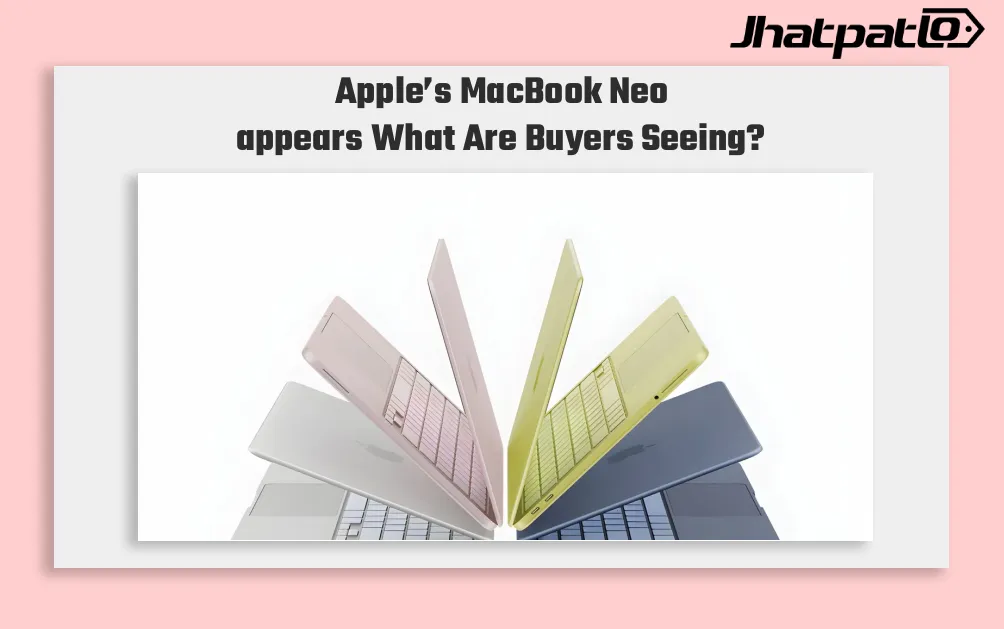
Apple MacBook Neo Shipment Target Rises as Budget Demand Grows
Apple’s MacBook Neo appears to be gaining traction faster than expected, with reported 2026 shipment plans now reaching 10 million units. The shift matters because it shows how price, design, and Apple’s ecosystem can still move buyers, even in a market crowded with budget Windows laptops and...

Acer Aspire 5 AI Launches in India at Rs 79,999 With Core Ultra Chips
Acer brings Aspire 5 AI to India at a starting price of Rs 79,999 Acer Aspire 5 AI Launches in India, with pricing starting at Rs 79,999. The laptop comes with Intel Core Ultra H-series processors, up to Core Ultra 7, along with up to 32GB LPDDR5 RAM and 1TB SSD storage. The new model is built...