


HP OmniBook Series Explained Which Model Fits You
Introduction
HP’s new OmniBook range is one of those laptop lineups that looks simple at first, then gets a bit more interesting the longer you sit with it. On paper, you’ve got a student-friendly starter model, a couple of sensible middle-ground options, and then a top-end machine that pushes all the way up to 85 TOPS. Battery claims jump around too, from 34 hours to 36 hours and into 70Wh fast-charging territory. So yes, there’s a lot going on here.
But here’s the thing: most people don’t buy a laptop because it has the biggest spec sheet. They buy it because it feels right for the way they actually live, work, and move around. And that’s really what makes the HP OmniBook range worth understanding. It’s not just about AI buzzwords or OLED panels. It’s about whether you need something light for lectures, dependable for work, or strong enough for editing, design, and other creator-level jobs.
Quick Highlights
- OmniBook 3 is the easiest fit for students
- OmniBook 5 looks like the safest all-rounder
- OmniBook 7 adds real creator muscle
- OmniBook X and Ultra are for premium buyers
- Battery life and portability matter as much as raw power
Which HP OmniBook tier makes sense for the way you use a laptop?
The lineup is built around three clear buying moods: Learn, Work, and Create. That’s actually helpful, because it stops the decision from becoming a spreadsheet exercise. Instead of asking which laptop has the biggest numbers, you can ask a much better question: how hard does this thing need to work every day?
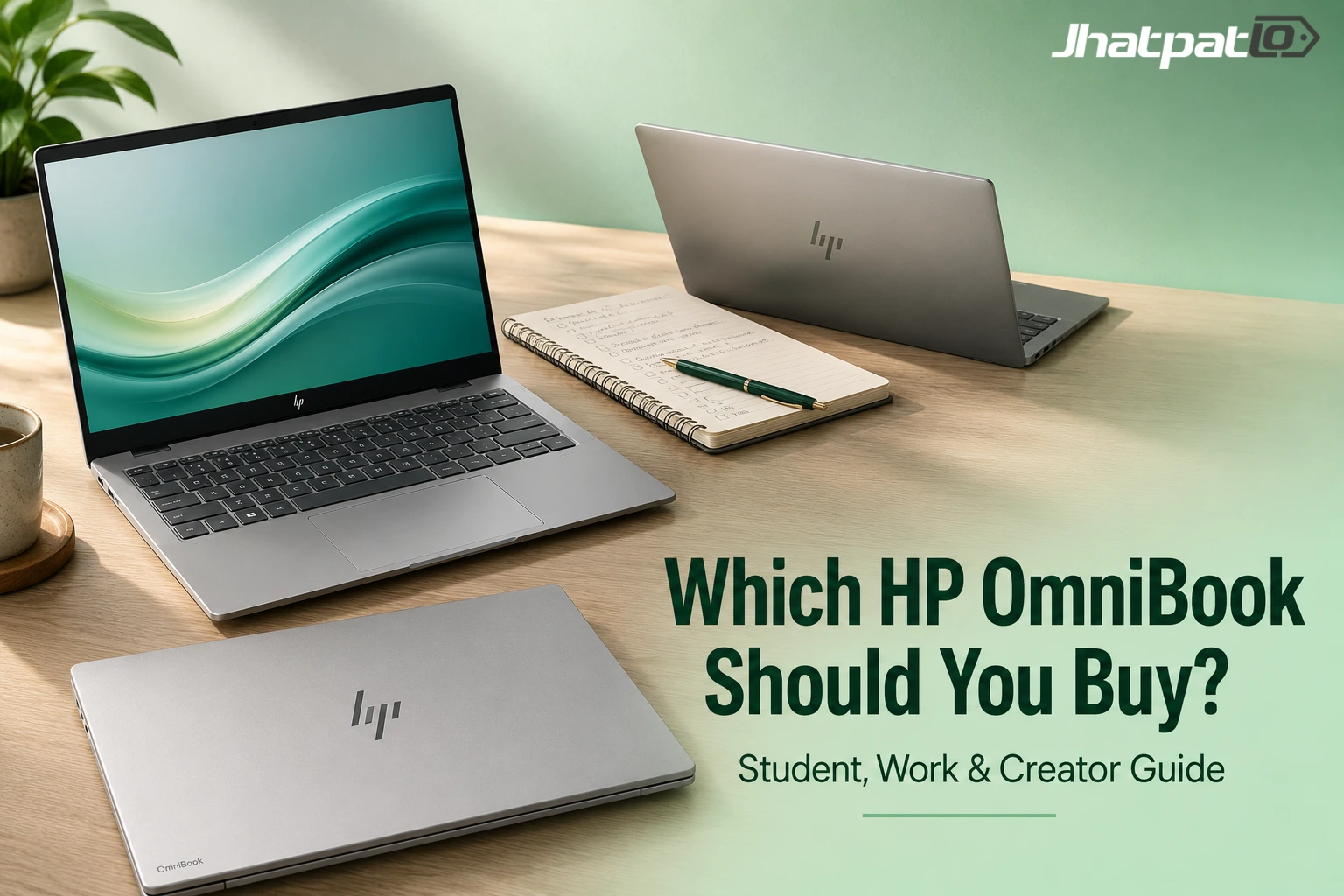
The range starts with the HP OmniBook 3 for students, moves through the OmniBook 5 and OmniBook 7 for mixed-use and heavier tasks, and ends with the OmniBook X and OmniBook Ultra for premium portability and creator workloads. That progression makes sense. It mirrors how real people upgrade. You start with convenience, then want balance, then eventually need performance that doesn’t feel like a compromise.
HP OmniBook 3 for students who want a first premium everyday laptop
The HP OmniBook 3 is clearly the most straightforward laptop in the range. It’s the one HP seems to want students to notice first, and honestly, that makes sense. If you’re carrying a laptop between classes, libraries, coffee shops, and your room, you probably want something slim, durable, and not annoying to live with.
That’s where this model lands nicely. It has enough power for assignments, web browsing, video calls, and streaming, which is the real day-to-day mix for a lot of students. You also get Intel or Qualcomm ARM versions, which gives HP a bit more flexibility depending on whether you care more about familiar Windows behavior or battery-friendly modern efficiency. Some versions go up to a 16-inch OLED panel, and the battery claims reach as high as 36 hours in select configurations. That’s a big number, but even if you treat it as a best-case figure, it still tells you the machine is built to go the distance.
And that’s really why the OmniBook 3 is appealing. It doesn’t try too hard. It’s the least complicated choice in the entire lineup, which is often exactly what a first premium laptop should be. If you’re sitting there thinking, “Do I need more than this?” the answer is probably no.
OmniBook 5 battery life and why it looks like the safest all-rounder
The OmniBook 5 feels like the classic sensible pick. It’s aimed at working professionals, family users, and university students who want one laptop to do most things without turning the whole decision into a spec comparison nightmare. That alone makes it easier to recommend than a lot of mid-range laptops, which often end up in a weird no-man’s-land between cheap and overbuilt.
HP claims around 34 hours of local video playback here, which is strong enough to suggest all-day, multi-day use without constant charger anxiety. The included 65W USB-C GaN charger is also said to be 40% smaller and 42% lighter, and it can get the battery to 50% in around 30 minutes. That’s the kind of detail that sounds small until you’re actually rushing out the door and realize your laptop is almost dead.
Key details:
- 14-inch and 16-inch 2K OLED options
- Optional Flip 2-in-1 design
- Intel Panther Lake-based CPUs
- Up to 45 TOPS NPU performance
- Wi-Fi 7 and Thunderbolt 4
What makes this tier interesting is that it doesn’t just chase battery life or just chase AI capability. It tries to balance both while still keeping the laptop useful for a wide range of people. You might use it for work presentations during the week, then family streaming or coursework at night, and it should handle all of that without feeling fussy. That balance is often the real value sweet spot. Not exciting, maybe. But very practical.
OmniBook 7 for video editing and other heavier creative work
This is where the range starts to feel properly performance-led rather than just “nice to have.” The OmniBook 7 is the point where HP clearly expects you to do more than browse, write, and attend calls. It’s built for people who open heavy files, bounce between creative apps, and want a laptop that can keep up without sounding like it’s about to lift off from the desk.
The specs back that up. The OmniBook 7 uses Intel Core Ultra processors, reaches up to 48 TOPS of NPU performance, and can be configured with up to 32GB RAM and NVIDIA GeForce RTX 4050 graphics. That combination matters because video editing, motion graphics, and heavier photo work are rarely about one big number. They’re about whether CPU, GPU, memory, and thermal design all cooperate without turning every task into a slowdown.
Comparison points that matter:
- OLED display up to 3K
- 48–120Hz variable refresh rate
- Intel Arc Graphics as standard
- RTX 4050 option for demanding tasks
- 14-inch variant stays under 1.5kg
The 14-inch version staying under 1.5kg is a nice touch too. That’s light enough that it doesn’t immediately feel like a creative desktop replacement brick. If you’ve ever wanted power but hated the idea of carrying around a heavy machine, that detail will matter more than you think. The OmniBook 7 is basically HP saying, “Yes, you can do real work on this, and no, you don’t have to hate carrying it.”
What changes once you move into the premium creator models?
The jump from Work to Create isn’t just about faster chips. It’s about a different expectation of what the laptop should handle without getting loud, hot, or awkward to carry. That’s a subtle but important shift. In the Work tier, a laptop should be capable. In the Create tier, it should disappear into the background while you do serious stuff.
That’s where the HP OmniBook X and OmniBook Ultra come in. Both are built for people who want premium design, OLED panels, and stronger AI capability from a Snapdragon or high-end platform. In other words, they’re the models you buy when you care not just about performance, but about the experience of using that performance every day.
HP OmniBook X and HP OmniBook X Flip for portable creator and pro use
The OmniBook X is the more portable premium option, and it’s easy to see why someone would want it. It carries that thin, durable, professional feel that a lot of people want from a laptop they’ll take everywhere. HP is leaning on the old Envy-style idea here: practical, polished, and premium without feeling overly flashy.
Under the hood, it uses the Qualcomm Snapdragon X Elite with a 45 TOPS NPU, which puts it firmly in modern AI PC territory. It also offers up to a 3K OLED display with 48–120Hz variable refresh, Corning Gorilla Glass protection, and a design that should feel sturdy enough for real-world travel. The X Flip adds extra flexibility too, with laptop, tablet, tent, and reverse modes. That makes it a better fit if you like one device doing double duty across work and casual use.
For creators and professionals, the big appeal here is portability without feeling cut down. You still get premium visuals and useful AI hardware, but the machine stays slim enough to carry around without thinking twice. That’s the kind of laptop that can quietly become your default.
OmniBook Ultra 3K OLED performance and why it sits at the top
The OmniBook Ultra is HP’s fastest and most powerful OmniBook, and it sits at the top for a reason. This is the one that replaces the Spectre lineup and leans very hard into performance and visuals at the same time. It’s clearly built for people who want a flagship machine, not just a very good one.
It’s just under 10.7mm thin and weighs around 1.3kg, which is a genuinely impressive mix when you remember what it’s trying to do. HP has also used a compact vapour chamber cooling system for video rendering, which is the kind of detail that matters once you start pushing the laptop hard for longer stretches. Add the 14-inch 3K OLED touchscreen, up to 500 nits brightness, and a 30–120Hz variable refresh rate, and you start to see the shape of the thing: thin, bright, fast, and built to handle pressure.
Spec highlights:
- 70Wh battery
- 65W fast charging
- Up to 55 TOPS on AMD configurations
- Up to 85 TOPS on Snapdragon X2 Elite configurations
- Real-time video effects
- Local file summarisation without cloud apps
That local AI angle is especially interesting. A lot of laptop marketing throws around AI in a vague way, but here it sounds like HP is pushing for real on-device usefulness. Things like real-time video effects and local file summarisation without cloud apps are the sort of features that can actually save time. Not flashy in the abstract, maybe, but very handy when you’re in the middle of a real workflow.
Which HP OmniBook should you buy if you care most about value, power, or portability?
The simplest reading is that HP has made every tier feel intentional. The entry model already gets useful AI hardware, the mid-tier options balance battery and portability well, and the top-end machines stop making compromises altogether. That’s a good structure, because it means you don’t have to force a “best” answer onto a lineup that’s really trying to serve different kinds of buyers.
If you care most about value, the OmniBook 3 and OmniBook 5 make the most sense. The 3 is the obvious student pick, while the 5 looks like the safest all-rounder if you want one machine to handle work, study, and everyday life. If you care about power, the OmniBook 7 is the stronger call for video editing and heavier creative tasks. And if portability is your main priority but you still want premium performance, the OmniBook X is the more travel-friendly choice, while the Ultra is the model for people who want the strongest AI laptop in the range.
So the real answer isn’t “which one is best?” It’s “which one will feel right after six months of actually using it?” That’s usually where laptop decisions get clearer. Specs are one thing. Living with the machine is another.
FAQ
These questions come from the narrower doubts people usually have after comparing the tiers: battery life, creator performance, and whether the AI hardware is actually useful once you’re past the marketing.
Q: Is the HP OmniBook 3 good enough for students?
Yes. The HP OmniBook 3 is clearly aimed at students, with a slim design, campus-friendly durability, Intel or Qualcomm ARM options, and up to 36 hours of battery life in select models. That combination makes it a very easy everyday laptop to recommend if your workload is mostly classes, browsing, calls, notes, and streaming.
Q: Is the OmniBook 5 battery life really that much better?
HP claims around 34 hours of local video playback, plus a 65W USB-C GaN charger that is 40% smaller and 42% lighter. So yes, it’s built for long days rather than just decent endurance. The charger detail matters more than people expect, because a smaller charger makes the whole laptop feel less annoying to carry.
Q: Is the OmniBook 7 enough for video editing?
It should be for many users. The OmniBook 7 adds Intel Core Ultra chips, up to 32GB RAM, dedicated Intel Arc Graphics, and an NVIDIA GeForce RTX 4050 option, which puts it in real performance-laptop territory. If your editing is fairly regular and not just occasional trimming, this is the tier that starts to make sense.
Q: What makes the OmniBook Ultra different from the rest?
The Ultra is the no-compromise option: 3K OLED touchscreen, 500 nits peak brightness, 70Wh battery, 65W fast charging, vapour chamber cooling, and up to 85 TOPS for on-device AI work. It’s the model for buyers who want the best OmniBook HP is offering, not just a good one.
Conclusion
If you’re trying to buy an AI PC that still feels practical, the HP OmniBook series makes the decision surprisingly straightforward: choose the tier that matches your workload, not the biggest number on the box. That’s really the cleanest way to think about it, because the lineup is broad enough to cover most people without making every model feel interchangeable.
For most buyers, that means OmniBook 3, 5, or 7. If you’re a student, the 3 makes life simple. If you want one dependable laptop for everyday use, the 5 is the safe middle ground. If you edit video or do heavier creative work, the 7 has the stronger spec story. And if you want a premium Snapdragon X Elite laptop or the strongest AI laptop in the range, the X and Ultra are the ones to look at.
In the end, that’s probably the nicest thing about this range. It doesn’t force you into one “correct” answer. It just gives you a ladder that mostly makes sense. And that’s refreshing.

Mahi Gupta
✉ mahigupta708076@gmail.comRelated Products




iQOO Z11 India launch soon with Dimensity 7500 Turbo chipset
iQOO Z11 India launch soon, and the phone is tipped to arrive in August as the first model in India with MediaTek’s Dimensity 7500 Turbo. That puts the Z11 directly into a performance-led midrange fight, especially if iQOO keeps the curved-screen hardware intact for the local version. The iQOO...

Moto Edge 70 Max price in India starts at Rs 49,999 with Snapdragon 8 Gen 5
Moto Edge 70 Max price in India starts at Rs 49,999, and that puts Motorola’s latest flagship into a crowded premium Android segment. The phone focuses on high-end performance, a large AMOLED display, strong battery life and durability features. Here is a clear look at the launch details,...

Xiaomi 18 series India launch date tipped should you wait
Leaks around the Xiaomi 18 series suggest the brand may move its India flagship launch to early December, with a smaller lineup and a limited Pro Max model. Here is what the latest reports point to, what is still unclear, and why the launch matters beyond just phones. Xiaomi 18 Ultra canc...

Motorola Edge 70 Max update policy clarified with 3 OS upgrades and 5 years of SMR
Motorola has clarified the Edge 70 Max software update policy, setting it at up to 3 Android OS upgrades and up to 5 years of SMR. The update matters because buyers had been left with mixed signals across regional product pages, and software support is now a major part of how people compar...

Lava Virat V1 5G launch brings 120Hz display and 6000mAh battery
Lava Virat V1 5G launch lands in India with a July 24 date and a clear budget focus. The phone is being positioned under ₹10,000, with a 6.75-inch 120Hz display, a UNISOC T8200 chipset, and 4GB RAM virtual expansion. For buyers looking at the entry 5G segment, the bigger story is practical...

Edifier R1000TC II Bluetooth 6.0 Brings 42W Desktop Audio
Edifier has launched the R1000TC II in China with Bluetooth 6.0, dual-device pairing, and a 42W output rating. For desktop users, the more practical detail is the mix of wireless convenience, USB sound card support, and RCA input in one active bookshelf speaker pair. It is a fairly direct...