


Lenovo Lecoo N27 Pro AIO brings i5 13420H and 2.5K 100Hz display
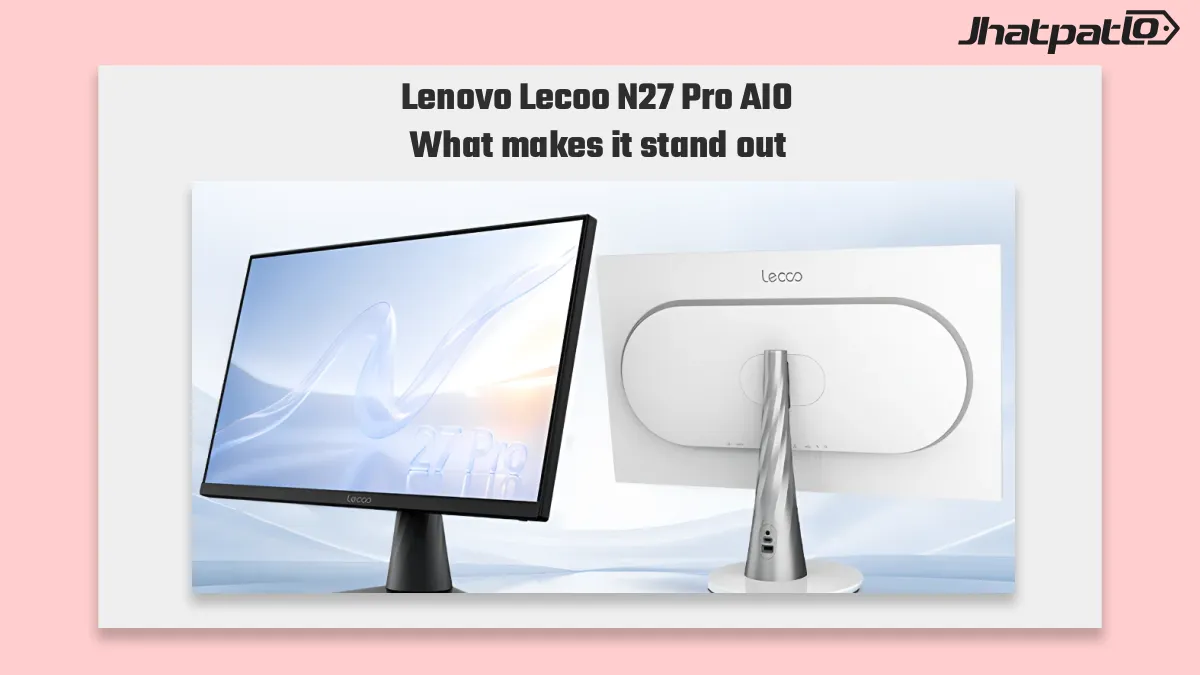
Lenovo Lecoo N27 Pro AIO has launched in China, pairing a 13th Gen Intel Core i5-13420H processor with 16GB RAM and a 27-inch 2.5K display featuring a 100Hz refresh rate. The Lenovo Lecoo N27 Pro AIO is aimed at office users looking for a smoother desktop experience without moving into a more expensive all-in-one machine.
The setup puts this model squarely in the mid-range AIO space, with a focus on everyday productivity, decent display quality, and familiar connectivity. Lenovo is also offering two storage options, which gives buyers a clear split between a lower-cost configuration and a more spacious one.
News Highlights
- Lenovo’s Lecoo N27 Pro AIO is now available in China, with the main appeal centered on its 27-inch 2.5K panel and 100Hz refresh rate for smoother scrolling and general use.
- The system comes with a 13th Gen Intel Core i5-13420H processor and 16GB of RAM, positioning it as a practical office-focused all-in-one desktop rather than a high-end performance model.
- Buyers can choose between 512GB and 1TB SSD configurations, with the higher-capacity version priced at 4,999 yuan.
- Connectivity stays straightforward, with five USB-A ports, one USB-C port, HDMI, Gigabit Ethernet, built-in Wi-Fi, and a bundled wireless keyboard and mouse.
512GB or 1TB SSD options set the storage split
Lenovo Lecoo N27 Pro AIO is available in two storage configurations, giving buyers a straightforward choice based on their needs. The 512GB model sits lower in the lineup, while the 1TB version is priced at 4,999 yuan. For many office users, this storage difference could matter more than the raw specifications on paper.
The smaller configuration should suit users who mainly handle documents, browsing, spreadsheets, and general school or office work. The larger 1TB version is the more flexible option if the system needs to hold larger local files, work archives, or a bit of light content creation material. Lenovo does not frame this as a performance machine, so the storage split is really about convenience and capacity.
That approach fits the broader mainstream all-in-one desktop market. Buyers in this segment usually want a clean setup, enough speed for daily tasks, and storage that does not feel cramped after a few months of use.
USB-C and HDMI port setup keeps it practical, not flashy
The Lecoo N27 Pro keeps its rear I/O simple and useful. Lenovo includes five USB-A ports, one USB-C port, HDMI, and Gigabit Ethernet, along with built-in Wi-Fi. It also ships with a wireless keyboard and mouse bundle, which helps keep the desk setup tidy right out of the box.
That port layout is not trying to impress with variety. Instead, it covers the basics that many offices and home users still depend on. USB-A remains important for older peripherals, while HDMI and Ethernet make the machine easier to fit into a more traditional desktop environment.
For everyday desktop replacement use, this kind of setup makes sense. It avoids the awkwardness that can come with more minimal all-in-ones, where users end up needing adapters sooner than expected. Here, the focus stays on compatibility and straightforward use rather than a flashy design story.
The overall package suggests Lenovo is targeting buyers who want a dependable office AIO with a modern display, a current Intel processor, and enough connectivity to avoid friction. The 27-inch screen and 100Hz refresh rate are the headline additions, but the rest of the system is built around practicality.
That balance should appeal to users who spend long hours at the desk and value smooth motion, decent color coverage, and simple setup more than headline-grabbing performance claims. In that sense, the Lecoo N27 Pro is a fairly direct take on what a mid-range all-in-one desktop should be.

Related Products



Lenovo Lecoo M2460 office monitor launches with 100Hz 23.8-inch IPS
The Lenovo Lecoo M2460 office monitor has launched in China at 599 yuan, or around $90, bringing a 23.8-inch Full HD IPS panel with a 100Hz refresh rate to the budget monitor segment. For buyers seeking a simple office display with smoother scrolling than a standard 60Hz monitor, the Lenov...

Lenovo IdeaPad Vibe series starts at EUR 799 with Snapdragon X
Lenovo used IFA 2026 to expand its laptop lineup with new IdeaPad, ThinkBook and Yoga models, plus an IdeaCentre all-in-one. The new IdeaPad Vibe series starts at EUR 799 and brings Snapdragon X and AMD Ryzen AI 400 options, OLED displays, and Copilot+ PC features to Lenovo’s entry-level AI la...

Lenovo Lecoo Bellator 245W charger shrinks 30% with built-in cable
Lenovo has launched the Lecoo Bellator 245W charger in China, and the key detail is simple: it delivers 245W of GaN power in a smaller body with a built-in cable. The adapter goes on sale on Oct. 8 for 249 yuan, and Lenovo is positioning it for gamers who want desktop-level charging withou...

Lenovo Lecoo Pro 14 OCuLink Laptop Launches in China With Intel and AMD
Lenovo has launched the Lecoo Pro 14 in China, and the main draw is clear: it combines Intel or AMD processor options with 24GB LPDDR5 memory and an OCuLink eGPU port. Priced at 5,799 yuan, the 14-inch laptop is aimed at buyers who want more than the usual thin-and-light setup, especially...

Lenovo 900 transparent mouse brings 90 day battery and triple device switching
Lenovo has launched the 900 transparent mouse in China, pairing a 300mAh battery with USB-C charging and a claimed 90-day battery life. The new wireless mouse stands out for its transparent shell-and-mirror design, but Lenovo is pitching it as an office-focused accessory rather than a pure...