


OPPO Android 17 Beta 2 reveals upgrades hidden inside the Find X9 Pro

OPPO Android 17 Beta 2 lands on Find X9 Pro
OPPO has announced that Android 17 Beta 2 is now available for the OPPO Find X9 Pro. The message is clearly aimed at developers and users who want to experiment with newer software, with a strong caveat: this is a beta and not a daily driver. The release is currently limited to the OPPO Find X9 Pro, and no other models are supported yet.
The communication emphasizes that this build is designed for developers and advanced users familiar with flashing ROMs. It warns bluntly that there is a real risk of bricking the device if something goes wrong and underscores that a full data wipe will occur when installing Android 17 Beta 2. Prospective installers are urged to back up everything beforehand and to proceed only if they understand the process.
OPPO notes that the beta is based on Google''s Android 17 Beta 2 and uses the latest GMS package. It also states that some original apps that overlap with GMS may not carry over, and that not all third party apps have compatibility yet. The company presents a cautious stance, saying this build is not intended for everyday use and that stability may be limited during testing.
Known issues and device scope
- Your data will be wiped when you install Android 17 Beta 2. Back up everything first. No exceptions.
- OPPO Interconnection and Touch interactions may freeze or fail in certain situations.
- Some system apps and settings might look off, including display glitches and visual bugs.
- You may experience screen flickering, crashes, or apps becoming unresponsive.
- Not all third-party apps play nice with this build yet.
Right now, Android 17 Beta 2 is only available for the Find X9 Pro. No other models are supported at this time. The build is based on Google''s Android 17 Beta 2 and uses the latest GMS package; this means some original apps may not carry over.
OPPO also provides a detailed “Read this before you flash” section, stressing the data wipe, the need for backups, and the risk of bricking the device if missteps occur. The message repeats that the build is not for everyday use and encourages readers to wait for a stable version if they are not comfortable with potential bugs and data loss.
Back up guidance and upgrade prerequisites
The guidance includes a back-up procedure for ColorOS 16 and the cautions that a flash will erase all data. It provides a backup path and urges users to copy the backup to another device. The general instruction is to back up important data to another device or cloud service before upgrading.
Before upgrading, there are several checks listed:
- OPPO Find X9 Pro only. These instructions do not apply to any other model.
- At least 30 percent battery and 4GB of free storage are recommended.
- Carrier versions won''t work. If the phone is carrier-locked, the beta is not compatible.
- The device must be on the correct software version to install the beta: 16.0.5.701 or 16.0.3.504. If on a different version, upgrading or downgrading first is required.
OPPO also stresses a rollback path to Android 16, should the user decide the beta is not suitable. The rollback involves two separate downgrades and will erase contents, so a backup is essential. A stable official Android 16 downgrade packages section provides links to two zip packages and steps for downgrading in two stages.
How to upgrade to Android 17 Beta 2
The upgrade process is laid out in a step-by-step manner, designed for developers and experienced users. The steps are:
- Download the upgrade zip file onto a PC, then copy it to the phone''s storage.
- Enable Developer Mode: Settings, About device, Version, then tap Build number seven times. Enter the password when prompted.
- Go back to Settings, About device, tap the top card, tap the button in the top right corner, then Local install.
- Select the zip file you copied over and hit Extract. After extraction finishes, tap Install.
- When the installation finishes, tap Restart.
That''s it; you''re on Android 17 Beta 2. If you encounter issues on step 5, there is a suggested workaround: turn off both Wi-Fi and mobile data, go to Settings, Apps, App management, show system apps, locate Software Update, clear data, then try again with the network off.
If you run into trouble, OPPO provides a Help Center contact point for developers and users to seek guidance. The Help Center link is intended for questions about Android 17 Beta 2 and related installation problems.
Rollback to Android 16 stable version
OPPO outlines a rollback process that requires two separate downgrades. The downgrade is described as two-stage and will erase the phone''s contents, so backups are non-negotiable. To downgrade to Stable Android 16, follow these steps: Download the Stable Android 16 Zip File (1) to your computer and then copy this file to your phone (note: You may want to use an external SD Card), enable Developer options and perform a local install and unpack, install original Android 16, etc. Install the Stable Android 16 Zip File (2) using the same steps as before. Repeat until Stable Android 16 is installed.
When rolling back the rollbacks, there are added troubleshooting steps. These include disabling Wi-Fi and Mobile data, clearing the Device Data for software updates if necessary (to ensure proper function), and then re-attempting the installation (with the Network Disabled). Follow the two part rollback process carefully to complete the rollback and back-up any data before proceeding.
In the event of questions or issues, readers are directed to the Help Center for support. The ColorOS team closes with a note of appreciation for users who test early builds and a reminder that this release is raw, unfinished software built for developers and those comfortable with bugs, crashes, and instability. It's a clear message. If you're not that user, then you're going to have to wait for the stable version.
Thanks from ColorOS for participating in the continuous community feedback loop. Your testing helps improve ColorOS for everyone. Following the beta? Please consult with all available information before deciding to install or continuing if you aren't aware of the risks associated with installing this beta release.
The Android 17 beta 2 release for the Find X9 Pro will be a staged release with many "caveats" attached to it, meaning that there are specific warnings about data loss/data corruption/data destruction, unsafe flash risk (bricking the device), and the number of supported devices. The company is continuing this stages (and caveats) method of distributing and providing feedback through official channels to complete its development of a stable version.
Related Products


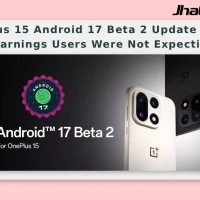
OnePlus 15 Android 17 Beta 2 Update Shows Warnings Users Were Not Expecting
Android 17 Beta 2 rolls out for OnePlus 15The OxygenOS team has officially announced Android 17 Beta 2 for the OnePlus 15, giving users an early look at the software while warning that the build is not suited for everyday use. The company says the beta is meant for power users and developers who are...
Android 17 Beta 1 Brings Big Changes to Pixel
Android 17 Beta 1 rollout details Google plans to roll out the first beta of Android 17 to Pixel devices enrolled in its beta programme. The rollout is framed as the start of a new beta cycle, following the Android 16 QPR3 Beta 2.1 update that is already circulating among testers. Officials involve...

Android 17 Beta 1 Rollout Brings Performance Optimisation
Android 17 Beta 1 Updates Google released the first public beta of Android 17, giving public users and developers an early look at the next major version of its mobile operating system. The company said the update focuses on performance optimisation, privacy refinements and enhanc...
ColorOS 17 closed beta testing begins for eligible Oppo phones
ColorOS 17 closed beta recruitment is now open for the OPPO Find X9 Pro in India, with a 300-user cap and an August 6–7 application window. The rollout also includes Reno15 Pro closed beta India and Reno15 Pro Mini access, showing OPPO is testing Android 17 on a small set of eligible phone...

ColorOS 17 Closed Beta Testing Opens for OnePlus 15 and Find X9 Pro
Oppo has opened ColorOS 17 Closed Beta Testing for a limited set of flagship phones, with 300 seats per device and applications running only from August 6 to August 7. The first wave includes the OnePlus 15, OnePlus 15R, Find X9 Pro, Reno 15 Pro, and Realme GT 8 Pro, giving early testers a...

Android 17 QPR 2 Beta 2 Rolls Out to Pixel Devices
Android 17 QPR 2 Beta 2 is now rolling out to eligible Pixel devices, including Google’s newest Pixel 10 Pro Fold. Google has not posted a fresh changelog yet, so testers are left watching for what changed after the last build, with the Android Beta Program still the main access route for...