


Dell S2725QC Review Why It Feels Like the Monitor Upgrade Most People Miss
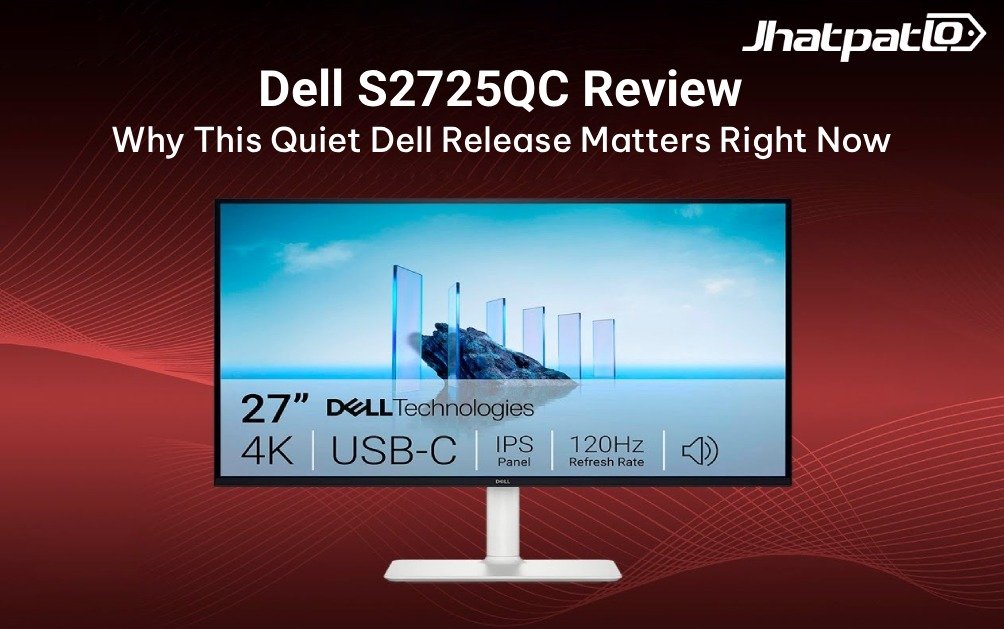
Dell S2725QC Review
The first thing that surprised me about the Dell 27 Plus S2725QC wasn’t the 4K panel. It wasn’t even the USB-C port or the 120Hz refresh rate. It was how quickly the monitor stopped feeling like a “monitor” and started feeling like part of the desk setup itself. In a world where more people are juggling work, calls, browsing, and a bit of gaming on the same screen, that matters more than it used to.
This Dell S2725QC Review is based on hands-on testing with a MacBook Pro, everyday productivity, and casual gaming. And honestly, that mix is exactly where this display makes the most sense. It’s not trying to be a pure gaming beast. It’s not pretending to be an ultra-premium creator panel either. It’s a hybrid monitor that gets the daily stuff right, which is where most people actually spend their time.
- 4K sharpness with ~163 PPI looks excellent on a 27-inch screen
- 120Hz makes everyday use feel much smoother than 60Hz
- USB-C with 65W charging keeps MacBook setups simple
- Good for casual gaming, not built for esports-first buyers
- ₹29,899 pricing puts it in a very interesting middle ground
Is the Dell S2725QC the Best 4K Monitor for Hybrid Work in 2026?
That depends on what you mean by “best,” but this much is clear: traditional office monitors are starting to feel outdated. If your day includes spreadsheets, Slack, browser tabs, video calls, some design work, and then maybe a PS5 session at night, you’re not really shopping for a single-purpose screen anymore. You’re shopping for a hybrid display.
That’s where the Dell 27 Plus S2725QC makes its pitch. The combination of 4K resolution, 120Hz refresh rate, USB-C, and HDMI 2.1 is unusual at this price. Most office-focused screens still treat smoother motion as a luxury. Dell seems to be betting that it’s becoming a daily comfort feature. And after using it, that idea makes a lot of sense.
For remote professionals and hybrid workers, the benefit isn’t just gaming. It’s the way the screen responds when you scroll long documents, move windows around, or switch between apps. Everything feels less stiff. More fluid. And once you get used to that, going back to a standard 60Hz office panel feels a little rough.
That’s also why this monitor fits the 2026 desk better than older “productivity-only” displays. People want fewer cables, cleaner setups, and one screen that can do a decent job across work and entertainment. In that sense, the Dell S2725QC Review is really a story about the changing shape of the home office.
What Makes the Dell S2725QC Different From the Older S2722QC?
The older Dell S2722QC already had a good reputation as a practical 4K USB-C screen, but the newer version makes a much more interesting case for itself. The biggest change is the jump to 120Hz. That alone changes the feel of the monitor in a way spec sheets don’t fully capture. It also adds HDMI 2.1, which expands what you can do with consoles and modern laptops.
Here’s the short version of what feels different:
- Motion feels smoother across the board
- Console support is more future-friendly
- The screen feels less “office only”
- It’s more appealing for mixed-use desks
What I like most is that Dell didn’t just chase gaming hype. The upgrade makes sense for people who spend hours in front of windows and menus. On a busy desktop, a high refresh panel does more than look nice. It reduces that tiny bit of friction you feel all day long. It’s subtle, but it adds up.
The speakers also get a mention here because they fit the same idea. Dual 5W speakers won’t replace a proper sound system, but they’re far more usable than the weak little speakers you get on many monitors. For calls, YouTube, or a quick show in the background, they’re genuinely handy.
How Good Is the Dell S2725QC Display for Work, MacBooks, and Content Creation?
This is where the monitor starts to look especially compelling. The panel is a 27-inch 4K IPS display with 3840 × 2160 resolution, which gives you around 163 PPI. In plain English, that means text looks crisp, UI elements look clean, and the screen avoids the fuzzy feeling you can get from lower-density panels.
For macOS users, that matters a lot. If you’ve used a MacBook with a mediocre external display, you’ll know how quickly scaling issues can ruin the experience. A monitor like this feels much more natural because the sharpness supports the kind of UI clarity Mac users expect. During MacBook Pro testing, the display felt like a true Mac-friendly monitor rather than a compromise.
Color also holds up well for the target audience. Dell rates it at 99% sRGB coverage, which makes it perfectly reasonable for web content, light photo editing, thumbnails, and general creator work. It’s not a high-end color reference tool, and it doesn’t pretend to be. But as a creator-friendly screen for everyday digital work, it hits a very practical sweet spot.
IPS panel colors are another plus. The viewing angles are wide, so if you lean back, shift sideways, or share the screen during a quick review, the image stays consistent. That’s the kind of thing you don’t think about until you use a panel that doesn’t do it well.
One small but important reality check: this is still a budget-friendly HDR monitor in spirit, even if it has the feature on the box. HDR monitor limitations are real here. Brightness, contrast, and the lack of local dimming mean HDR is more of a nice extra than a wow factor. For casual streaming, it’s fine. For premium HDR expectations, no, this isn’t the screen for that.
Does 120Hz Actually Improve Productivity and Everyday Use?
Yes. More than people expect, actually.
The biggest misunderstanding around 120Hz is that it’s only useful in games. That’s not true. Once you’ve used a 120Hz productivity monitor for a few days, the benefits show up everywhere. Scrolling through documents feels smoother. Browser movement looks cleaner. Window animations no longer feel slightly choppy. Even dragging files around the desktop feels more responsive.
Now, does that make you faster in a measurable, stopwatch kind of way? Probably not. But it does make the whole experience feel less tiring. And that matters during long work sessions. You’re staring at the screen for hours, so reducing visual friction can genuinely improve comfort.
It’s similar to using a phone with a high refresh rate after years on a basic display. At first you notice the smoothness. Then, strangely, you stop noticing it and just feel annoyed when you don’t have it. That’s what happens here too.
So when people talk about a 120Hz productivity monitor, they shouldn’t think only about gaming. They should think about daily flow. About the screen feeling less rigid. About the fact that a modern office setup now includes motion quality as part of the experience.
Is the Dell S2725QC Good for PS5, Xbox, and Casual Gaming?
Yes, but with the right expectations.
This is a casual gaming monitor first and a competitive esports display second, maybe third. With HDMI 2.1 support, VRR support, 4ms response time, and 120Hz refresh, it absolutely works well for console play. If you’re on a PS5 or Xbox and you like story games, racing games, action adventures, or a few multiplayer rounds after work, it feels well matched.
The 4K image helps a lot here too. Games look sharp, and the IPS panel keeps colors lively without going overboard. For cinematic titles, that’s a nice combination. You get a polished look without needing to spend gaming-monitor money on a screen that would be worse for work.
That said, esports players will notice the difference. A faster competitive panel still has an edge in pure responsiveness, especially if you’re serious about ranked shooters or high-speed titles. So if you’re shopping with competitive gaming as the main priority, this probably isn’t the first monitor I’d point you to.
But for the much bigger group of people who want one monitor for work during the day and console gaming at night, it’s a very sensible option. The rise of the console gaming monitor category is real, and this one fits that crossover nicely.
How Good Are the Built-In Speakers and USB-C Features?
This is where the Dell S2725QC feels very practical in a real apartment or home office. The USB-C display setup is simple: one cable for video, data, and charging. For MacBook and ultrabook users, that convenience is a huge part of the appeal. It’s the kind of setup that makes your desk look cleaner immediately.
As a USB-C monitor with 65W charging, it’s strong enough for many laptops that don’t demand extreme power. For a MacBook Pro workflow, it works well for regular productivity use, and the single-cable setup is exactly the kind of thing that makes hybrid desks more pleasant to live with.
The built-in dual 5W speakers are better than you’d expect. No, they’re not meant to replace headphones or a soundbar. But for Zoom calls, casual YouTube, background music, and general everyday use, they’re actually decent. That sounds like a small thing, but on a clutter-free workstation, small things matter.
And yes, the included cable limitations are worth noting. You may still want a better-quality cable depending on your laptop setup and desk distance. But the basic experience is refreshingly straightforward.
In a clean desk setup, a good USB-C display is less about raw specs and more about how little you have to think. Plug in. Work. Unplug. Done. That simplicity is a big part of why these monitors are becoming so popular.
How the Dell S2725QC Specs Stack Up
Before comparing it with rivals, it helps to look at the Dell 27 Plus S2725QC specs in one place. Nothing here is wild on its own, but the combination is what makes it interesting.
| Spec | Dell S2725QC |
|---|---|
| Panel | 27-inch IPS |
| Resolution | 3840 × 2160 |
| Pixel density | About 163 PPI |
| Refresh rate | 120Hz |
| Response time | 4ms |
| Color coverage | 99% sRGB |
| Connectivity | USB-C, HDMI 2.1 |
| USB-C charging | 65W Power Delivery |
| Audio | Dual 5W speakers |
| Ergonomics | Height, tilt, swivel, pivot adjustments |
| Price | ₹29,899 |
That last line is important. At ₹29,899, it’s not a cheap monitor, but it’s also not priced like a premium creator panel. It sits in a very useful middle zone, especially if you want a high refresh rate productivity display without giving up 4K clarity.
Dell S2725QC vs LG 27UP850K vs BenQ EW270Q
This is where the buying decision gets real. On paper, all three can sound appealing, but they’re aimed at different kinds of buyers. The Dell is the most balanced of the group. The LG 27UP850K leans more toward creators. The BenQ EW270Q pushes harder into gaming value, though with tradeoffs in charging and hybrid convenience.
| Monitor | Best For | Refresh Rate | USB C Charging | HDR | Price |
|---|---|---|---|---|---|
| Dell S2725QC | Hybrid users | 120Hz | 65W | Basic | ₹29,899 |
| LG 27UP850K | Creators | 60Hz | 90W | Better HDR | Similar |
| BenQ EW270Q | Gaming | 200Hz | Limited | Moderate | ₹10K cheaper |
If your priority is creator work and you care a little more about charging power than motion smoothness, the LG can still make sense. If you want gaming speed above everything else, the BenQ may be tempting. But if you’re looking for the best monitor for work and gaming without making your desk feel like a compromise, Dell’s mix is hard to ignore.
There’s also a value argument here. Finding an HDMI 2.1 monitor under 30000 that still gives you USB-C convenience and 4K clarity is not common. That alone makes the Dell stand out in India’s current pricing landscape.
So, Who Should Actually Buy It?
Buy this if you’re a remote professional, MacBook user, hybrid worker, or casual gamer who wants one screen to handle most of your day. It fits especially well if you like the idea of a clean desk, a single cable, and a display that feels fast even when you’re not gaming.
You should probably skip it if you need the absolute best HDR performance, if you’re a competitive esports player, or if you want the cheapest possible 4K office monitor. This isn’t trying to win those narrowly defined battles.
Instead, it wins by making the everyday experience feel better. That sounds less dramatic than raw benchmark talk, but in real life it’s usually the thing that matters most. A monitor is something you sit in front of for years. It should feel easy to live with.
For that reason, the Dell S2725QC Review lands in a very positive place. It’s not perfect, but it’s intelligently designed for how people actually use monitors in 2026. Hybrid desks are here to stay, and this is one of the better examples of that shift.
My editor rating: 8.8/10.
It’s a strong recommendation for the right buyer. If your setup mixes work, media, and light gaming, this may be the monitor that finally makes the whole desk feel sorted. And honestly, isn’t that what most people want anyway?
FAQ
Is the Dell S2725QC good for MacBook users?
Yes. The 4K resolution, USB-C connectivity, and high pixel density work especially well with macOS scaling and productivity workflows. The single-cable setup also keeps desk setups cleaner.
Does 120Hz matter for office work?
Yes. Higher refresh rates make scrolling, animations, and window movement noticeably smoother. Many users find it difficult to return to 60Hz after extended use.
Is the Dell S2725QC good for gaming?
The monitor works well for casual and cinematic gaming thanks to HDMI 2.1, VRR support, and 120Hz refresh rates. However, esports players may prefer faster response-time displays.
How good is the HDR performance?
HDR support exists, but the experience is limited by IPS contrast and lack of local dimming. It is suitable for casual HDR viewing, not premium HDR content.
Does the Dell S2725QC include speakers?
Yes. The monitor includes dual 5W speakers that are surprisingly usable for calls, streaming, and casual entertainment.
Is the Dell S2725QC worth ₹29,899?
For users wanting a balance of productivity, USB-C convenience, 4K clarity, and casual gaming, the monitor offers strong overall value in 2026.
Related reads: Best USB-C monitors in 2026, Best monitors for MacBook users, 120Hz vs 60Hz productivity comparison, Best gaming monitors under ₹30,000.
Related Products





iQOO Neo 10 Price in India Updated with New Colour Variants
iQOO Neo 10 Gets New Colours in India iQOO Neo 10 has arrived in two new colour variants, Alpine White and Asphalt Black, while the existing options remain Inferno Red and Titanium Chrome. The phone continues with the same hardware, including a 6.78-inch AMOLED display, Snapdragon 8s Gen 4 ch...

Samsung Sale Deals India Bring S25 Edge at Rs 69,999 and Ultra Under Rs 1 Lakh
Samsung sale deals India are set to go live this week as Amazon and Flipkart line up back-to-back summer events with major price changes on the Galaxy S25 series. The Galaxy S25 Edge drops to ₹69,999 from ₹1,09,999, while the Galaxy S25 Ultra falls to ₹94,999 from ₹1,29,999. Samsung...

iQOO 15T Specs Leak Suggests 200MP Camera and 8000mAh Battery
Leaks around the iQOO 15T specs leak are pointing to a spec-heavy phone that could sit between the standard iQOO 15 and the rest of the brand’s lineup. Reports from Weibo tipsters Experience More and Digital Chat Station suggest the phone may arrive with a Dimensity 9500 chipset, a 6.82-inch 2...
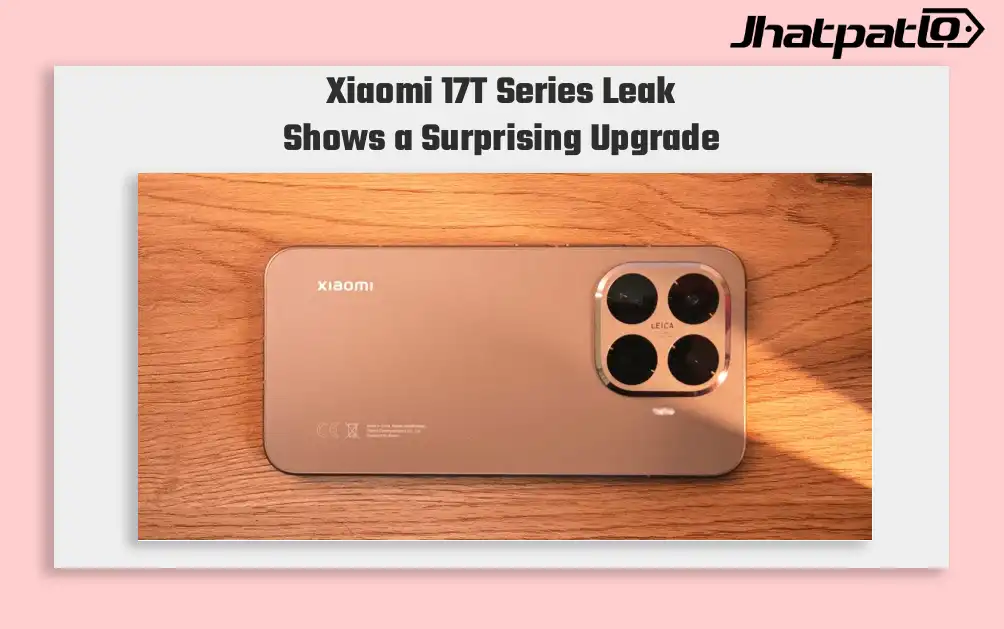
Xiaomi 17T Series Leak Reveals Design Specs and Possible India Launch
The Xiaomi 17T Series Leak Reveals surfaced in a fresh leak that shows renders, key specifications and a possible launch window later this month. The lineup is expected to include two models, the Xiaomi 17T and Xiaomi 17T Pro, with reports also suggesting that the standard model could mak...

CMF Watch 3 Pro Launches in India with ChatGPT and 13 Day Battery
CMF Watch 3 Pro launches in India as the successor to the CMF Watch 2 Pro, which arrived two years ago. The new smartwatch goes on sale on May 8 through Flipkart, with a launch offer bringing the price down to ₹6,999 for a limited period. The standard price is ₹7,999, while the orange variant...

OpenAI AI Smartphone Could Enter Production in 2027 With MediaTek Chip
OpenAI’s first OpenAI AI smartphone may enter mass production in the first half of 2027, according to analyst Ming-Chi Kuo, marking a move forward from earlier expectations that pointed to a 2028 timeline. The report suggests the company is preparing a custom hardware push built around AI-firs...