


MacBook Pro M5 vs iPad Pro M5 A Friendly Clear Comparison for Power and Portability
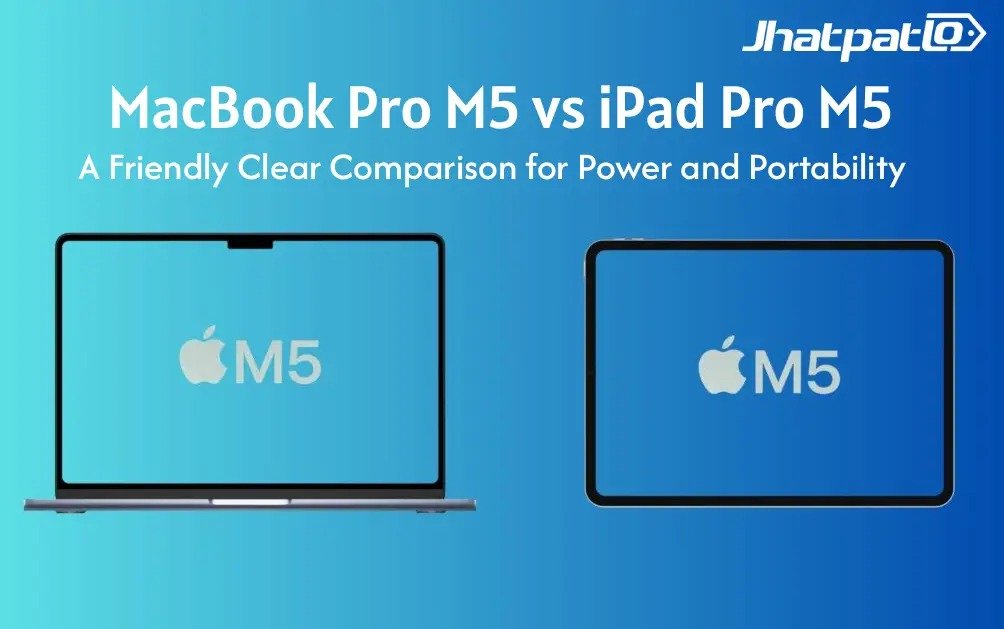
If you live between laptop power and tablet portability, you’re not alone. The MacBook Pro M5 and the iPad Pro M5 are built around the same silicon, yet they’re aimed at different ways of working and living with tech. Here’s a friendly, real-world comparison that cuts through the buzz and helps you decide which fits your daily rhythm—without pretending there’s one perfect answer for everyone.
Think of this as a practical guide for people who want real-world clarity: how the M5 chip behaves in each form factor, what each system is truly best at, and where trade-offs show up in everyday tasks like typing a long document, sketching ideas, or multitasking with a dozen apps open.
What These Devices Are — At a Glance
MacBook Pro M5 is a laptop through and through — built-in keyboard, trackpad, and a larger screen that’s friendly to long work sessions. It runs macOS Tahoe, supports heavy productivity suites, and offers robust connectivity right out of the box. iPad Pro M5 is a premium tablet with iPadOS 26, optimized for touch, drawing, and mobility. Accessories like the Magic Keyboard and Pencil exist, but the core device remains a tablet that’s incredibly capable on the go. Both share Apple’s M5 chip with a 10-core CPU, 10-core GPU, and a 16-core Neural Engine, but how the power is used depends on the form factor.
Power and Performance — Raw Power vs Practical Power
At the chip level, M5 brings a 10-core CPU, 10-core GPU, and a 16-core Neural Engine across both devices. Independent benchmarks show CPU scores are similar, with the MacBook Pro M5 edging ahead thanks to more RAM and active cooling for longer sustained workloads. In numbers, Geekbench-like results show roughly 4,288 (single-core) and 17,986 (multi-core) for the MacBook Pro, versus around 4,155 (single-core) and 16,517 (multi-core) for the iPad Pro.
- MacBook Pro M5: 4,288 (single-core) and 17,986 (multi-core)
- iPad Pro M5: 4,155 (single-core) and 16,517 (multi-core)
What does that mean in practice? For web browsing, document work, and light photo edits, the gap is small. Everyday apps feel swift on both. The MacBook Pro M5 pulls ahead when tasks heat up — big video exports, heavy multitasking, or long sessions where cooling and memory matter. The iPad Pro M5 runs near-laptop performance in a tablet shell, but may hit limits during extended, heavy stress.
Design, Display, and Input
The MacBook Pro M5 embraces the classic laptop form: a solid hinge, a spacious keyboard, and a large trackpad. The display is a larger panel that’s great for multi-window work and precision edits. The iPad Pro M5 leans toward portability: ultra-thin, exceptionally light, and exceptionally responsive to touch and Apple Pencil input. It shines in casual use, drawing, note-taking, and on-the-go creativity. All keyboards have accessories, but they do not have the same feel as a built-in keyboard on a laptop, and Pencil is still the best for creative workflows.
The MacBook Pro M5 is a standard style laptop with a strong keyboard, a large trackpad, and a bigger screen than the iPad Pro M5, which has a very small and lightweight design with excellent touch input and support for Apple Pencil as well as add-on accessories.
In most cases the MacBook Pro will allow you to work for a long time and do more formal work, while the iPad Pro will allow you to take quick captures, do quick and sketch, and do casual productivity work away from home.
The Software And Workflow
macOS Tahoe is a full desktop OS that has rich multitasking, applications in a window, filesystem access, and is designed for professionals (i.e., Microsoft Office Suite of apps, Adobe Creative Cloud, Final Cut Pro, Logic Pro, Xcode).
iPadOS is a capable mobile OS; however, it is designed primarily for touch and gestures and is primarily designed for tablet-like tasks. In time it will have more smart multitasking features like the Stage Manager as well as closer to what macOS has.
Both the MacBook Pro M5 and the iPad Pro M5 are designed to do very different things, so determining which one is better can depend on the workflow. For workflows that require desktop-style tools and have extensive system control, the MacBook Pro M5 wins. For touch-first interaction, portability, and flexible on-the-go tasks, the iPad Pro M5 wins.
Regarding their displays, sound, and connection options, the iPad Pro M5 has a display that utilizes advanced OLED-style technology and is designed to provide deep colors (for drawing) and dark colors (for playing videos). The MacBook Pro M5 has a display that utilizes Liquid Retina technology and is designed to provide the best balance of bright colors, color accuracy, and workspace for professional editing. Audio tends to be richer and louder on the MacBook Pro due to more speakers and larger spaces for drivers, which helps in video editing, music projects, and conference calls.
Portability, battery performance, and interconnectivity all play significant roles in deciding which device to choose between the MacBook and the iPad.
The MacBook Pro's battery life is around 24 hours of usage when performing light tasks; this is incredible for a laptop! The iPad Pro will last approximately 10 hours of usage per charge - it's nice for daily commuting, as well as performing mobile and/or field work.
When discussing portability, a tablet will be lighter than a laptop, and the tablet will be easier to carry for long periods of time. On the other hand, the laptop is a better platform to perform multiple-window workflows at consistent speeds and has a larger number of wired options included by default.
As an example, the MacBook Pro has multiple Thunderbolt / USB-C ports; lots of reliable wired and dock capabilities; and a built-in screen instead of screen real estate for performing multiple-window multi-tasking.
At the same time, the iPad Pro does have USB-C / Thunderbolt capabilities, but many accessories typically require the use of an adapter and are built around working wirelessly and with modular hardware.
For configuration using wired peripherals and/or multiple monitors, the MacBook is the better solution out-of-the-box. However, when someone wants flexibility, portability, and a wireless environment, the iPad Pro offers excellent versatility.
In summary, there is no absolute victor between the MacBook Pro and iPad Pro. If you value portability and capability of touching your work, the iPad Pro is an excellent option. If true desktop productivity, sustained performance, and a complete out-of-the-box workstation are the goal, the MacBook Pro M5 is the smarter pick. The right choice depends on how the device will actually fit into daily routines and workflows.
So, which path fits your life right now? If the goal is a single machine that covers heavy work and desktop-grade software, lean toward the MacBook Pro M5. If the aim is a supremely portable creative tool that’s ready to roll from bag to boardroom, the iPad Pro M5 is tough to beat. The key is aligning the device with how tasks flow in everyday life rather than chasing raw numbers alone.
Related Products





Redmi Note 17 giant OLED display and 8000mAh battery before launch
Redmi is pushing the Note 17 into unusual territory for a budget Android phone, and the main selling points are hard to miss: a 7-inch OLED display, a 120Hz refresh rate, and an 8000mAh battery. Xiaomi has already confirmed those basics ahead of the July 14 China launch, along with a brigh...

Samsung Galaxy M67 Geekbench Leak Points to Exynos 2200 Power
Geekbench leak shows an early benchmark listing tied to the M-series phone, and it points to something a little unusual for this segment: Exynos 2200, 8GB RAM, and Android 17. The numbers are also notable, with scores of 1,435 in single-core and 3,744 in multi-core testing, which place it...

Redmi Note 17 design leak shows major camera changes before July launch
Redmi’s next Note phones are starting to take shape, and the first poster gives away the main story quickly. The Redmi Note 17 design revealed. The Redmi Note 17 and Note 17 Pro now look different at a glance, with new rear camera layouts that suggest Xiaomi is giving the lineup a cleaner...

Samsung Galaxy S27 Ultra selfie camera leak points to 16MP square sensor
Samsung’s Galaxy S27 camera chatter is starting to form a clearer picture, even if the details are still based on leaks and rumor. The current focus is a 16MP selfie camera for the Galaxy S27 Ultra, plus similar front-camera talk for the Galaxy S27 Pro, along with separate claims about Pri...

Motorola Edge 70 Max Qi2 certification reveals built in magnets
Motorola Edge 70 Max is starting to look like a more interesting Android phone than the usual certification leak suggests. New WPC filings point to Qi 2.2.1 support, 25W wireless charging, and built-in magnets, which would give it MagSafe-style convenience without requiring a case. For buy...

vivo X Fold6 global launch may bring 8.02 inch display and ZEISS cameras
vivo X Fold6 could be moving beyond China, and the latest report gives the foldable a few details worth watching. If the leak is accurate, the phone may arrive with a large 8.02-inch inner display, ZEISS cameras, a 7,000mAh battery, and MediaTek’s Dimensity 9500. That combination would pla...