


Apple iPad Air M4 review: the real selling point isn’t the chip
Introduction
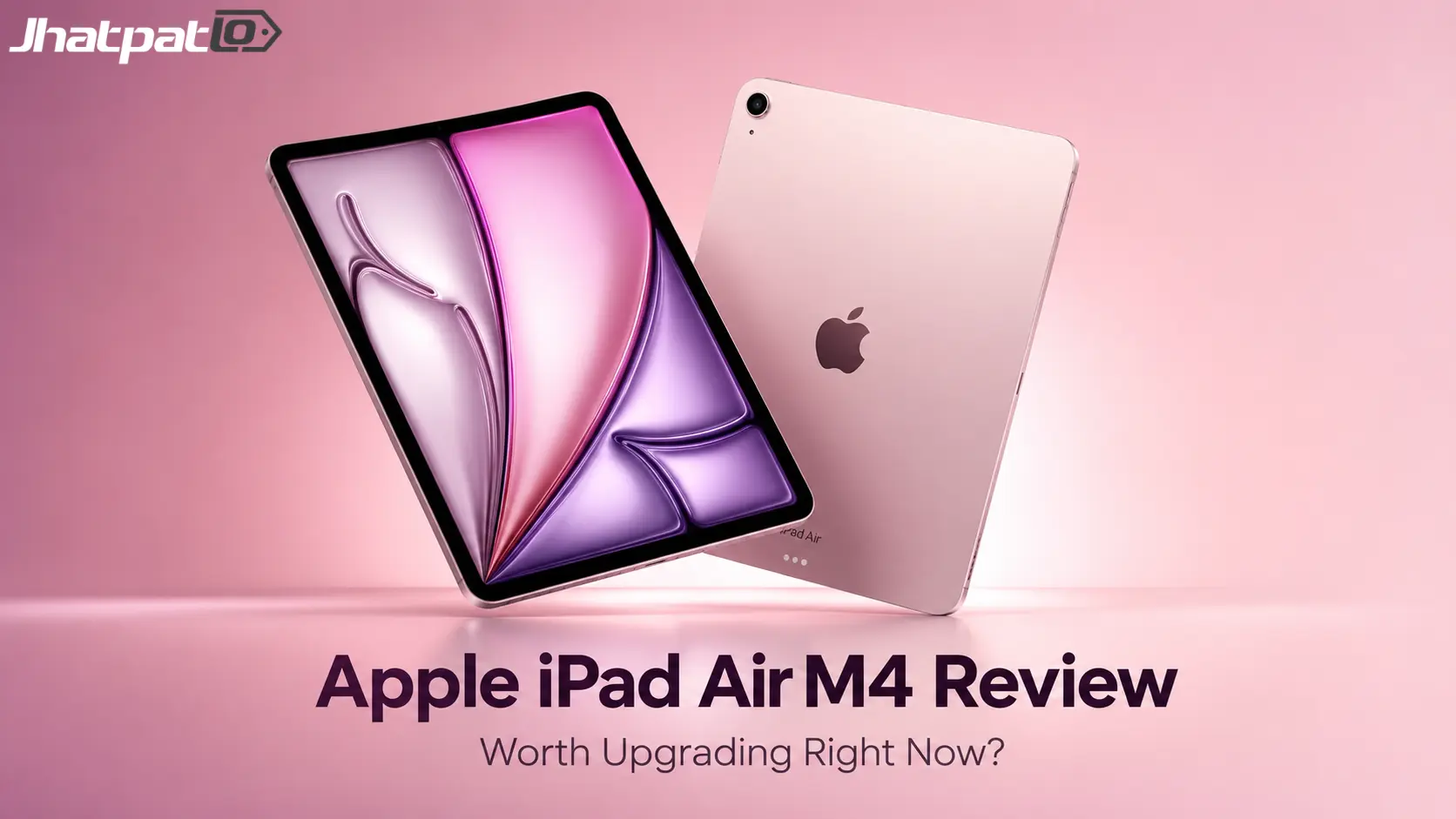
The iPad Air M4 looks familiar in the best and most frustrating way. It doesn't try to reinvent the tablet, and honestly, that's kind of the point. On paper, it's ridiculously capable. In daily use, though, the bigger story is not the M4 chip itself. It's how comfortably this iPad fits into Apple's world and how much that ecosystem does the heavy lifting for you. If you've ever used an iPhone, MacBook, or even AirPods and felt that little bit of friction disappear, you already know the experience I'm talking about.
That's what makes this model interesting. It feels fast, polished, and easy to recommend in the abstract. But once you spend time with it, you start realizing the real value is less about raw specs and more about the way Apple ties everything together.
Quick Highlights
- Fast enough for almost anything most people do
- Best value if you already use Apple devices
- 11-inch size feels easier to live with
- 60Hz display still feels like the old compromise
| Feature | What it means in real life |
|---|---|
| M4 chip | Overkill for most everyday tasks, but very responsive |
| 12GB unified memory | Helps multitasking feel smoother and keeps apps ready |
| 11-inch display | Portable and sharp, though still limited to 60Hz |
| Wi-Fi 7 and Bluetooth 6 | More future-facing connectivity than most tablets offer |
Design and display
There’s no big design surprise here, and that might be a relief more than a flaw. The iPad Air M4 keeps the same clean, recognizable iPad shape Apple has been refining for years. It feels solid in the hand, slim without feeling fragile, and familiar enough that you can pick it up and immediately know how to use it. That calm familiarity is part of the appeal. Apple doesn’t always need to shout.
The 11-inch screen is probably the sweet spot for most people. It’s large enough for reading, streaming, sketching, or splitting a couple of apps side by side without turning into a desktop replacement. The panel is sharp, bright, and generally pleasant to look at. Photos pop. Text is crisp. Videos look good. So in day-to-day use, there’s very little to complain about.
But here's the thing: the 60Hz panel still stands out because everything else around it feels so premium. Once you’ve used a faster display, the difference is hard to unsee. Scrolling isn't bad, exactly, but it doesn't have that silky, modern feel you might expect at this price. Apple knows this. That’s what makes it a little frustrating. It’s not a technical disaster; it’s just the kind of compromise that feels deliberate.
If you mostly consume content, take notes, browse, and watch videos, you may not care much. And that’s fair. A tablet is still, for many people, a tablet. But if you’re hoping for the kind of screen upgrade that makes the whole device feel new, this isn’t that.
Performance
This is where the iPad Air M4 gets a little silly, in a good way and not-so-good way at the same time. The M4 chip and 12GB of unified memory make everything feel instant. Apps open fast. Switching between tasks feels effortless. Even heavier creative work doesn't really bother it. For a lot of people, it’ll feel like more power than they could reasonably ask for in a tablet.
And that’s exactly the weird part. The performance is so strong that it almost draws attention to how limited the tablet experience can still be. If you’re editing photos, juggling multiple apps, or doing light creative work, the iPad Air M4 will handle it without blinking. But for basic web browsing, video calls, email, streaming, and note-taking, most of that power is sitting there unused. You don’t feel the M4 every second — which is both a compliment and a reminder that the device is probably overspecced for a lot of buyers.
Apple tends to do this well. It gives you headroom. A lot of headroom. That can be reassuring if you keep devices for years, because the iPad won’t feel slow anytime soon. But it also means the chip itself isn’t the main reason to buy this tablet. It’s not that the M4 doesn’t matter. It’s that it matters more to Apple’s marketing than to your average Tuesday.
- Fast app launches and smooth multitasking
- More power than most people need day to day
- Good long-term headroom for future apps and updates
Audio, cameras, connectivity
The supporting hardware feels very Apple in the best sense. Nothing here is flashy, but the basics are strong and dependable. The speakers are good enough that you can comfortably use the tablet for streaming shows, watching YouTube, or taking calls without immediately reaching for headphones. They’re not room-shaking, obviously, but they sound fuller than you'd expect from something this thin.
The cameras are practical, not exciting. That’s often all a tablet really needs. The front camera does the job for video calls, and Center Stage continues to be one of those features that quietly improves the experience more than spec sheets suggest. It keeps you centered as you move, which sounds minor until you use it regularly. Then it starts to feel normal. In a good way.
Connectivity is where the iPad Air M4 starts feeling more future-facing than many people expect. Wi-Fi 7, Bluetooth 6, and cellular support make it feel like a device that isn’t already aging on arrival. That matters more than it sounds. A tablet should feel like something you can keep around for a while without worrying that every network standard has moved on before you’ve really settled in.
So while none of these features will be the reason you rush out to buy it, they do help the overall package feel complete. No weird omissions. No obvious weak spots. Just a strong, reliable slate that handles everyday stuff without drama.
Software and ecosystem
This is where the iPad Air M4 becomes more interesting than the hardware alone would suggest. The tablet itself is strong, yes, but iPadOS 26 and Apple’s broader ecosystem do a lot of the emotional work here. That’s not a criticism. It’s just the reality of how Apple sells devices now. The hardware gets your attention, but the software and ecosystem are what make the thing feel worth keeping.
App quality still matters a lot on iPad, and Apple has the advantage of a mature app ecosystem where a lot of the best tablet experiences already exist. Not every app is perfect, of course. Some still feel adapted from phone-first designs. But when an app is built well for iPad, it really shows. That's one of the reasons this tablet feels more premium than many Android competitors, even when the specs start to blur together on paper.
iPadOS 26 and the new windowing feel
The new windowing system makes the iPad feel less boxed in. That’s the simplest way to put it. You can move between apps and windows with a little more freedom, and that helps the tablet feel more like a useful workspace instead of a giant phone. It doesn’t suddenly turn the iPad into a MacBook, and it shouldn’t be judged that way. But it does reduce some of the friction that has made iPad productivity feel more complicated than it needed to be.
Apple Intelligence adds convenience in the background, and app updates continue to improve the day-to-day feel without changing the device’s personality. That part matters. The iPad Air M4 still feels like an iPad. It hasn’t become a weird hybrid machine trying too hard to be something else. It’s just more flexible now.
Why the Apple ecosystem keeps mattering
If you already own an iPhone, MacBook, or AirPods, the iPad doesn’t feel like a separate universe. It feels like another room in the same house. That’s the big Apple advantage, and it’s still hard for other brands to match in a way that feels this seamless. You can copy content across devices, pick up where you left off, move files around more easily, and generally stop thinking about the mechanics of the handoff.
That convenience can sound small when you describe it. In real life, though, small conveniences add up fast. You notice them when they’re missing. You notice them more when you switch between different brands and suddenly have to work harder to do basic things. So yes, the iPad Air M4 is a premium tablet. But in practice, it often feels like a particularly nice extension of the rest of Apple’s hardware family.
FAQ
A few questions keep coming up with the iPad Air M4, and they’re worth answering plainly.
Q: Can the iPad Air M4 replace a MacBook?
Not for serious work or heavier workloads, even if it can cover a surprising amount of everyday use. If your routine is mostly browsing, messages, calls, streaming, notes, and light creative work, you might be fine. But once you get into more demanding file management, deeper multitasking, or anything that relies on desktop-style flexibility, the difference becomes obvious.
Q: Is the 11-inch model the better buy?
For most people, yes. It feels more portable and easier to live with, especially if you want a tablet for reading, casual work, travel, or couch use. The bigger version has its own appeal, but the 11-inch size keeps the iPad Air M4 in that sweet spot where it still feels like a true tablet instead of a mini laptop.
Q: What holds it back the most?
The 60Hz LCD display and the lack of Face ID stand out more than they should at this price. Neither issue ruins the experience, but both are reminders that Apple is making choices here, not accidents. And because the rest of the tablet feels so polished, those compromises are easier to notice.
Conclusion
The iPad Air M4 is easy to like because it’s fast, polished, and simple to use. But the more time you spend with it, the clearer it becomes that the real selling point isn’t the chip. It’s the whole Apple experience wrapped around the chip. That’s what gives this tablet its confidence.
If you already live in Apple’s world, the iPad Air M4 makes a lot of sense. It slots in neatly, works smoothly, and feels like part of a system rather than a standalone gamble. If you want a premium tablet first and a laptop substitute second, it lands in a very comfortable place. If you’re expecting the hardware alone to be the star, though, you may come away thinking the ecosystem is doing most of the talking.
That’s the real verdict. Strong hardware, better software, and a familiar Apple tax that feels easiest to justify when the rest of your devices are already wearing the same logo.
Related Products



![iPhone 16 (48MP Fusion camera) [MYE73HN/A]](https://m.media-amazon.com/images/I/61135j8fPJL._SX700_.jpg)

iQOO Z11 India launch soon with Dimensity 7500 Turbo chipset
iQOO Z11 India launch soon, and the phone is tipped to arrive in August as the first model in India with MediaTek’s Dimensity 7500 Turbo. That puts the Z11 directly into a performance-led midrange fight, especially if iQOO keeps the curved-screen hardware intact for the local version. The iQOO...

Moto Edge 70 Max price in India starts at Rs 49,999 with Snapdragon 8 Gen 5
Moto Edge 70 Max price in India starts at Rs 49,999, and that puts Motorola’s latest flagship into a crowded premium Android segment. The phone focuses on high-end performance, a large AMOLED display, strong battery life and durability features. Here is a clear look at the launch details,...

Xiaomi 18 series India launch date tipped should you wait
Leaks around the Xiaomi 18 series suggest the brand may move its India flagship launch to early December, with a smaller lineup and a limited Pro Max model. Here is what the latest reports point to, what is still unclear, and why the launch matters beyond just phones. Xiaomi 18 Ultra canc...

Motorola Edge 70 Max update policy clarified with 3 OS upgrades and 5 years of SMR
Motorola has clarified the Edge 70 Max software update policy, setting it at up to 3 Android OS upgrades and up to 5 years of SMR. The update matters because buyers had been left with mixed signals across regional product pages, and software support is now a major part of how people compar...

Lava Virat V1 5G launch brings 120Hz display and 6000mAh battery
Lava Virat V1 5G launch lands in India with a July 24 date and a clear budget focus. The phone is being positioned under ₹10,000, with a 6.75-inch 120Hz display, a UNISOC T8200 chipset, and 4GB RAM virtual expansion. For buyers looking at the entry 5G segment, the bigger story is practical...

Edifier R1000TC II Bluetooth 6.0 Brings 42W Desktop Audio
Edifier has launched the R1000TC II in China with Bluetooth 6.0, dual-device pairing, and a 42W output rating. For desktop users, the more practical detail is the mix of wireless convenience, USB sound card support, and RCA input in one active bookshelf speaker pair. It is a fairly direct...