


Apple Releases iOS 26.3 Update With Android Migration Tool and Music Changes
Overview
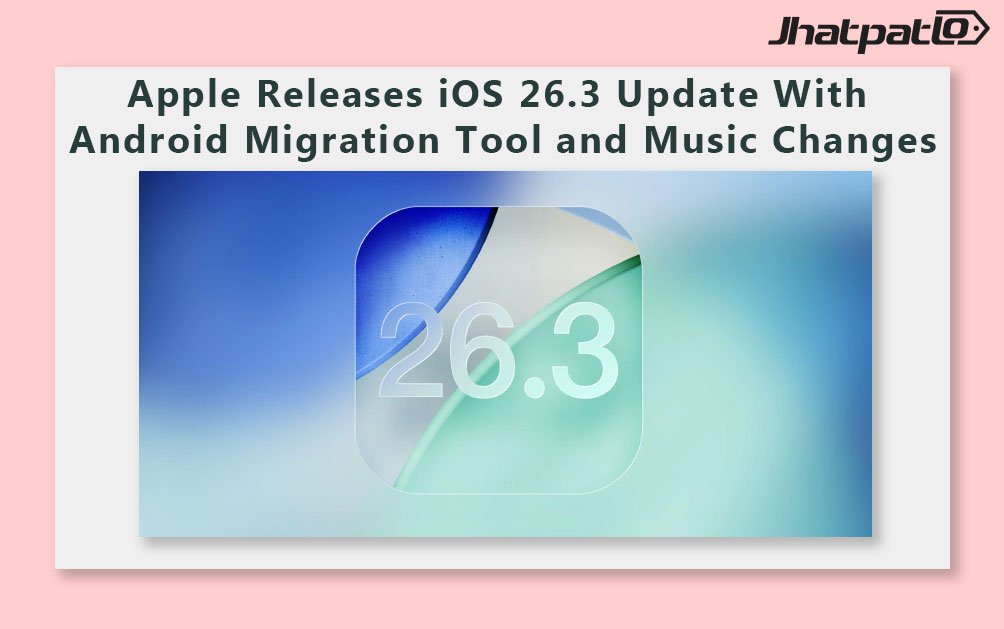
Apple on Wednesday released the iOS 26.3 update for iPhone. The update is the third major iteration of the latest iPhone operating system, first rolled out in September. It followed weeks of developer and public beta testing and brings an enhanced Android-to-iPhone migration flow along with changes to the Apple Music app. The company notes the update also includes fixes for several bugs reported in earlier iterations.
Key Features and Changes
According to Apple’s release notes, iOS 26.3 introduces a streamlined way to move data from Android devices to iPhone. The transfer process supports moving data such as apps, messages, notes, passwords, phone numbers, photos, and more, and it does not require users to download apps from Apple or Google as part of the migration.
- Android-to-iPhone data transfer that includes apps, messages, notes, passwords, phone numbers, photos, and more
- Migration can proceed without downloading additional apps from Apple or Google
- Apple Music changes include the Favourite Songs playlist appearing in the Top Picks section on the home page
- Offline lyrics can be downloaded and viewed without an internet connection
- General bug fixes addressing issues reported in previous iOS versions
In addition to the migration improvements, the iOS 26.3 update brings minor refinements to the Apple Music experience, with emphasis on quick access to frequently used tracks and offline listening capabilities.
Availability and Installation
Apple notes that the stable iOS 26.3 update is available to iPhone models enrolled in the beta programme and that devices which received the iOS 26.3 beta are eligible for the public release. Gadgets 360, citing sources, reports that the iOS 26.0.1 update remains available for iPhone on certain models and has been released for iPhone 11 and later models.
For installation, Apple outlines a standard process that mirrors prior iOS updates. Users should open the Settings app, go to General > Software Update, and allow the device to check for pending updates. When prompted, users should tap Download & Install and accept the terms and conditions. The iPhone may reboot several times as the update installs.
Specifications and Steps at a Glance
- Eligibility: Beta-enrolled iPhones can receive the stable iOS 26.3 update
- Transmission scope: Android-to-iPhone data transfer covers apps, messages, notes, passwords, numbers, photos, and more
- Apple Music: Top Picks integration for Favourite Songs and offline lyrics
- Installation steps: Settings > General > Software Update → Download & Install → follow on-screen prompts
The update is part of Apple’s ongoing cycle of iOS refinements, with a focus on user onboarding features for Android users and improvements to built-in apps. While Apple describes the migration tool as a key feature, the company also reiterates the importance of testing and software compatibility across devices that connect to iCloud and other Apple services.
Next steps and availability will be guided by device eligibility and regional rollout schedules as Apple continues to push updates to compatible iPhone models.
Related Products



Apple iOS 26.4 Beta 1 Tests RCS Encryption and Video Podcasts
Apple began rolling out iOS 26.4 Beta 1 on Monday, placing a spotlight on testing of new security and media features while delaying wider public use of a refreshed AI assistant. The beta arrives as Apple confirms that end-to-end encryption for rich communication services (RCS...
Real time price comparison India Apple delays Siri upgrades for iOS 26.4
Delay details Apple is delaying a set of AI powered Siri upgrades planned for iOS 26.4, according to Bloomberg's Mark Gurman. The features were expected to push the voice assistant toward more contextual understanding, a personalized Siri, and deeper app integration, but development challenges have...
Apple iOS 26.4 Beta Signals Siri Upgrades and Emoji Additions
Beta timeline and expected features Apple is preparing to roll out iOS 26.4, with the first developer beta planned for the week of February 23, according to Bloomberg journalist Mark Gurman. If testing stays on track, additional builds would follow later this month or in early March, and...

Apple Plans iOS 27 Codebase Cleanup to Boost Battery Life
Apple To Change Codebase of iOS 27 For Battery Life Improvements Apple's iOS 27 will likely see an overhaul of the codebase, with the intention of enhancing battery performance, according to a Bloomberg report in the Power On newsletter; this is expected to be released in conjunction with the...

iPhone Users Are Finding a Hidden WhatsApp Upgrade That Changes Everything
WhatsApp rolls out chat transfer, storage and AI updates WhatsApp on Thursday announced a new batch of features focused on cross platform use, storage control, and AI tools, while also bringing dual account support to iPhone users. The Meta-owned messaging app said the rollout includes a...