


Google Maps Gemini icon move could improve one-handed navigation
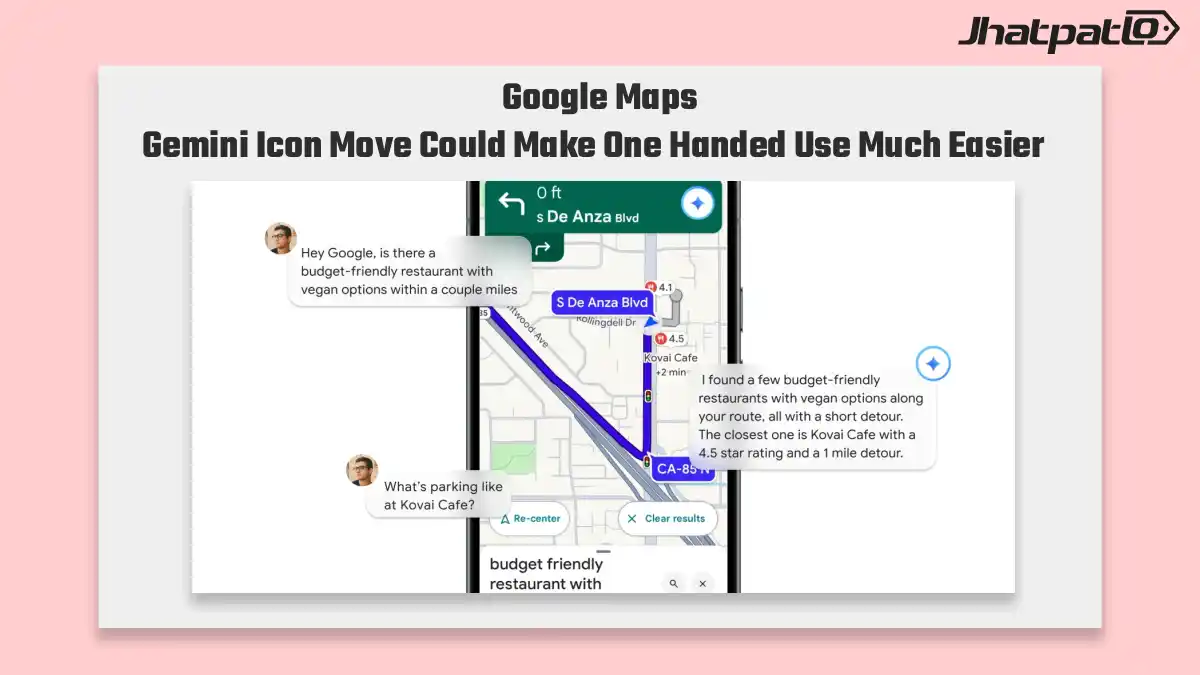
Google Maps Gemini icon move appears in v26.30.00, with the AI button shifting lower in the active navigation view for easier thumb reach. The exit control and alternate routes button are also being rearranged, sharpening the Google Maps navigation UI for safer use while driving.
Google Maps seems to be testing a set of interface changes that put Gemini, Ask Maps, and place updates closer to the user’s thumb. The latest build points to a simpler navigation layout, faster trip-planning prompts, and quicker ways to add local contributions without digging through menus.
Ask Maps vertical suggestions may replace the horizontal prompt row
Google Maps is also testing a vertical list of five Ask Maps suggestions instead of the current swipeable cards. That change would surface every prompt at once, making conversational trip-planning faster to scan and easier to use inside Google Maps navigation UI.
In the current layout, users have to move through horizontal cards one by one. A vertical list changes that flow. It gives more room for each suggestion and makes the options easier to compare at a glance. For people who are already in navigation mode, that small adjustment may matter more than it sounds.
The main idea here is speed. If all five prompts are visible at once, there is less swiping and less searching. That can help when a driver or passenger wants a quick suggestion without breaking the flow of the map screen. It also fits the broader direction of the update, which appears to be reducing friction in Google Maps navigation UI.
- Five Ask Maps suggestions may appear in a vertical list
- The current swipeable card row could be replaced
- All prompts would be visible at once
- The layout may make trip-planning faster to scan
Tell Maps quick actions add faster place updates from the input field
A new plus icon in the search field points to quick actions for posting a tip or photo and updating a place. Tied to the upcoming Tell Maps quick actions feature, it gives Maps a more direct contribution flow and deepens Google’s push into live map editing.
This is the most practical part of the update for people who contribute to Maps. Instead of opening a separate path for edits or uploads, the plus icon sits right in the input field. That places the action closer to where users already start searching, which should make the workflow feel shorter and more immediate.
The feature also suggests that Google wants more real-time map input from users. Posting a tip, adding a photo, or updating a place all fit into that idea. In effect, Maps is moving beyond being only a navigation app. It is also becoming a place where users can help keep listings current.
There is still some uncertainty around the rollout. The changes appear in v26.30.00, but Google has not confirmed a wider release timeline in the outline. For now, the clearest signal is that the app is being shaped for easier one-handed use and faster access to common actions.
- A plus icon appears in the search field
- It links to quick actions for tips, photos, and place updates
- The feature is tied to Tell Maps quick actions
- It supports Google’s live map editing push
Overall, the changes point in the same direction: fewer taps, simpler controls, and more useful actions placed where people can reach them quickly. If these updates move forward, Google Maps could feel more efficient in active navigation and more open to user contributions at the same time.

Mahi Gupta
✉ mahigupta708076@gmail.comRelated Products


What Gemini for Google TV is hiding in its new sports scorecards update
Gemini for Google TV gets three new AI features Google said on Tuesday that Gemini for Google TV is getting three new AI features aimed at helping users find information on their television without reaching for a smartphone. The update includes live sports scorecards, richer visual help,...
Google Assistant going away on Sept. 4 as Gemini takes over Android
Google Assistant is going away on Sept. 4, 2026, with Gemini set to replace it on supported Android devices after a rollout that may take weeks. Google says the change starts with phones and tablets, then extends to Wear OS watches, headphones, earbuds and most Android Auto setups, while c...
Samsung Galaxy S26 Series Gains Gemini AI Features From Google Across Pixel 10
Overview Samsung announced during the Galaxy Unpacked February 2026 event in San Francisco that its Galaxy S26 series—Ultra, S26 Plus, and S26—begins its global rollout, including India. Google outlined Gemini AI-powered features set to arrive on select Galaxy S26 models and the Pixel 10...
Samsung Galaxy S26 Series Reportedly Gets Gemini AI Task Automation Tool Upgrade
Overview The Galaxy S26 series was launched in India and other global markets last month during Samsung’s Galaxy Unpacked 2026. At the event, Google demonstrated Gemini AI features for the Galaxy S26, Galaxy S26+, and Galaxy S26 Ultra. One Gemini-powered tool, AI Task Automation,...

Gemini 3.1 Pro Debuts With Higher Limits and Advanced Reasoning
Google Gemini 3.1 Pro Update Google has rolled out Gemini 3.1 Pro, three months after Gemini 3 Pro, marking a new step forward in core reasoning. The company describes Gemini 3.1 Pro as a smarter, more capable baseline for complex problem solving and as designed for tasks where a simple...
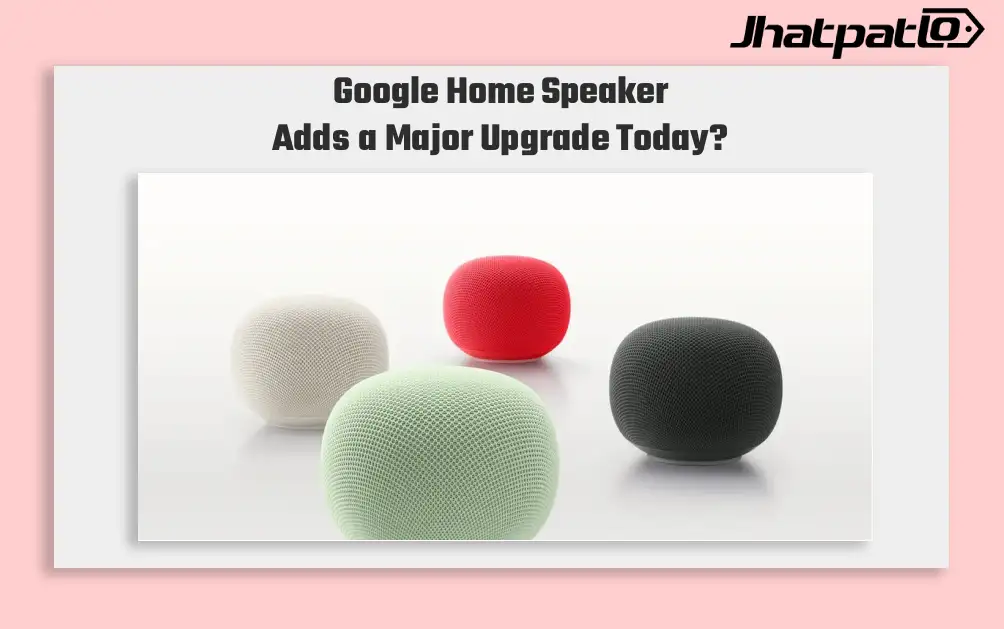
Google Home Speaker Pre Orders Open With Gemini for Home
Google has opened pre-orders for its new Home Speaker in select markets, with US and New Zealand buyers able to order now ahead of June 25 shipping. The $99.99 speaker brings Gemini for Home features, a dynamic light ring, and support for connected-home devices in Google’s wider ecosystem. Go...