


Nothing OS 5.0 beta update Brings AI Tools but Misses Two Upgrades
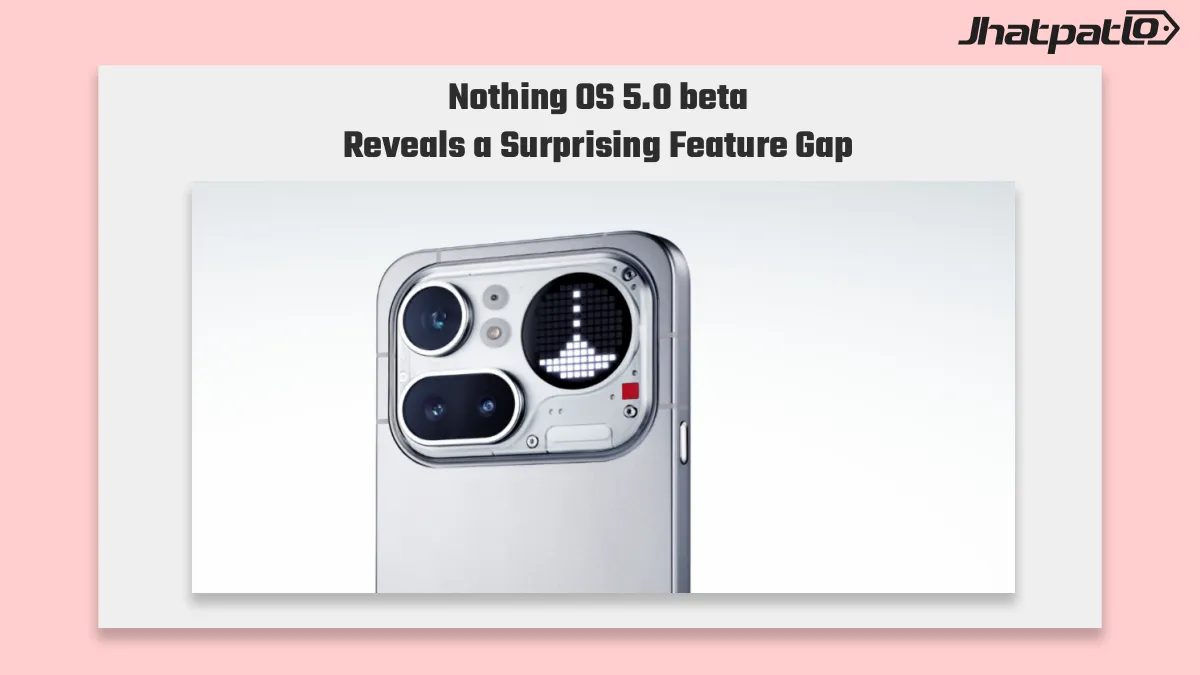
Nothing OS 5.0 beta is now rolling out to the Phone (4a) Pro, and the 2.73GB update brings Android 17-based changes after a delay from Nothing’s original plan. The package focuses on day-to-day changes like a redesigned control center, new lock screen and home screen options, and deeper AI integration for beta users.
The Nothing OS 5.0 beta update brings new AI-powered tools to the Phone (4a) Pro, giving users more ways to interact with and manage their device. However, the beta reportedly leaves out two expected upgrades, making the update feel less complete despite its focus on AI features. Here’s what the Nothing OS 5.0 beta update adds and what is still missing.
Two expected upgrades are still missing, though. The new Glyph app is live, but Micrographics and the refreshed home screen redesign are not part of this beta yet, which suggests the October stable release will carry the fuller visual update.
News Highlights
- The Nothing OS 5.0 beta update is available for the Phone (4a) Pro as a 2.73GB package, bringing Android 17-based changes into the beta track.
- Users get a redesigned control center, fresh lock screen and home screen options, and more AI-focused features in daily use.
- The dedicated Glyph app is included, giving direct control over lighting animations, ringtone schedules, and sound patterns.
- Micrographics and the refreshed home screen redesign are still missing, so the beta is a preview rather than the full Nothing OS 5.0 experience.
Nothing Glyph app rollout adds custom lighting controls to Phone (4a) Pro
The most noticeable addition in this beta is the new Glyph app. It gives Phone (4a) Pro users direct control over lighting animations, ringtone schedules, and sound patterns, which makes the feature more practical than before. Nothing has long treated Glyph as part of its product identity, so this rollout matters beyond a simple software toggle.
For users testing the beta, the app changes how the phone feels in everyday use. Instead of treating Glyph as a side feature, Nothing is moving it closer to a core control layer. That does not change the hardware itself, but it does make the lighting system easier to use and more clearly connected to phone behavior.
Nothing OS 5.0 clock faces still exclude Micrographics at beta stage
Not every visual change is ready yet. Gooey is included in the beta, but Micrographics is still being held back while Nothing finishes development. The refreshed home screen redesign is also not ready at this stage, which leaves some of the more obvious visual updates out of the current build.
That means the beta is offering a partial look at Nothing OS 5.0 rather than the full package. Based on the rollout timing, the stable release in October is the version expected to carry the more complete visual update. For now, testers are getting an early look at the new software direction, but not the final version of it.
In practical terms, the Phone (4a) Pro beta feels like a work in progress. The big software changes are there, including the updated control center and the added AI layer, but the missing elements keep it from feeling finished. That is normal for a beta, although it does matter for users who were expecting the full set of visual changes in this release.
Even with the gaps, the update gives a clear sense of where Nothing is heading. The company appears to be pushing more system-level customization and more visible AI features, while still holding some design pieces back for the stable build. For now, Phone (4a) Pro owners on the beta track get the early version, not the final one.

Related Products




Motorola Expands Android 17 Beta to Edge 2025 and G57 Across US India and EMEA
Motorola expands Android 17 Beta programme for select devices Google began rolling out the Android 17 Beta 1 update globally, with availability currently limited to a handful of devices, including the Pixel 10 and Pixel 6 series, as well as the Pixel Tablet. In a separate move, Motorola has...
One UI 9 Beta 2 Galaxy A35 Rolls Out in Korea With Camera Fix
One UI 9 Beta 2 for the Galaxy A35 is now live in South Korea and India, with build A356NKSUAZZI4 in Korea and A356EXXUBZZI4 in India. The update is small, but Samsung’s camera stability fix suggests the company is tightening the software before a stable release expected next month. The O...
One UI 9 beta for Galaxy S25 looks close as Samsung adds India entry
One UI 9 beta for Galaxy S25 may be next in line after Samsung created new beta entries for the S25, S25+, and S25 Ultra. The clearest sign is the Samsung Members forum beta entry, which suggests India could be among the first markets to get access. That makes a near-term Samsung beta rol...
Android 17 QPR2 Beta 1 brings Pixel fixes as Pixel 6 support ends
Android 17 QPR2 Beta 1 is now rolling out through the Android Beta Program for eligible Pixel phones, giving testers a December 2026 preview focused mainly on bug fixes, stability, and a minor SDK update. At the same time, Google is ending support for Pixel 6 and Pixel 6 Pro in this beta t...
Android 17 Beta 1 Brings Big Changes to Pixel
Android 17 Beta 1 rollout details Google plans to roll out the first beta of Android 17 to Pixel devices enrolled in its beta programme. The rollout is framed as the start of a new beta cycle, following the Android 16 QPR3 Beta 2.1 update that is already circulating among testers. Officials involve...