


Best 16-Inch Laptops 2026 with MacBook Pro, RTX 5090 & Budget Picks
.webp)
Introduction
The 16-inch laptop market in 2026 is doing that familiar split-screen thing: one side is all about battery life, quiet operation, and creator-friendly polish, while the other side is basically saying, “No, give me the biggest graphics hammer you can fit into this size.” That’s why the MacBook Pro 16 M5 Pro and the Alienware 16 Area-51 RTX 5090 keep showing up in the same conversation, even though they’re clearly built for different people.
And then there are the cheaper 16-inch models, trying hard not to disappear. They may not have the same prestige, but if you just want a big screen, decent storage, and enough performance to get through real work without spending a fortune, they start making a lot more sense than people expect.
Quick Highlights
- MacBook Pro 16 M5 Pro still leads on battery and quiet work
- Alienware 16 Area-51 RTX 5090 is the pure gaming powerhouse
- Budget 16-inch options now feel more practical than a few years ago
- Screen size matters, but the real difference is in purpose
Why the MacBook Pro 16 still sets the standard for battery, display, and quiet work
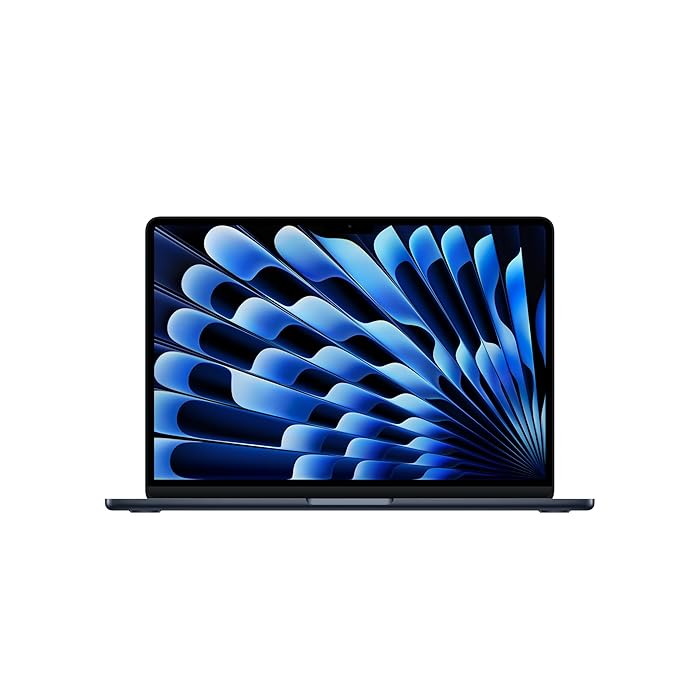
Here’s the thing about the MacBook Pro 16: it’s not trying to be exciting in the loud, spec-sheet way. It’s trying to be the laptop you trust without thinking too much about it. For a lot of people, that’s actually the higher compliment. You open it, work happens, and it doesn’t throw a fit. That’s a huge part of why the MacBook Pro 16 battery life continues to be one of the biggest selling points in the 16-inch class.
Apple’s formula here is still familiar, and honestly, that’s the point. The Liquid Retina XDR display is a big deal for creators because it gives you the kind of contrast and brightness that makes photos, videos, and even plain old spreadsheets look cleaner. Add 1000 nits SDR brightness, 24GB RAM, and 1TB SSD storage, and you get a machine that feels ready for serious use right away, not after you’ve upgraded half of it in your head.
What really separates it from many Windows rivals is the way it handles the everyday stuff. It stays quiet. It stays cool enough. And it keeps going far away from a charger, which sounds boring until you’re actually living with it. Then it starts feeling like peace of mind.
For creators, writers, office users, and anyone who spends a whole day moving between tabs, editing tools, and video calls, that balance matters. You don’t need to be a professional film editor to appreciate a laptop that doesn’t constantly remind you it’s working hard.
What the M5 Pro version adds without changing the formula
The M5 Pro chip is really about lifting performance without messing with the personality of the machine. That’s important, because some powerful laptops act like they’re angry all the time. They get hot, fans spin up, the chassis feels like it’s auditioning for a jet engine role, and suddenly your “premium” laptop sounds like a problem.
The M5 Pro version doesn’t do that. It’s still aimed at people who want premium power, not a gaming-first identity. So if you’re editing large projects, juggling heavy apps, or doing creative work that benefits from extra headroom, the chip gives the MacBook Pro 16 M5 Pro a little more push without changing the overall experience.
In a way, that’s the whole appeal. The laptop still feels like a calm work companion. It just happens to be stronger under the hood than before. And for many buyers, that’s exactly the sweet spot.
Where the Alienware 16 Area-51 and other gaming laptops take over
Now, once your questions start sounding like, “How many frames can I get?” or “Will this handle heavier visual workloads?” the conversation changes immediately. The Alienware 16 Area-51 RTX 5090 exists for people who want raw power first and everything else later. It’s the kind of machine that makes no apology for being expensive, large, and seriously aggressive in performance terms.
That’s why calling it the best 16-inch gaming laptop 2026 makes sense in a very specific way. It’s not the best because it’s balanced. It’s the best because it goes after the top end of gaming performance with almost no interest in being modest about it. The RTX 5090 is the point. The rest of the machine is built around that ambition.
If you’ve ever bought a gaming laptop and then wondered why it still felt compromised, this is the opposite philosophy. You’re not paying for quiet confidence. You’re paying for brute-force graphics muscle.
The point of an RTX 5090 laptop is not subtlety
An RTX 5090 laptop is for the buyer who already knows the answer to the main question: yes, I want maximum gaming performance. That’s it. No detours. No “well, maybe I’ll use it for a little bit of office work too.” Of course you can, but that’s not the point.
The Alienware 16 Area-51 RTX 5090 belongs in a different lane from office laptops and creator machines. It’s built for the kind of user who wants the biggest possible performance cushion for demanding games, high-end visuals, and workloads that lean hard on GPU power.
That’s also why the 16-inch size can be a little misleading. On paper, it sounds like it might be a middle-ground device. In reality, the intent is completely different. The size is similar, sure, but the experience is not. One machine is trying to disappear into your day. The other is trying to dominate it.
And that’s not a criticism. It just means you need to be honest about what you actually do. If gaming is the priority, the Alienware makes sense. If battery, portability, and silence matter more, the MacBook wins before the race even starts.
What the cheaper 16-inch options give up, and what they still get right
Not everyone wants to spend flagship money, and thankfully the lower end of the 16-inch market doesn’t feel completely pointless anymore. That’s where the Asus Vivobook 16 and Samsung Galaxy Book6 come in. They’re not trying to compete with Apple or Alienware on prestige. They’re trying to keep the screen size, give you usable specs, and avoid feeling like a sacrifice every time you open the lid.
That’s actually a pretty useful category. A 16-inch laptop for multitasking can be a sweet spot if you split your time between documents, browser tabs, streaming, and light creative work. Bigger screens just make life easier sometimes. You can see more. You can arrange windows more comfortably. And you don’t have to squint your way through a normal workday.
The trade-off, of course, is that lower pricing usually means something has to give. Maybe it’s premium build quality. Maybe it’s the top-end chip. Maybe it’s the absolute best battery. But if you choose carefully, you can still end up with a laptop that feels genuinely practical instead of merely affordable.
Asus Vivobook 16 vs Galaxy Book6: the practical trade-off
The Asus Vivobook 16 OLED is the more budget-conscious pick, and that under Rs 70,000 ceiling matters a lot if you’re trying to stay sane financially. It’s the kind of laptop that says, “I’m not flashy, but I’ll get the job done.” The OLED screen helps it stand out too, because display quality is one of the easiest places to notice value, even if you’re not a tech obsessive.
The Galaxy Book6 touchscreen laptop takes a different route. It feels a little more polished for people who like switching quickly between tasks, tapping around, and using the machine in a more flexible way. The touchscreen is one of those features that sounds minor until you start using it regularly. Then it becomes part of the rhythm.
Here’s a simple way to think about it: the Asus Vivobook 16 OLED is trying to be the cheaper smart buy, while the Galaxy Book6 is trying to feel more refined in everyday use. Both are valid. They just solve different problems.
| Model | Main selling point | Notable spec or price detail |
|---|---|---|
| Asus Vivobook 16 OLED | Budget value | Kept under Rs 70,000; OLED screen; lightweight build |
| Galaxy Book6 touchscreen laptop | Better multitasking feel | Touchscreen; 1TB SSD; Core Ultra 7 hardware |
Neither of these machines is pretending to be a flagship, and that’s exactly why they’re worth paying attention to. Budget laptops get frustrating when they try too hard to look premium while quietly cutting corners in the places you notice every day. These two are more straightforward about what they offer.
If you want the least expensive route into a bigger screen, the Asus is probably the cleaner answer. If you care more about multitasking feel and storage, the Galaxy Book6 starts to look better. Simple as that.
FAQ
These are the doubts that usually come up after people compare battery, display, gaming power, and price.
Q: Is the MacBook Pro 16 M5 Pro good for battery life?
Yes. Battery life is one of the main reasons it stays the benchmark, especially for people who work away from the charger. If you’ve ever had a laptop force you into outlet-chasing mode halfway through the day, you’ll understand why this matters so much.
Q: Is the Alienware 16 Area-51 RTX 5090 worth it for gaming?
Yes, if the priority is maximum gaming performance. It’s built as a no-compromise gaming laptop, not a balanced all-rounder, so it makes the most sense for people who genuinely want top-tier frame rates and don’t care much about battery-first behavior.
Q: Is the Asus Vivobook 16 OLED a good budget 16-inch laptop?
Yes. Keeping the price under Rs 70,000 while still offering an OLED screen makes it one of the more sensible value picks. It’s not trying to impress everyone, but it does enough of the important things well.
Conclusion
If you want the best 16-inch laptop for battery, silence, and creator work, the MacBook Pro 16 M5 Pro is still the cleanest answer. It’s the one that feels easiest to live with day after day, and that counts for a lot more than people admit at first.
If your priority is gaming or price, the choice shifts fast toward the Alienware 16 Area-51 RTX 5090, the Asus Vivobook 16 OLED, or the Galaxy Book6 touchscreen laptop depending on how much performance you actually need. That’s really the whole story: in 2026, the best 16-inch laptop isn’t one machine for everyone. It’s the one that matches your actual life without making you overpay for features you’ll barely use.

Mahi Gupta
✉ mahigupta708076@gmail.comRelated Products


MacBook Pro 2026 With M5 Max Outpaces M4 Max on Geekbench
Benchmark Snapshot Apple refreshes its MacBook Pro lineup with the M5 Max, crowning the 16-inch model as the new flagship. The MacBook Pro (2026) with the M5 Max chip is now the top-end option and has begun pre-orders in India via Apple’s online store in Silver and Space Grey after its Ma...
Apple’s Next MacBook Pro Is Almost Here – M5 Pro & M5 Max Launch Timeline Revealed
Apple has reportedly been developing new MacBook Pro models featuring the unannounced M5 Pro and M5 Max chips for some time. Earlier reports pointed to a February launch, but Bloomberg’s Mark Gurman now offers a revised timeline for the devices. The new MacBook Pro models...
Apple Aims March MacBook Pro Refresh With M5 Pro Timeline
Overview Apple launched its flagship MacBook Pro series with its M5 processor in October 2025. The initial rollout reached India and other global markets with a single 14-inch configuration. Apple has not confirmed any launch of rumored M5 Pro and M5 Max models, but a tipster suggests the chipsets...

Redmi Book 2026 Launches in China With 120Hz Displays and Intel Meteor Lake Chips
Redmi Book 2026 Launches in China with two models Xiaomi has made the non-Pro Redmi Book 2026 lineup official in China, bringing two laptops with 120Hz displays and Intel Meteor Lake power. The series includes the Redmi Book 14 2026 and Redmi Book 16 2026, with the starting model priced at CN...

MacBook Pro With OLED Touchscreen to Launch Late 2026 With Dynamic Island
A Summary of Expected Product Launches This Year According to reports, Apple has several hardware updates planned this year; among them are new MacBook Pro models with M5 Max and M5 Ultra processors and a lower-cost MacBook model with an A18 Pro processor. In a separate report, Apple is...
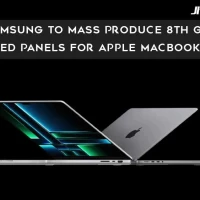
Samsung to Mass Produce 8th Gen OLED Panels for Apple MacBooks
Samsung Display is set to begin mass production of the world’s first 8th-generation OLED line, with glass-substrate production planned to start in May, according to The Elec. The A6 OLED line is expected to supply panels for Apple’s upcoming 14-inch and 16-inch MacBook models, which are anticipated...