


Windows 11 Insider Adds Seven April Changes Across Dev Beta and Canary Builds
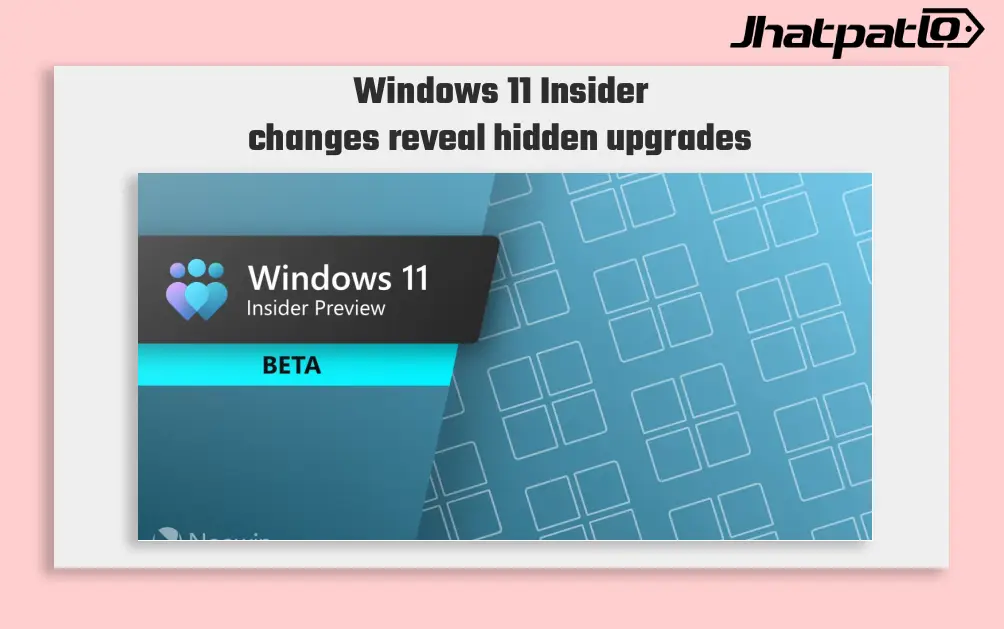
Windows 11 Insider changes roll out across April preview builds
Microsoft has tested seven Windows 11 Insider changes in the first two weeks of April, spread across Dev, Beta and Canary channels. The updates include haptic feedback effects, an Xbox mode rename, Secure Boot certificate alerts, touchpad customization, and Feedback Hub app changes.
Across several preview builds, the company also pushed visual updates for Protected Print Mode and new pen settings in the Canary channel. The changes arrive in builds including 26300.8155, 26220.8148, 26300.8170, 26220.8165, 29560, 28020.1803, 29565 and 28020.1812.
Seven Windows 11 Insider changes arrive in early April
Microsoft’s early April Windows 11 Insider activity centers on a group of refinements that touch input, security, printing and app behavior. The report says these updates are not a single feature drop, but a mix of small additions and interface changes that have appeared across multiple preview channels.
One of the clearest changes is haptic feedback on compatible devices. Starting with builds 26220.8148 and 26300.8155, Windows 11 adds haptic signals for actions such as window snapping, resizing and hovering over the close button. The setting is found under Settings > Bluetooth & devices > Mouse > Haptic signals.
Microsoft has also renamed Xbox Full Screen Experience to Xbox mode. The feature is part of the Xbox app and system tweaks that turn the desktop into a console-like layout. The update to the first-run experience was noted in recent builds, and the new name is now used in the preview.
Protected Print Mode is also getting a visual change rather than a functional overhaul. Microsoft is testing a new badge icon that appears on printers installed on a computer that support the new printer drivers. The change is available in the Dev and Beta channels.
In the Windows Security app, Microsoft has begun rolling out Secure Boot certificate alerts. The warning system uses green, yellow or red badges to show the state of certificates expiring in June 2026. The green badge means the system is fully updated. Yellow indicates the update is pending or limited because of compatibility issues. Red means the new certificates cannot be applied and manual configuration is required.
Build details and feature changes
The early April roundup also includes pen settings, touchpad controls and Feedback Hub updates. On the pen side, builds 28020.1803 and 29560 in the Canary channel add a setting that lets users assign the tail button to launch the same app as the Copilot key. That option is located in Settings > Bluetooth & devices > Pen.
Touchpad settings now allow laptops with supported hardware to change the size of the right-click area. The available choices are default, small, medium and large, and some manufacturers may expose a Custom entry if they provide their own settings. The feature, previously limited to Dev and Beta channels, is now also in the Canary channel with builds 29560 and 28020.1803.
The last of the seven changes is Feedback Hub version 2.2604.101.0. Microsoft has updated the app in Dev and Canary channels with changes to window behavior so it has a consistent default startup experience. If the window is resized manually, the app now remembers the size. Users can also use the mouse back button when moving between pages, and the upvote button now displays correctly for Chinese language users while improving accessibility.
In total, the first two weeks of April included six preview builds, according to the report. Those included 26300.8155 and 26220.8148, along with 26300.8170 and 26220.8165 in Dev and Beta, plus 29560 and 28020.1803 and 29565 and 28020.1812 in Canary.
The roundup says Microsoft is focusing on refinements rather than flashy additions. It also notes that some planned changes to the Windows Insider Program and Windows Update settings were not included because they had not been officially released on any preview channels.
For now, the April Insider builds show Windows 11 moving through a mix of interface changes, security alerts and small usability updates that are already live for testers across the program.
Related Products

Windows 11 Baseline Security Mode Restricts Unsigned Apps and Drivers
Microsoft is pursuing changes to make Windows 11 more secure by default by limiting the apps and drivers that can run on the operating system. Microsoft is looking into implementing a scenario where all applications (and drivers) must be digitally signed before they can run on a ma...

Android 17 Beta 1 Rollout Brings Performance Optimisation
Android 17 Beta 1 Updates Google released the first public beta of Android 17, giving public users and developers an early look at the next major version of its mobile operating system. The company said the update focuses on performance optimisation, privacy refinements and enhanc...
Android 17 Beta 1 Brings Big Changes to Pixel
Android 17 Beta 1 rollout details Google plans to roll out the first beta of Android 17 to Pixel devices enrolled in its beta programme. The rollout is framed as the start of a new beta cycle, following the Android 16 QPR3 Beta 2.1 update that is already circulating among testers. Officials involve...
Android 17 QPR2 Beta 4 adds Notification Intelligence to Pixel phones
Android 17 QPR2 Beta 4 adds is rolling out to Pixel phones with a cleaner Settings entry for Google’s notification AI tools and a set of stability fixes. The update also brings new status bar controls, a Voice Broadcast tile, and bug patches for thermal issues, Bluetooth call audio, gestur...

Android 17 Beta 4 Rolls Out to Pixel Devices Ahead of Stable Release
Android 17 Beta 4 begins reaching Pixel phones Google has started rolling out Android 17 Beta 4 Rolls Out for Pixel as the final scheduled beta in the release cycle. The update is aimed at refining performance, stability and user experience before the stable public rollout expected in the nex...

iOS 27 Developer Beta 5 Adds Liquid Glass Icons and Siri Controls
iOS 27 Developer Beta 5 is now available, and the biggest changes are easy to spot right away: refreshed Liquid Glass icons, smoother Siri voice control tuning, and new system app updates. Apple is also limiting the developer beta to supported iPhones starting with iPhone 11 and iPhone SE...