


HP Smart Tank 670 Colour Inkjet AIO Printer (6UU48A) for Legal Docs
64/100
-
 Inkjet
-
 Home
-
 4800 x 1200
dpi
-
 Flatbed
-
 1200
dpi

HP Smart Tank 670 Colour Inkjet AIO Printer Price Comparison & History in India

Buy Now: HP Smart Tank 670 Hits Its Low
At ₹16,999 on Flipkart, this printer is at its lowest recorded level. It’s ₹500 below the tracked average of ₹17,499. The price has moved between two levels during 325 days of tracking. It started higher, fell in August, rose briefly, then returned to this lower price. Amazon also offered the same current price earlier this month. Flipkart is cheapest right now because it holds the latest recorded offer.
A casual shopper might miss that this isn't a fresh one-day drop. The lower price has appeared repeatedly, including August and October. That makes the deal more dependable than a short flash sale. The HP Smart Tank 670 suits homes needing cheap colour printing and scanning. Its ink-tank design helps reduce running costs, but the printer still takes desk space. Check seller ratings, warranty coverage, and included ink before paying. HP Smart Tank 670 offers Wi-Fi and two-sided printing for regular home work. Pricing has held at this level recently. If you need a printer now, this is a strong buying point. Waiting could save little unless a major sale arrives.
 Print Performance
45
 Paper Handling
83
 Display & Controls
88
- Legal paper support handles larger documents
- Borderless printing works for photo sheets
- Copy queue goes up to 99 pages
- Flatbed glass scans single pages clearly
- Print noise reaches 58.8 dB
- No automatic document feeder for stacks
- Wide body needs decent desk space
HP Smart Tank 670 Colour Inkjet AIO Printer Features & Overview
HP Smart Tank 670 All in One Printer 6UU48A
Usage: This all-in-one printer is built to handle everyday tasks: print, scan, and copy with steady reliability. HP Smart Tank 670 Colour Inkjet AIO Printer (6UU48A) for Legal Docs. In practice, the wireless setup is straightforward, and the app makes remote commands feel natural. The device draws a quiet 2 Watts in idle, and you notice the calm hum only when it starts a job.
Capacity: It supports 60-sheet input and 60-sheet output trays, which helps during busy days. HP Smart Tank 670 Colour Inkjet AIO Printer (6UU48A) for Legal Docs. The media size is standard 8.5 x 11 inches, and the maximum media size is 215 x 355 mm, enough for typical documents and light brochures.
Controls: Control happens primarily through the companion app; the printer is designed to respond to touchless commands, keeping your desk uncluttered. You don’t have to wrestle with a complex menu—it's intuitive enough after a couple of uses.
Durability: Built for home, office, or school use, it keeps pace with daily workloads; ink bottles and printheads are included, and the two trays handle routine cycles without fuss.
Safety/Installation/Warranty: The package includes setup guides and regulatory paperwork, and the printer ships with a limited warranty for reassurance as you begin. Setup is simple, and you’re running in no time.
HP Smart Tank 670 Colour Inkjet AIO Printer Technical Specifications
HP Smart Tank 670 Colour Inkjet AIO Printer FAQs
Text comes out sharp, while colour pages look bright and detailed. It handles school documents, forms, and occasional photos without much fuss. The pigment-based black ink also keeps normal documents crisp.
Black prints run at up to 12 pages per minute, while colour reaches 7 pages per minute. That's fine for home paperwork, assignments, and small batches. Large office-style print jobs will take longer.
The black bottle is rated for up to 6,000 pages, and colour bottles can reach 8,000 pages. That gives it much better refill intervals than a regular cartridge printer. You get separate cyan, magenta, yellow, and black bottles.
Yes, automatic duplex printing handles both sides of the page. It works well for notes, reports, and longer documents where paper saving matters. A 120-page document can be printed on roughly 60 sheets.
The flatbed scanner captures documents at up to 1200 dpi, so text and images look clear. Copying is simple for single pages and small batches. The scanner can sometimes need a restart when it throws an error.
It supports A4, A5, A6, B5, envelopes, cards, and Legal paper. Plain paper, photo paper, matte paper, presentation paper, and glossy paper are also supported. The input tray holds up to 150 sheets and the output tray holds 100.
Wi-Fi, Bluetooth, Ethernet, and USB 2.0 are all available here. The HP app lets you print from a phone or laptop without sitting beside the printer. USB is useful when you want a direct connection.
No, it works from a wall outlet and doesn't have an internal battery. The printer supports 100 to 240 VAC input. Printing stops during a power cut and resumes only after power returns.
The setup guide and HP Smart app explain the installation step by step. Many people can configure it themselves in a few minutes. The ink filling and printhead steps are where the process feels slightly involved.
The HP gives you automatic duplex printing, broad wireless options, and a 150-sheet input tray. Canon's G-series models can be a better fit when you want a simpler tank setup. HP is the stronger pick for regular two-sided home documents.
Both use refillable ink tanks and suit regular home printing. The HP adds automatic duplex printing and Bluetooth, which makes phone printing and paper saving easier. Epson has a wider range of models, but this one covers more everyday tasks in one machine.
Brother DCP-T printers are known for straightforward document printing and simple controls. The HP brings Wi-Fi, Bluetooth, automatic duplex, and borderless colour printing together. For mixed home use, HP feels more flexible.
Leaving it unused for over a month can lead to a costly reactivation problem. This is a serious concern for homes that stay locked during travel or long breaks. It needs regular use rather than being switched on only a few times yearly.
Some units have shown printhead recognition problems and E3 errors even when no paper is stuck. Cleaning the printhead or checking the carriage may not always fix it. A faulty board or printhead can turn into a service visit.
The ink tube assembly may not be sold separately, so repairs can require the full assembly. A damaged tube can also affect the black printhead if the printer stays unusable. Parts and service together can become a major repair expense.
The scanner can occasionally show an error and stop responding. Restarting the printer usually brings it back, though waiting a little may also help. It is annoying during repeated scanning but doesn't affect normal printing.
Real & Verified Reviews of HP Smart Tank 670 Colour Inkjet AIO Printer
 Amazon
IMPROPER AFTER SALE SERVICE.
I got the item without delay and the packing was very good. I noticed a change in the appearance of the item delivered, but I did not raise any concern as it has nothing to do with the printing. On the second day the service person from HP came to install the printer. He completed everything and tried to print a page. He noticed that the machine did not recognise the black print head. He took back the print head and after some cleaning, again put the print head in the slot. But the machine could not recognise the print head and the printing failed. He told that there is some defects in the board and it needs replacement. As suggested by him, I tried for replacement of the item after login in to Amazon web site. There came many options (ie contacting service team, calling company rep etc) other than replacement. It was really a bitter experience from Amazon. I strongly urge every one, never buy any electronic item online because in such situations you will be put in trouble contacting pillar to post to bring such issues to their notice. (Here the replacement option was available, but when you opt replacement some dropdown items will come suggesting other options but no replacement). The item when supplied was malfunctioning and I contacted the amazon and through them the service person completed the installation changing the printer head board. Again some discrepancy noted that it shows E 3 error code (for paper jam other obstructions /carriage jam) . I checked some videos and followed the checks. I found no paper jam/other obstructions still the machine shows E3 and cannot print. I contacted Amazon as this is within the warranty period. They game me 2 contact numbers. On calling them it was told that the number is changed and gave another number. One number is not at all in existence. So a customer who bought the machine had to struggle whenever some complaints are noted and the company is not at all responsible. This is very bad. They could inform local service persons here to attend and rectify the mistake. Instead of this I had to contact one number after another and ended in fiasco.
Amazon
Printer is good
Excellent all-in-one printer – Very easy to use and great print quality! I have been using this printer for daily tasks, and it has exceeded my expectations. Here is my quick experience with it: Ease of Use & Setup: Setup was straightforward and took only a few minutes. The controls and app interface are simple to understand. Connectivity: Wi-Fi and mobile printing work seamlessly. I can print straight from my phone or laptop without any connection drops. Print Quality: Both black-and-white text and color prints come out sharp, clean, and vibrant with no smudges. Printing Speed: Fast enough for daily home, office, and school work. Pages come out quickly without unnecessary lag. Scanning: The scanning function is smooth, and the resolution is crisp. Scanned documents and images look clear and accurate on screen. Overall, it is a reliable, value-for-money printer that gets the job done without any hassle. Highly recommended!
Amazon
Too costly spares/ Not supporting official channels after warranty period
I purchased this product and have been using it for about a year. It was working very well until one day the black printhead suddenly stopped working. Upon inspection, I found that ants had damaged the ink tube. I contacted several service centres and searched extensively for a replacement, but unfortunately, the ink tube itself is not available separately. I was informed that the entire ink tube assembly, costing around ₹5,000 or more, has to be replaced. Even now, no one has been able to help me find the tube separately. Including the service charge of around ₹850 and the cost of the printhead (approximately ₹1,700, as it was also damaged after remaining non-functional for a long period), the total repair cost is now estimated to be around ₹7,500–₹8,000, and the prices of the parts are increasing day by day. It has now been around three months, and the printer is still not repaired. Considering the high repair and maintenance costs and the difficulty in obtaining spare parts, think twice before buying this product.
Amazon
Easy to install
Good.
Amazon
A very worthwhile upgrade from an inkjet
I had been using an HP DeskJet Ink Advantage printer for about 6 years, and it served me really well. But my document and photo printing requirements had increased, so I decided it was time to move to an ink-tank printer. I compared Canon, Epson and Brother as well, but ultimately went with HP again. I already had a good experience with HP, and I didn’t want to take the chance of switching brands and then wondering whether the text or colors would turn out duller. I know that may sound like a small thing, but when you’re spending this much on a printer, buyer’s remorse over not sticking with something that already worked well for you is real! I bought the printer on Saturday and received a call from HP regarding the free installation on Monday. However, the supplied manual made the setup simple enough that I was able to install and configure it myself, so I declined the installation. Nice to have the option, though. My first major test was printing an entire 120-page book for my Master's degree. With front-and-back printing, that came to around 60 sheets. I printed it in Draft mode, but honestly, the output looks much closer to what I would expect from Normal mode. The text is sharp and very easy to read, which really impressed me. I’ve also printed 5–6 HD photos so far, and the photo quality has been excellent. The colors and details look great. So far, I’m very happy with the purchase. Going from an HP inkjet that lasted me 6 years to an HP ink-tank feels like a very natural upgrade. For my needs—lots of documents along with occasional high-quality photos—it’s been an excellent choice. Very happy that I decided to stick with HP.
Amazon
My opinion about this printer
I came to know that if this printer is kept inert for more than one month, I have to spend INR 7000 to reactivate it. This is not good. We usually go abroad and stay outside India for more than a month.
Amazon
user Friendly
No issue as of now and user friendly
Amazon
Not a good product and bad customer service
One of the worst experiences with this item. The item is not working properly from Day1 and they don’t want to replace the damaged item.
Amazon
Gayet güzel
HP Smart Tank 670 adlı yazıcıyı yaklaşık bir aydır kullanıyorum. Şu ana kadar hiçbir problemle karşılaşmadım. Yazıcının kurulumu gayet kolaydı. HP Smart uygulaması kurulumu nasıl yapacağınızı size adım adım açık bir şekilde gösteriyor. Basım hızı büyük ofislerde kullanılan yazıcılara göre nispeten yavaş olsa da evdeki günlük kullanım için bir problem oluşturacağını zannetmiyorum. Otomatik çift taraflı baskı özelliği belgeleri kolayca çift taraflı yazdırmanıza olanak sağlıyor. Tarama özelliği de gayet güzel olmakla birlikte ara sıra hata verebiliyor. Düzelmesi için biraz beklemeniz veya yazıcıyı yeniden başlatmanız gerekiyor. Ancak bunun çok dert edilecek bir sorun olduğunu düşünmüyorum. Sonuç olarak HP Smart Tank 670'in evde kullanmak için alabileceğiniz en iyi mürekkep püskürtmeli yazıcılardan biri olduğunu söyleyebilirim. Tavsiye ederim.
Amazon
Ein sehr brauchbarer Drucker
Der Drucker könnte nicht besser funktionieren. Ich habe ihn wegen des beidseitigen Drucks gekauft. Für den Haushalt und ein kleines Geschäft ist er völlig ausreichend. Er arbeitet schnell genug und Fotos werden in erstaunlich guter Qualität gedruckt.
Amazon
Imprimante au tope 👌
Super achats très contente l’encre ne consomme rien je recommande vraiment
Amazon
Compacta y que la carga y el papel impreso sea frontal
De momento, va muy bien. El único fallo es que no estaba las instrucciones en Español, me ha sorprendido. Además el Español es el tercer idioma a nivel mundial. Menos mal que había instrucciones de Ingles. Otra cosa que no me ha gustado es que HP pone que esta impresora esta en garantía hasta Octubre de este año 2026. Menos de un año??? En España la garantía mínima para particulares es de 3 años. Parece que los de HP no están al día
Amazon
Hp kalitesi
Bu da güzel Ürün ama iade edip 720 modeli aldık.
 Flipkart
Good choice
Flipkart
Does the job
Flipkart
Perfect product!
Flipkart
Must buy!
Flipkart
Awesome
Flipkart
Value-for-money
Flipkart
Good choice
Flipkart
Good quality product
Related Articles

Best Printers for Home Use That Solve Everyday Printing Problems
Printing at home has become more than a luxury; it’s a quiet daily necessity for students, freelancers, and busy households. You might reach for a printer thinking, “It just needs to spit out pages,” only to end up chasing jams, messy cartridges, or hidden costs that creep up every month. The ri...

The Best 3D Printers for Home Use in 2026 That Are Worth Buying
Printing at home used to feel like a niche hobby reserved for tinkerers. In 2026, however, desktop 3D printing has matured into a practical, quiet, and surprisingly approachable tool. Whether you want to print functional parts for around the house, little toys for the kids, model scenery f...

HP OmniBook Ultra 14 review: a sleek ultraportable that leans hard on polish
IntroductionThe HP OmniBook Ultra 14 review conversation starts in a pretty familiar place: you want a laptop that feels genuinely premium without turning into a brick in your bag. HP has clearly aimed this one at people who care about the everyday experience just as much as the spec sheet, and that...

HP OmniBook Series Explained Which Model Fits You
Introduction HP’s new OmniBook range is one of those laptop lineups that looks simple at first, then gets a bit more interesting the longer you sit with it. On paper, you’ve got a student-friendly starter model, a couple of sensible middle-ground options, and then a top-end machine that p...
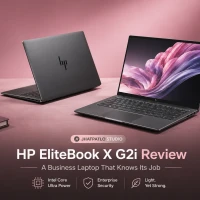
HP EliteBook X G2i Review: A Business Laptop That Knows Its Job
Introduction The HP EliteBook X G2i review starts with the part that makes people click: under-1kg design and nearly 14-hour battery life in the same machine. That combo is rare enough to matter, especially when you’re looking at a work laptop that’s supposed to travel well, stay secure,...

ASUS ZenBook Duo UX8407 Review: Panther Lake roars across two brilliant screens
Two years ago, dual-screen laptops were mostly tech demos that refused to behave. Then the ZenBook Duo arrived, and the idea started to feel real. Fast forward to 2026, and the ZenBook Duo UX8407 isn't a demo — it's a daily driver for people who want more screen real estate without lugging...
Best Alternative HP Smart Tank 670 Colour Inkjet AIO Printer





 Inkjet
Inkjet
Inkjet
Home
Home
Home
Small Business
 -
-
-
-
 -
-
-
-
4800 x 1200 dpi
4800 x 1200 dpi
5760 x 1440 dpi
5760 x 1440 dpi
Flatbed
Flatbed + ADF
Flatbed
Flatbed
1200 dpi
600 x 1200 dpi
600 x 1200 dpi
-
Related News
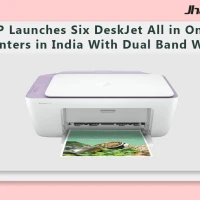
HP Launches Six DeskJet All in One Printers in India With Dual Band WiFi
HP DeskJet All in One Printer Lineup HP has rolled out a new family of DeskJet printers for home users in India, with six models spread across the DeskJet, DeskJet Ink Advantage and DeskJet Ultra Ink Advantage lines. The lineup targets everyday printing, scanning and copying tasks and is...
HP OmniPad 12 India sale starts at Rs. 48,999 with Snapdragon chip
HP OmniPad 12 India sale is now live through HP’s own store and major retail channels, with prices starting at Rs. 48,999. The tablet comes with a detachable keyboard, Android 16 and a Snapdragon SM6475Q-class chip, placing HP in the crowded Android 2-in-1 segment for buyers looking at bot...
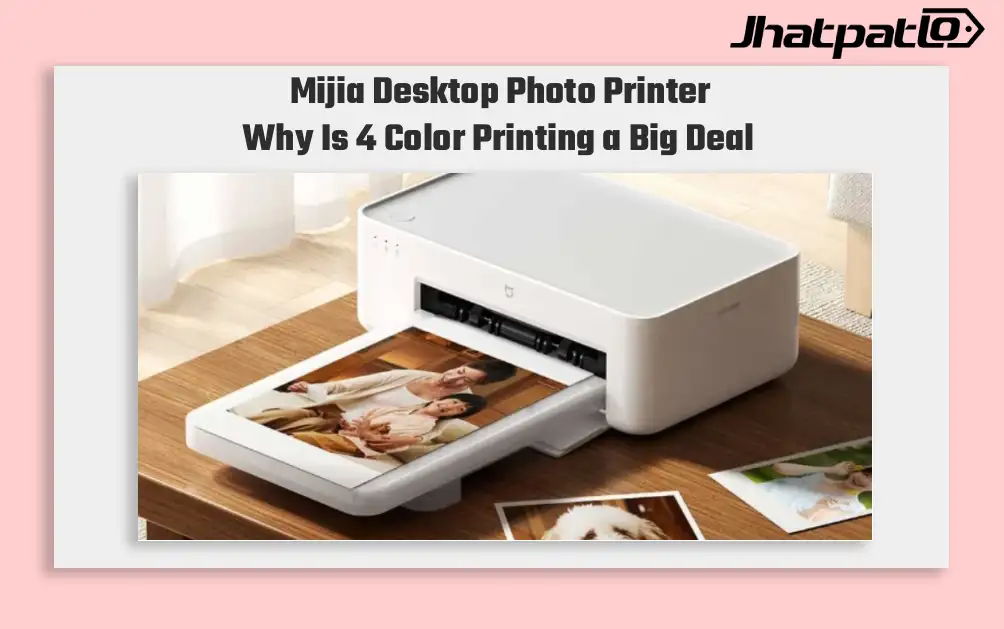
Mijia Desktop Photo Printer 2 Brings 4 Color Printing to Xiaomi Buyers
Xiaomi’s Mijia Desktop Photo Printer 2 has arrived in China with a clear focus on home photo printing. It launches at 699 yuan, goes on sale July 13, and replaces the older 1S model with 4-color dye sublimation, Bluetooth 5.2, and a few software features aimed at making phone printing simp...

Moto G67 brings big display and unexpected low price details today
Motorola Moto G67 brings highlights display and battery The Motorola Moto G67 review points to a smartphone that stands out for its 6.78-inch AMOLED display, strong battery life and low price. The device is positioned as an affordable mid-range model, but the test also notes average performan...

Moto Pad 70 launched in India with 2.5K display and Moto Pen
Moto Pad 70 launched in India with a bundled Moto Pen, and Motorola is positioning it as a productivity-focused tablet rather than only a media device. The 12.1-inch 2.5K LCD, Dimensity 6400 and 10,200mAh battery give it a stronger hardware mix than many mid-range Android tablets. Motorol...

HP OmniBook AI PCs Launch in India With Intel and Snapdragon Options
HP launches OmniBook lineup in India HP has launched the OmniBook Ultra 14, OmniBook X and OmniBook 5 in India, putting AI performance at the center of its new premium laptop push. The lineup includes both Intel Core Ultra and Qualcomm Snapdragon X options on the OmniBook Ultra 14, while the...


