


Samsung Gallery Google Photos Backup Replaces OneDrive This Month
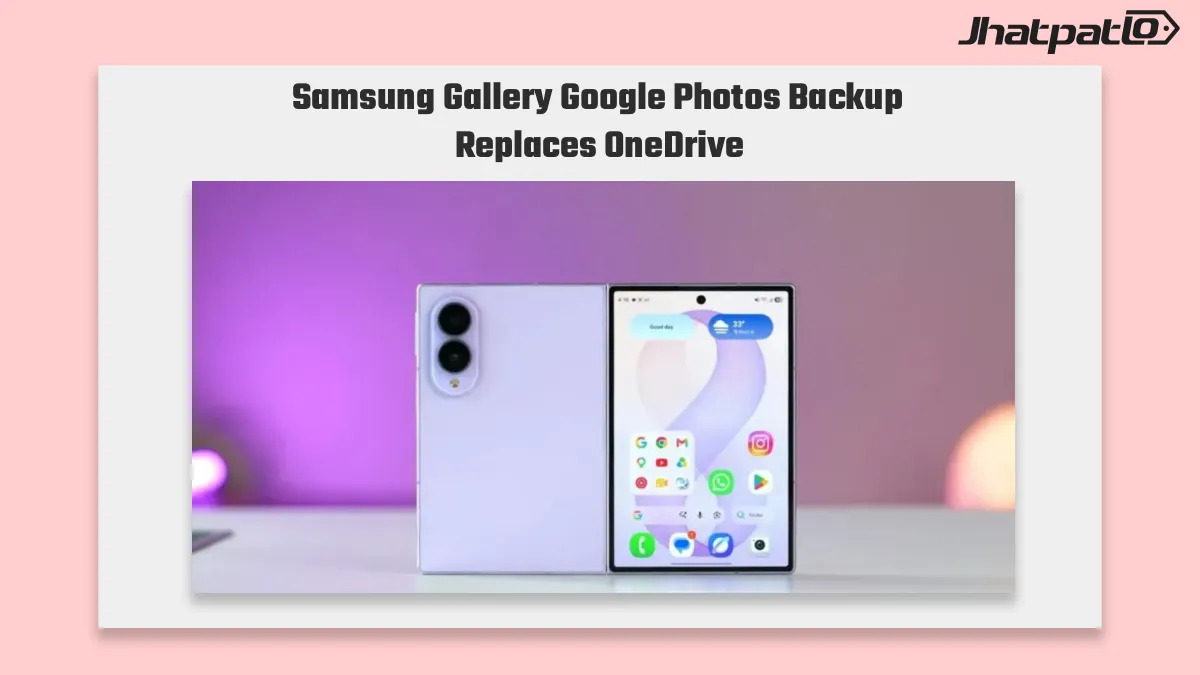
Samsung Gallery Google Photos backup is rolling out as the new cloud option for Galaxy users, replacing the app’s OneDrive sync path this month after months of uncertainty. The update adds album selection and storage visibility inside Gallery, while Samsung has also confirmed that OneDrive sync will end in September 2026 for existing users. For people using Samsung phones and tablets to manage large photo libraries, the change gives a clearer backup setup and a fixed deadline for the old Microsoft integration.
Samsung Gallery Google Photos backup is reportedly replacing OneDrive as Samsung explores a new way to back up photos and videos. The change could give Galaxy users a more direct Google Photos integration, making photo storage and syncing simpler across devices.
What You Need to Know
- Samsung Gallery is moving toward Google Photos support as its replacement cloud backup option, giving Galaxy users a new path after a long period of unclear timing.
- The Gallery Cloud Sync update adds album control and storage visibility, so users can check available space inside Gallery before uploads begin.
- Samsung says the feature is tied to Samsung Cloud sync settings, which makes backup management more direct for phones and Galaxy tablet photo workflows.
- OneDrive sync will end for existing Samsung Gallery users in September 2026, with September 30, 2026 set as the final cutoff date.
Gallery Cloud Sync update adds album control and storage info
The Gallery Cloud Sync update is tied to Samsung Cloud sync settings, and Samsung says users will be able to see available storage inside Gallery before uploads run. That is a practical change for people who store years of photos and videos on a single device, because backup is no longer just a background process. It becomes something users can check and manage before files are sent to Google Photos.
Album selection is part of that same update, which gives Galaxy users more control over what gets backed up. In simple terms, it should let people decide which albums matter most instead of syncing everything at once. For users with both personal and work photos, or for anyone sorting a large camera roll, that extra control matters more than it might seem at first.
The update also changes how Samsung Gallery fits into daily use on Galaxy phones and Galaxy tablets. Rather than relying on a general file sync approach, the app now points users toward a more visible backup flow. That makes the move to Google Photos support easier to understand, even if the rollout has taken time to arrive.
OneDrive sync ends September 2026 for existing Samsung Gallery users
Samsung has set a hard cutoff for the older setup. OneDrive sync ends September 2026, and existing users can keep their current configuration only until September 30, 2026. After that date, the OneDrive path stops completely. For Galaxy users who have relied on Microsoft’s integration for photo backup, this is not just a quiet change in the background. It is a deadline.
The timing matters because it turns the switch into a practical requirement rather than an optional move. Users who stay on the old system will still have time to adjust, but the end date is fixed. That gives Samsung Gallery users a window to decide how they want their camera rolls backed up before the current arrangement disappears.
For now, the main takeaway is straightforward: Samsung Gallery is moving to Google Photos support, and OneDrive is being phased out on a set schedule. The new setup adds album control and storage visibility, while the old OneDrive sync path has a clear end date next year. Anyone using Gallery as a primary backup tool should keep that timeline in mind.

Related Products





ColorOS 16 photo management adds date edits and library controls
Oppo’s ColorOS 16 update brings several photo management changes that make the Photos app easier to clean up and browse. The update lets users correct wrong capture times, sort older shots more easily, hide customized albums, and use batch favourites for faster curation. It also adds scan...

Asus Vivobook 15 AI features arrive in India with Core 7 and 17 TOPS NPU
Asus has brought two new Vivobook models to India with a clearer AI focus than the usual budget laptop launch. The Vivobook 15 and Vivobook 14 X1404MA both lean on Intel Core 7 Series 3 hardware, an on-device NPU rated up to 17 TOPS, and Windows 11 support. For buyers comparing everyday la...

Android 17 QPR2 Beta 5 rollout Adds Audio Streams And UI Fixes
Android 17 QPR2 Beta 5 is now rolling out to Pixel 6a and newer devices with build CP41.260828.005.A6. The update is less about big new features and more about tightening the beta ahead of December, with a focus on stability, Bluetooth reliability, and cleaner Pixel UI behavior for enrolle...

Google Messages UI revamp makes one-handed use easier
Google Messages is testing a UI revamp in build 20260917_03_RC00 that moves Search and Start Chat lower on the screen, making them easier to reach with one thumb. The change also shifts Gemini out of the bottom-right stack, which should make the inbox feel less top-heavy on large Android p...
What Gemini for Google TV is hiding in its new sports scorecards update
Gemini for Google TV gets three new AI features Google said on Tuesday that Gemini for Google TV is getting three new AI features aimed at helping users find information on their television without reaching for a smartphone. The update includes live sports scorecards, richer visual help,...