


Canon PIXMA G4780 Colour Inkjet AIO Printer offers refillable tank savings
69/100
-
 Inkjet
-
 Home
-
 4800 x 1200
dpi
-
 Flatbed + ADF
-
 600 x 1200
dpi

Canon PIXMA G4780 Colour Inkjet AIO Printer Price Comparison & History in India

Wait Before Buying This Canon Printer
At ₹25,149 on Flipkart, the Canon PIXMA G4780 is currently a costly buy. It has climbed ₹5,650 above its lowest recorded price of ₹19,499. The average price across 325 tracked days is ₹21,005, making today's rate 19.7% higher. The current listing is also the highest price recorded during this tracking period. Canon PIXMA G4780 prices stayed fairly steady through August, then rose sharply. December's price was already lower, though later discounts improved the picture. By April, the printer reached its cheapest recorded level. That cheaper window returned briefly in August before the upward movement began.
A casual shopper might miss this: the lowest price appeared on both platforms separately. That makes platform checking useful, but timing matters more right now. The Canon PIXMA G4780 includes ink bottles and suits homes needing regular colour printing. Still, the current listing is well above its normal range, and the climb is recent. Canon PIXMA G4780 buyers don't gain much by rushing today. Waiting for another sale gives this printer a better chance of returning to its recent low.
 Print Performance
82
 Paper Handling
32
 Display & Controls
82
- Automatic duplex saves paper on long documents
- Touchscreen setup is easy to follow
- Prints borderless photos and documents
- Supports phones, tablets, laptops, and computers
- Scans and copies from one machine
- Paper tray holds only 100 sheets
- Printer gets noisy during operation
- ADF can jam or stop working
- Scan and copy quality can look dull
- Printing can become very slow
Canon PIXMA G4780 Colour Inkjet AIO Printer Features & Overview
Usage
In day to day tasks the Canon PIXMA G4780 All in One Printer with ink bottles handles printing, scanning, and copying with a calm reliability. Canon PIXMA G4780 Colour Inkjet AIO Printer offers refillable tank savings. The ink bottle system keeps color printing affordable, and the printer's 4800 x 1200 dpi resolution gives crisp text and reasonable photo output. Canon PIXMA G4780 Colour Inkjet AIO Printer for high yields. With Wi-Fi connectivity you can print from a laptop, smartphone, or tablet without tethering cables; the push button controls keep setup simple, while the automatic duplex helps cut paper use over the week. It’s the kind of device you don’t think about until you’re juggling quick print jobs from the kitchen table and the living room screen. On JhatpatLo you can compare product prices across platforms, check price history tracker for online shopping, and set a Price drop alert so you never miss the Lowest price today while hunting Best deals online.
Capacity
The printer accepts up to 100 sheets in its input tray and supports a maximum media size of 8.5 x 11 inches. The standard sheet size is 8.3 x 11.7 inches, suitable for letter documents. The bundle includes one count of ink bottles to keep printing going, and the whole unit weighs about 7 kg 500 g, making it sturdy on a desk without being cumbersome.
Controls
Operation relies on a push button interface with USB 2.0 for direct connection when needed. The device supports automatic duplex printing and a sheet-fed scanner that is ready for everyday documents and light photo tasks.
Durability
The G4780 comes with a limited warranty; Canon states coverage for manufacturing defects, onsite if necessary. Built for regular use in home or small office contexts, it is manufactured in Vietnam.
Installation / Warranty
Setup is straightforward over Wi-Fi or USB, and the package includes Printer, Power Cord, USB cable, Instruction Manual, and a full set of GI71 ink bottles. OS compatibility spans Windows 11/10/8.1/7 SP1, macOS 11.7.6 to 14, and Chrome OS. The warranty is 2 Years or 30,000 prints, whichever is earlier, onsite from purchase.
Canon PIXMA G4780 Colour Inkjet AIO Printer Technical Specifications
Canon PIXMA G4780 Colour Inkjet AIO Printer FAQs
Text comes out crisp, and colour documents look properly filled in. Charts, schoolwork, and regular office pages are where it performs best. Photos also look good for an ink-tank printer, though the output is not meant for professional photo work.
The supplied bottles are rated for up to 6,000 black pages and 7,700 colour pages. That is a lot for regular home printing, so refills won't come up every few weeks. Actual page count drops when documents have heavy colour coverage.
It prints up to 11 black pages per minute and 6 colour pages per minute. Short documents are fine, but larger jobs take their time. Some pages can take more than two minutes when the printer pauses or gets stuck.
Automatic duplex printing handles double-sided A4 documents without manually turning the pages. It is useful for school notes, reports, and office paperwork. The 100-sheet input tray is enough for small jobs but needs frequent loading during bigger batches.
Wi-Fi, Wi-Fi Direct, AirPrint, and Mopria cover most phone and computer setups. You can send a file from a laptop, phone, or tablet without keeping a USB cable connected. Wireless setup is straightforward through the touchscreen instructions.
The G4780 gives you refillable ink tanks, an ADF, duplex printing, and a touchscreen in one machine. It also handles wireless printing from phones and computers. If scanning and copying matter along with printing, this is the more complete setup.
Both are built around refillable ink bottles and low-frequency refills. The G4780 adds an ADF, automatic duplex printing, and a touchscreen for routine office work. It suits small offices that need printing, scanning, and copying from one place.
The G4780 produces sharp text and supports double-sided printing on regular documents. Its flatbed scanner, ADF, and 99-copy limit also make repeated paperwork easier. Brother may still suit people who mainly want straightforward document printing without much scanning.
The ADF can jam, and there are cases where it stops working after a short period. That is a serious problem if you regularly scan multi-page documents. Single-page work through the flatbed is less troublesome.
The 600 x 1200 dpi scanner is fine for basic documents and forms. Some scans and copies can look dull, especially when the original has faint text or soft colours. For everyday paperwork, it gets the job done without looking especially rich.
The printer makes noticeable noise while feeding paper and printing. It is more obvious in a quiet room than during normal office activity. The sound is manageable for occasional pages but gets irritating during longer print jobs.
It supports borderless printing and handles photo paper, glossy paper, and matte photo paper. Colours and shades come through nicely in occasional photos. For family pictures and small prints, the result is good enough without needing a separate photo printer.
The 2.7-inch touchscreen walks through the basic installation steps clearly. Setting up the printer and connecting it to Wi-Fi is easier than expected for a first-time owner. The on-screen guidance is more useful than relying only on the printed manual.
Yes, the ADF is designed for multi-page scanning and copying, with up to 99 copies in one job. It saves time compared with placing every page on the flatbed. Paper jams can interrupt that process and need attention before the job continues.
It can pause, get stuck, or take unusually long to print a page. This is more frustrating during longer documents than during a quick one-page job. Keeping the paper tray properly loaded helps avoid some interruptions.
It suits school assignments, forms, reports, and occasional colour photos quite well. Ink bottles keep frequent printing simpler than replacing small cartridges. The wireless connection also lets you print directly from a phone when the file is not on your laptop.
Real & Verified Reviews of Canon PIXMA G4780 Colour Inkjet AIO Printer
 Flipkart
Wonderful
Flipkart
Decent product
Flipkart
Good
Flipkart
Classy product
Flipkart
Perfect product!
Flipkart
Perfect product!
Flipkart
Best in the market!
Flipkart
Fair
 Amazon
Nothing
The Canon printer is easy to use and prints high-quality documents and photos. It has good print speed, reliable wireless connectivity, and affordable ink options on many models. It’s a great choice for home, school, or small office use. Customers should know that some models require regular maintenance, and print speeds can vary depending on what you’re printing. Overall, it’s a dependable and user-friendly printer.”
Amazon
Quality of the product
It's an outstanding product in this segment. I thought the installation would be difficult. But it was very easy with the help of the LCD screen instructions. The quality of the printout is around 90 out of 100. I am waiting to see how long these ink bottles will last. I feel it is much better than HP printers. The only negative part is that it is a bit of a noisy printer. But I am okay with it, because I know inkjet printers are noisy.
Amazon
Top review
Perfect product for small size requirement and space efficient printer. It also printed a flower picture with all the shades properly reflecting the picture almost. Easy connectivity and plug play setup.
Amazon
Sopreb
Superb product and delivery partners are very cooperated
Amazon
Worst printer|waste of money
This is worst printer i have seen at 20k. After 2 days of buy ADF was not working, papers were getting jammed. Printing speed is very slow sometimes its take more than 2 minutes for single paper. Sometimes it gets stucks and unable to print. Print instructions also unable to follow. My money is wasted. No amazon support also to get warrenty claims please note this. Buy is not recommended.
Amazon
Functionality
Very good printer
Amazon
Not so good
It is just ok. Scan copy very dull. Speed slow for printing. My credit is Average.
Amazon
Nice
Achha printer hai
Related Articles

Best Printers for Home Use That Solve Everyday Printing Problems
Printing at home has become more than a luxury; it’s a quiet daily necessity for students, freelancers, and busy households. You might reach for a printer thinking, “It just needs to spit out pages,” only to end up chasing jams, messy cartridges, or hidden costs that creep up every month. The ri...

The Best 3D Printers for Home Use in 2026 That Are Worth Buying
Printing at home used to feel like a niche hobby reserved for tinkerers. In 2026, however, desktop 3D printing has matured into a practical, quiet, and surprisingly approachable tool. Whether you want to print functional parts for around the house, little toys for the kids, model scenery f...

Google Pixel 10: Smart, Stylish, and Surprisingly Powerful
Google Pixel 10: Smart, Stylish, and Surprisingly Powerful When it comes to smartphones, Google’s Pixel lineup always creates a quiet buzz. But this time, the Pixel 10 feels different — it’s not just another update, it’s a full-blown refinement that bridges the gap between performance a...

Google Pixel 10a Review uncovers the hidden upside the chip can’t match
The Google Pixel 10a arrives at a weirdly honest moment in phone land. Prices keep climbing, AI gets shoved into every corner of the spec sheet, and mid-range phones are trying very hard to look like flagships. So when Google walks in and says, essentially, “same price, same chip, same cameras...

108MP Budget Smartphones in India Affordable 5G with Big Batteries
Budget-friendly doesn’t have to mean compromising on imaging or longevity. In India, a handful of affordable 108MP smartphones bring 5G, big batteries, and high-resolution cameras into reach for well under ₹20,000. Here’s a friendly guide to what’s on offer, why it matters, and how to choose the r...

HP EliteBook X G2i Review: A Business Laptop That Knows Its Job
Introduction The HP EliteBook X G2i review starts with the part that makes people click: under-1kg design and nearly 14-hour battery life in the same machine. That combo is rare enough to matter, especially when you’re looking at a work laptop that’s supposed to travel well, stay secure,...
Best Alternative Canon PIXMA G4780 Colour Inkjet AIO Printer






 Inkjet
Inkjet
Inkjet
Inkjet
Home
Home
Small Business
Home
Home
 -
-
-
-
-
 -
-
-
-
-
4800 x 1200 dpi
4800 x 1200 dpi
5760 x 1440 dpi
4800 x 1200 dpi
5760 x 1440 dpi
Flatbed + ADF
Flatbed
Flatbed
Flatbed
Flatbed
600 x 1200 dpi
1200 dpi
-
1200 dpi
600 x 1200 dpi
Related News
HP Launches Six DeskJet All in One Printers in India With Dual Band WiFi
HP DeskJet All in One Printer Lineup HP has rolled out a new family of DeskJet printers for home users in India, with six models spread across the DeskJet, DeskJet Ink Advantage and DeskJet Ultra Ink Advantage lines. The lineup targets everyday printing, scanning and copying tasks and is...
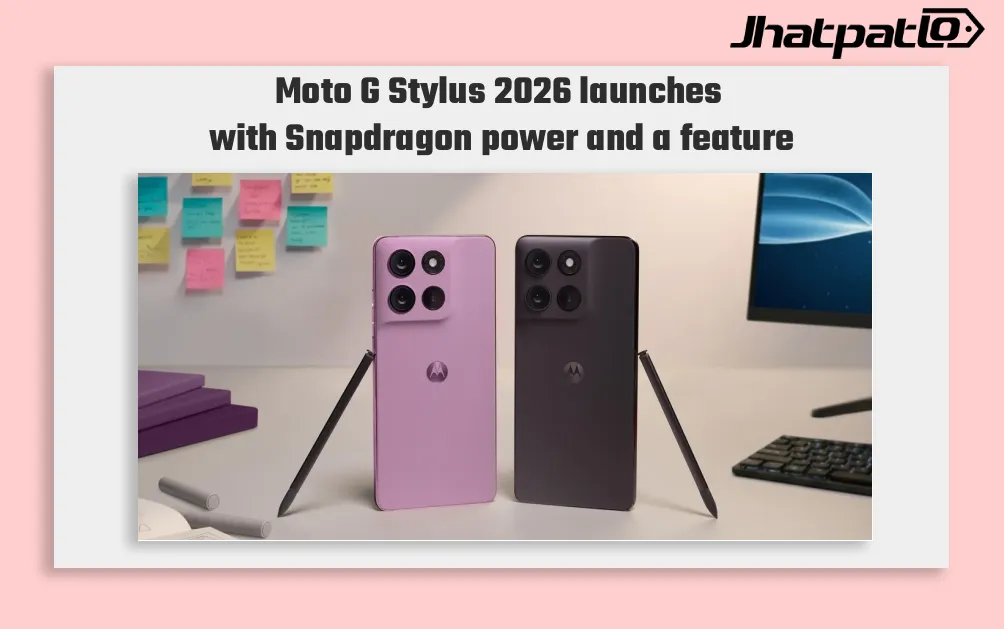
Moto G Stylus 2026 Launches With Built-In Active Stylus and Snapdragon 6 Gen 3
Moto G Stylus 2026 launches in US and Canada Moto G Stylus (2026) has been launched in the US and Canadian markets, arriving as the successor to the Moto G Stylus (2025), which was announced in April 2025. The new model keeps the built-in active stylus as its key feature and comes with a Snap...
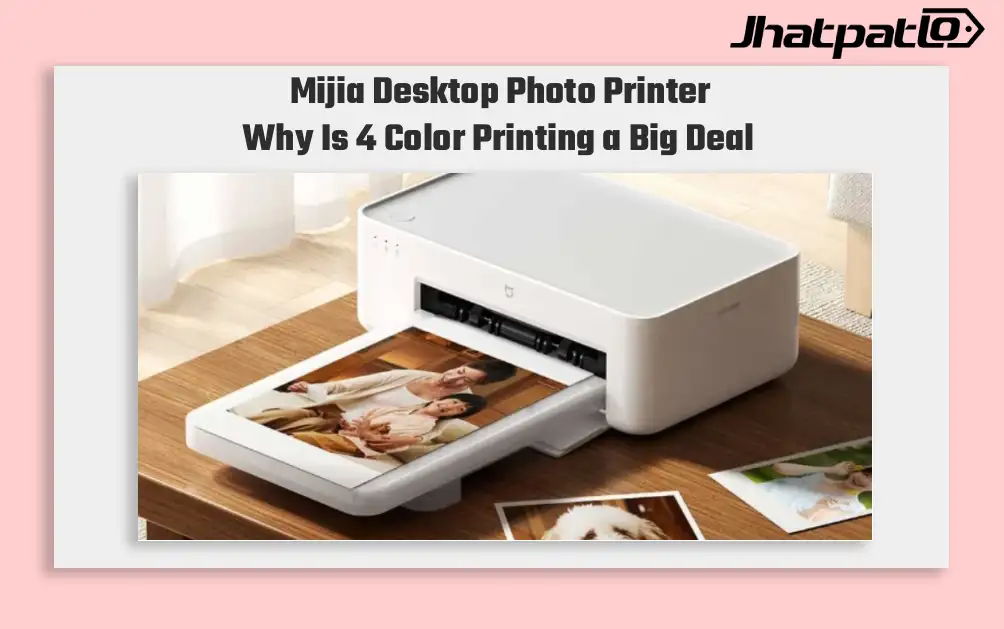
Mijia Desktop Photo Printer 2 Brings 4 Color Printing to Xiaomi Buyers
Xiaomi’s Mijia Desktop Photo Printer 2 has arrived in China with a clear focus on home photo printing. It launches at 699 yuan, goes on sale July 13, and replaces the older 1S model with 4-color dye sublimation, Bluetooth 5.2, and a few software features aimed at making phone printing simp...
Google Pixel 10a Launches in India With 5100mAh Battery and 48MP Rear Camera
Google recently introduced the Pixel 10a worldwide and in India as a new smartphone in the company’s Pixel line. The phone will be available for pre-order starting at 9 PM IST on Flipkart and the Google India website, with an official launch sometime next month. The Pixel 10a will cost ₹ 49,999 for...

Moto G67 brings big display and unexpected low price details today
Motorola Moto G67 brings highlights display and battery The Motorola Moto G67 review points to a smartphone that stands out for its 6.78-inch AMOLED display, strong battery life and low price. The device is positioned as an affordable mid-range model, but the test also notes average performan...
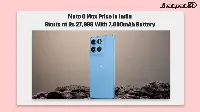
Moto G Max price in India starts at Rs 27,999 with 7,000mAh battery
Moto G Max price in India starts at Rs 27,999 for the 6GB/128GB model, with sales opening on Flipkart from August 20. The new Motorola phone pairs a 7,000mAh battery with Snapdragon 6s Gen 4 hardware and Android 16, making battery life the main selling point in a mid-premium segment that i...


