


Brother DCP-L2520D Black Laser AIO Printer suits office paperwork
75/100
-
 Laser
-
 Office
-
 2400 x 600
dpi
-
 Flatbed
-
 600 x 2400
dpi

Brother DCP-L2520D Black Laser AIO Printer Price Comparison & History in India

A Fair Price, But Not The Best Deal
At ₹15,999, Amazon and Flipkart currently match, keeping this printer below its tracked average. This price is about 2.6% below the ₹16,726 average across 325 tracked days. It isn't a standout bargain, but it's clearly better than the product's usual level. The Brother DCP L2520D has moved between discounts and small increases repeatedly. It reached its lowest recorded price of ₹15,599 on Amazon earlier this month.
That recent low matters because today's price sits slightly above it. However, the current offer is identical on both major platforms. So platform choice won't save money today; compare delivery, seller ratings, and return terms. This model prints, scans, copies, and supports automatic double-sided printing. For home paperwork, student work, and moderate office use, it remains practical. Toner costs and service availability matter more than a small daily price change. Prices have dropped before, then climbed again within weeks. The Brother DCP L2520D is reasonably placed now, though patience could bring another dip.
 Print Performance
81
 Paper Handling
88
 Display & Controls
28
- Includes USB cable and driver CD
- Copies up to 99 pages in one job
- Handles plain, thin, and recycled paper
- Supports legal-size paper without extra setup
- No Wi-Fi or Ethernet connection
- LCD panel has no backlight
- Colour printing isn't available
- Photo copies can look unclear
- Replacement toner costs too much
Brother DCP-L2520D Black Laser AIO Printer Features & Overview
In day to day use the DCP L2520D proves itself as a trustworthy all in one for quick monochrome prints. Brother DCP-L2520D Black Laser AIO Printer suits office paperwork. The printer handles routine office tasks with a steady pace and a predictable cadence. The flatbed scanner is handy for quick digitizing, and the automatic duplex feature quietly reduces paper consumption. The warm up is modest and the device sits solidly on the desk; you don’t notice it until you need a batch of proof copies, and then it just keeps up.
Usage
For daily document work you press print and the print comes out crisp and legible at a confident 30 ppm pace. Brother DCP-L2520D Black Laser AIO Printer for office tasks. The duplex mode glides through two sided tasks with a reassuring click of the mechanism, and you rarely need to babysit the paper tray. The USB connection is straightforward, so you can attach a laptop or PC without hunting for drivers on a busy day; it’s USB simplicity in action.
Capacity
The unit ships with a 250-sheet input and a 100-sheet output path, enough for a few long sessions before you refill. It supports common sizes like A4, Letter, and smaller forms, which covers everyday documents and letters without fuss.
Controls
Connect via USB and operate through a compact, no-nonsense control flow. The scanner is a flatbed type, which makes it easy to place thick documents or odd sizes for one-off copies or scans. The overall feel is utilitarian and dependable rather than flashy.
Durability
Weighting around 9.7 kg, the DCP L2520D feels sturdy for a small office setup. It’s built for office life and comes from Vietnam, where it’s assembled with a focus on reliability. The paper path and tray enclosure help keep dust away and jams to a minimum during busy periods.
Safety & Installation/Warranty
The printer includes a Limited warranty and essential cables plus an installation CD to get you up and running. You’ll install the drivers from the CD, connect by USB, and print with confidence knowing the warranty is in place for service if needed.
Brother DCP-L2520D Black Laser AIO Printer Technical Specifications
Brother DCP-L2520D Black Laser AIO Printer FAQs
Brother DCP-L2520D prints black text at up to 30 pages per minute. Text looks sharp and the first page comes out quickly. It suits bills, forms, notes, and regular office documents.
The rated speed is 30 pages per minute for black printing. Large documents move through quickly once the first page starts. It feels much faster than basic home inkjet printers.
Automatic duplex printing works smoothly on normal paper. Pages flip and print on both sides without frequent jams or misalignment. It also cuts paper use when printing long documents.
The main tray holds 250 sheets, which is enough for regular office paperwork. You won't need to refill it after every small print job. The output tray holds 100 sheets before it needs clearing.
Scanned documents and text copies come out clear enough for normal paperwork. Photo copies are weaker and can lose detail. The flatbed scanner is better suited to forms, bills, and ID copies.
The flatbed scanner handles single pages properly. It doesn't have a useful automatic feeder for stacking several sheets at once. Multi-page copying needs you to place each page on the glass.
USB setup is simple on supported Windows and Mac computers. The box includes the cable and driver CD, so basic installation doesn't take much time. It starts printing without a network setup.
It only supports USB 2.0 connectivity. There is no Wi-Fi or Ethernet port for network printing. The computer needs to stay connected with the USB cable.
Brother DCP-L2520D gives you duplex printing, scanning, and copying in one machine. Many basic HP LaserJet models focus mainly on printing. HP makes more sense when wireless printing is important, while this one suits a wired desk setup.
Brother DCP-L2520D prints quickly and handles double-sided paperwork without much effort. Canon imageCLASS models can have stronger network and mobile printing options. This one is simpler if USB printing is all you need.
Brother DCP-L2520D is the better fit for regular black document work. Epson monochrome options can suit smaller printing needs or different connectivity setups. The Brother gives you scanning, copying, and automatic duplex in the same box.
The LCD panel has no backlight, so the options are harder to see in dim rooms. You may need to stand close and check the display carefully. The controls still work, but the screen isn't very comfortable.
It is strictly a black-and-white laser printer. Colour pages won't print in colour, even if the original document has different shades. It is built for text, forms, and monochrome office documents.
The printer weighs 9.7 kg, so it isn't something you'll move around often. Its 409 by 267 by 398.5 mm body needs a proper desk space. Once placed, the sturdy build feels suitable for daily paperwork.
It handles regular office printing well with a 10,000-page monthly duty cycle. The paper path stays smooth with plain paper and normal duplex jobs. Keeping the tray loaded properly helps avoid avoidable jams.
Real & Verified Reviews of Brother DCP-L2520D Black Laser AIO Printer
 Amazon
Brother DCP-L2520D delivers exccellent quality
I bought this printer during the october sale time with good deal and offer, Brother DCP-L2520D delivers excellent automatic performance. Automatic duplex printing works smoothly, flipping pages without jams or misalignment, and it saves a lot of paper. Print speed is quick, with the first page out in seconds, and text comes out sharp and clean. The scanner and copier are just as dependable, and setup was simple. Toner lasts a long time, so running costs stay low. A great, no-fuss printer for home or small office use. Highly recommended!
Amazon
Useful and working
I liked very much this printer machine. It is working very good and price also very reliable. I recommend to All.
Amazon
Nice printer for small office
Overall good deal with good performance printer. LCD panel backlight is essential for option choosing about printing operation … and it is missing…
Amazon
It's really speed 30ppm.
Best product.
Amazon
Good
Good, built strong, easy to use
Amazon
The color spreads across the page.
Not printing proper colour
Amazon
Best
Best
Amazon
Cost
Toner cost is more. 5000 approx. Original. We can buy new machine for this cost toner cost.
 Flipkart
Good
Flipkart
Highly recommended
Flipkart
Brilliant
Flipkart
Perfect product!
Flipkart
Wonderful
Flipkart
Wonderful
Flipkart
Simply awesome
Flipkart
Awesome
Related Articles

Best Printers for Home Use That Solve Everyday Printing Problems
Printing at home has become more than a luxury; it’s a quiet daily necessity for students, freelancers, and busy households. You might reach for a printer thinking, “It just needs to spit out pages,” only to end up chasing jams, messy cartridges, or hidden costs that creep up every month. The ri...

Best laptops under Rs 80,000 for work in 2026: the 5 models that make the most sense
Best laptops under Rs 80,000 for work in 2026: the 5 models that make the most senseIf you need a new work laptop, this budget now buys more than basic office machines — from the MacBook Neo and Dell XPS 13 to the HP OmniBook 3 and a few others, the shortlist is oddly strong.Need a new work laptop?...

The Best 3D Printers for Home Use in 2026 That Are Worth Buying
Printing at home used to feel like a niche hobby reserved for tinkerers. In 2026, however, desktop 3D printing has matured into a practical, quiet, and surprisingly approachable tool. Whether you want to print functional parts for around the house, little toys for the kids, model scenery f...

Samsung 9 Kg Front Load Washing Machine update Review
Samsung 9 Kg Front Load Washing Machine That Keeps Things Simple and Solid Buying a washing machine sounds easy until the options start piling up. Smart features, WiFi apps, shiny displays, endless programs-somewhere amidst all that noise, many people just want a machine that will do its job pr...

Voltas Beko 230L Double Door Refrigerator Review
Voltas Beko 230L Double Door Refrigerator Review Explore Beyond Just an Impression Purchasing a refrigerator has become less of a cooling product and more related to daily comfort and usage. The Voltas Beko 230litre double door refrigerator blends in without making much noise in this...

LG Essential series air conditioners: Smart inverter cooling with six in one modes and 2026 BEE compliance
Summer in India isn’t just heat—it’s humidity, voltage quirks, and a noisy AC that guzzles power. LG's new Essential series aims to address this mix head-on, with a lineup designed and manufactured in India to suit local homes. It combines smart inverter cooling, six in one cooling modes,...
Best Alternative Brother DCP-L2520D Black Laser AIO Printer




 Laser
Inkjet
Inkjet
Laser
Laser
Laser
Office
Home
Small Business
Home
Office
Office
 -
-
-
-
-
-
 -
-
-
-
-
-
2400 x 600 dpi
4800 x 1200 dpi
5760 x 1440 dpi
1200 x 600 dpi
1200 x 1200 dpi
1200 x 1200 dpi
Flatbed
Flatbed
Flatbed
Flatbed
Flatbed + ADF
Flatbed + ADF
600 x 2400 dpi
1200 dpi
-
1200 x 1200 dpi
1200 x 1200 dpi
600 x 600 dpi
Related News
HP Launches Six DeskJet All in One Printers in India With Dual Band WiFi
HP DeskJet All in One Printer Lineup HP has rolled out a new family of DeskJet printers for home users in India, with six models spread across the DeskJet, DeskJet Ink Advantage and DeskJet Ultra Ink Advantage lines. The lineup targets everyday printing, scanning and copying tasks and is...
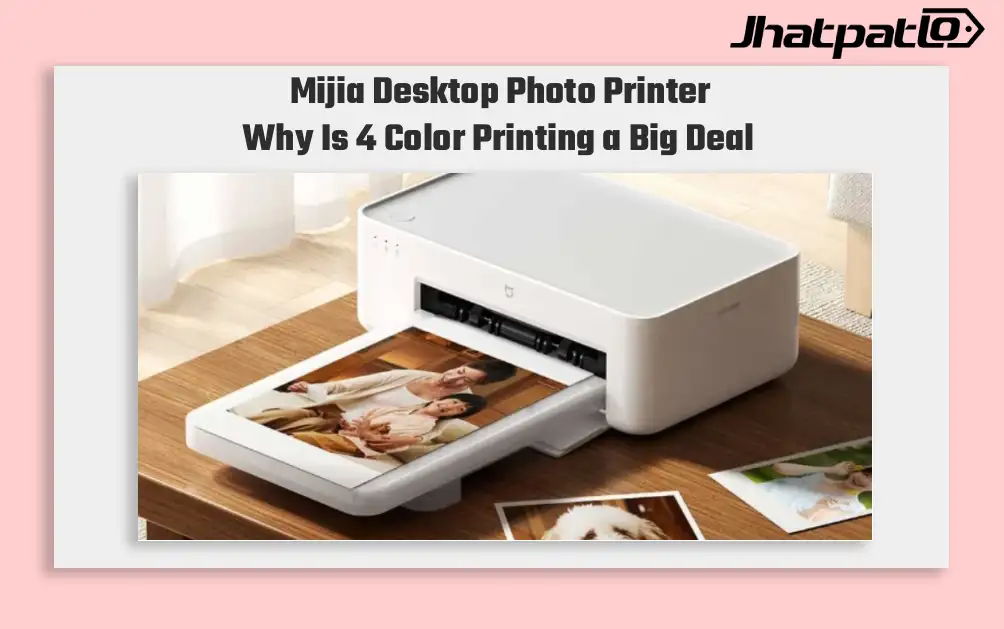
Mijia Desktop Photo Printer 2 Brings 4 Color Printing to Xiaomi Buyers
Xiaomi’s Mijia Desktop Photo Printer 2 has arrived in China with a clear focus on home photo printing. It launches at 699 yuan, goes on sale July 13, and replaces the older 1S model with 4-color dye sublimation, Bluetooth 5.2, and a few software features aimed at making phone printing simp...
Vivo Y31d Launches in Cambodia and Vietnam With 7200mAh Battery
Vivo Y31d launches in Cambodia and Vietnam The Vivo Y31d was silently launched in select global markets, including Cambodia and Vietnam, on Wednesday. The device is powered by a Snapdragon 6s 4G Gen 2 chipset, which means it only supports up to 4G networks. It is equipped with a 50-megapixel dual r...

ASUS Chromebook CM32 Detachable Brings 640g 2.5K 2-in-1 to India
ASUS has expanded its Chromebook lineup in India with the CM32 Detachable, CM14 and CM15. The launch brings a mix of portable design, long battery claims and ChromeOS features to the student-focused segment. ASUS Chromebook CM14 and CM15 Target Longer Battery Life ASUS launches the CM32 Detacha...
Lenovo Unveils Yoga and IdeaPad Lineup at MWC 2026
Lenovo kicked off Mobile World Congress 2026 in Barcelona on a Monday with a broad slate of announcements. The company introduced a fresh set of laptops and tablets, including the Yoga 9i 2-in-1 Aura Edition, Yoga Pro 7a, Yoga Slim 7i Aura Edition, IdeaPad Slim 5i Ultra, and IdeaPad Slim 3...

ASUS Ascent QN10 Debuts Snapdragon X2 Elite in Mini PC Line
ASUS brings Snapdragon X2 Elite to compact desktops ASUS has introduced the Ascent QN10 as the first mini PC built on Qualcomm’s Snapdragon X2 Elite platform. The compact desktop is positioned with 80 TOPS AI support, Copilot+ PC certification and 4K display output, all inside a chassis that...


