


Epson EcoTank Clr Inkjet 1-Fn Printer (L130) uses just 9W full power details and student value
70/100
-
 Inkjet
-
 Small Business
-
 5760 x 1440
dpi
-
 Flatbed

Epson EcoTank Clr Inkjet 1-Fn Printer (L130) Price Comparison & History in India

Buy the Epson L130 at its best recent price
At ₹9,499, Epson L130 is currently cheapest on both Amazon and Flipkart. That matches its three-month low, making this the strongest recent buying point. Across 425 tracked days, prices moved between recent highs and older lows. The average sits at ₹9,558, so today's offer is roughly 0.6% lower. That's a small saving against average pricing, but the direction has improved recently. Prices climbed through July, then fell by October. Amazon and Flipkart match today, which isn't always the case between tracked dates.
The bigger catch is the Epson L130's history. It has reached a lower point before, at ₹8,999 on Amazon. Today's price is ₹500 higher, so bargain hunters can still wait. For home printing, the Epson L130 remains practical because ink costs matter over time. It also uses an ink-tank setup, so frequent printing won't feel like a cartridge chore. But if you need it now, this is a clean, fair deal. Another sale could still bring it closer to its past low. Check warranty and seller details before paying.
 Print Performance
59
 Display & Controls
88
- Ink bottles last thousands of pages
- Touch controls respond quickly
- Uses only 9 watts while printing
- Fits narrow shelves easily
- No scanner or copier built in
- No automatic double-sided printing
- Ink levels need manual checking
- Printed pages smudge when wet
- Only one paper tray included
Epson EcoTank Clr Inkjet 1-Fn Printer (L130) Features & Overview
The Epson L130 is a compact Ink Tank printer designed for home and small office use. Epson EcoTank Clr Inkjet 1-Fn Printer (L130) uses just 9W full power details and student value. It prints in colour and sharp black text with up to 5760 x 1440 dpi resolution, making documents and photos look clear and vibrant. A single paper tray handles plain A4 sheets, and the device supports up to 150 sheets in its input path. Ink is supplied via four refill bottles (T6641 to T6644), so cartridge swaps aren’t part of the daily routine. The unit runs on a modest 9 W power draw and uses USB 2.0 for simple connectivity. It is a Print Only device with touch controls that respond with a quiet, tactile click when you press settings. Epson EcoTank Clr Inkjet 1-Fn Printer (L130) uses just 9W. In use, you load pages, press print, and the job moves along smoothly. You’ll notice a quiet operation; you don’t think about it until a batch of pages finishes and you hear a brief pause then a soft finish.
Usage
Designed for everyday tasks, the L130 handles memos, reports, and colour documents with ease. The 5760 x 1440 dpi output keeps text crisp and colors bright on A4 paper, which matters when you’re sharing drafts with teammates. You’ll appreciate the simple setup and the straightforward workflow that fits a busy desk without fuss.
Capacity
The input sheet capacity sits at 150 while the output tray holds about 30 pages. Print speeds are practical: 27 ppm black and white and 15 ppm colour on plain paper, which helps in mixed-task days when you’re balancing drafts with final copies. Box contents include the four ink bottles, so you’re ready to print long runs from the start.
Controls, Durability & Safety
The printer uses touch controls that feel responsive and durable. Heat-free technology and the low 9 W power draw help keep electricity use in check, even during longer print sessions. Built for steady use, it pairs reliably with standard office tasks and is supported by Epson’s service network; the 1 year onsite warranty or 15,000 pages is the usual safety net.
Installation / Warranty
Installation is supported by Epson; you can request free installation for this model through their brand support line. The setup is uncomplicated, and the unit fits neatly on a typical desk while staying relatively quiet during operation.
Epson EcoTank Clr Inkjet 1-Fn Printer (L130) Technical Specifications
Epson EcoTank Clr Inkjet 1-Fn Printer (L130) FAQs
Epson L130 produces crisp black text for documents and decent colour prints. Photos on Epson glossy paper can look surprisingly close to studio prints. Plain paper colour output is good for school work, forms, and basic shop material.
The black bottle is rated for around 3,000 pages, while colour ink reaches up to 7,200 pages. That is much better than replacing small cartridges every few weeks. Regular printing also helps stop the ink nozzles from drying out.
Yes, the refillable tanks are one of the strongest parts here. A home printing routine can run for months before the bottles need attention. It suits worksheets, invoices, notes, and occasional colour pages better than short cartridge cycles.
The input tray holds around 50 sheets, so it handles normal home or small-shop work. The output tray takes 30 sheets and needs clearing during longer jobs. Large document batches need more paper loading and supervision.
It weighs about 2.7 kg and takes up less space than many multifunction printers. The body fits narrow shelves when the trays are folded away. The external ink tanks sit beside the printer, so that side needs some extra room.
The printer can keep working for years when original Epson ink and routine nozzle cleaning are used. Long-term home printing performance has been strong, including both black and colour pages. It needs occasional printing because unused inkjet nozzles can dry.
Both are single-function ink tank printers aimed at home printing. Epson L130 is lighter and takes less desk space, while Canon G1010 has a similar low-cost refill approach. The Epson is a better fit when compact size matters more than extra features.
HP Ink Tank 115 is another basic USB ink tank printer with no built-in scanner. Epson L130 gives strong text output and high colour ink yield for regular home printing. Neither one gives automatic duplex printing or built-in wireless access.
Brother DCP-T426W adds wireless printing and scanning, while Epson L130 keeps the setup simpler with print-only operation. Epson uses less desk space and works well when scanning is already handled by a phone. Brother is the better pick for a shared wireless home setup.
Colour printing is fast enough for regular assignments, forms, and small shop work. It is not built for nonstop bulk batches, especially with photo-heavy pages. Black text prints quicker and feels better suited to everyday documents.
It can print borderless photos and supports photo paper up to the listed sizes. Glossy Epson paper gives much better colour detail than ordinary paper. The output works well for home posters, school projects, and occasional photo prints.
The printer has USB 2.0 only, so direct mobile printing needs a suitable cable and a compatible printing app. Android phones can work through USB with the right adapter. iPad printing is much harder because there is no built-in wireless connection.
Epson L130 supports macOS through the driver downloaded from Epson's website. Windows installation is generally quick, and Mac setup works when the correct driver is used. Older or problematic driver packages can create errors during installation.
The printer itself has no Wi-Fi, but a router with a USB port and print-server support can share it. You need the router's print utility along with the Epson driver. This workaround can print across a home network without adding wireless hardware to the printer.
Yes, the ink can smudge when water touches the printed page. Ordinary prints are not water-resistant, so wet handling can ruin notes or documents. Keep important pages away from spills or use a protective sleeve.
The driver may not show a clear digital ink-level reading for this model. Checking the external tanks visually is the practical way to see how much ink remains. The tank position can make that manual check slightly awkward.
Real & Verified Reviews of Epson EcoTank Clr Inkjet 1-Fn Printer (L130)
 Flipkart
Fabulous!
Flipkart
Decent product
Flipkart
Must buy!
Flipkart
Must buy!
Flipkart
Decent product
Flipkart
Really Nice
Flipkart
Excellent VFM Printer
Flipkart
Fabulous!
 Amazon
THE BEST SINGLE-FUNCTION PRINTER FOR YOUR WIN AND MAC, WITH “OPTION” TO CONNECT WIRELESS AND CLOUD
REVIEW AFTER 6 MONTHS OF USE: Oh this printer is stupendous!!! It deserves an 8 star!!! I printed a photo last week (on Epson gloss paper) and it came 100% studio quality. Well, thats enough for me! I can now make posters at home, without spending extra bucks in a studio. Love it. buy it!! ---------------------- Let me first say, that the 5-star rating I have given is not because L130 is the best feature-packed printer in the market, but rather it was the “exact” printer I wanted per my technical requirement, specification, and budget---after a 2 month research. I am going to give a very detailed review, with some myth-busters. Yes, I see a lot of wrong Q&As and reviews that I would like to bust with my honest review on day-3 of my purchase. Home use, not for bulk or fast printing–This printer is a pure home or small business/shop use. Do not expect paper capacity beyond 40-50 (75 GSM) in the input tray. Print speed is fast enough for home and shop use. If you are looking for more paper capacity, super-fast printing, regular photo paper printing, well then invest in a more feature-packed costlier printer. For a home, student, shop purpose L130 is stupendous! I am yet to try on a photo paper, but that is “extra” start if I get a decent print. If not, I’m happy the way it is. Single-function is what you need today–Everyone has a decent smartphone that can scan and PDF documents using the camera. Free apps like Adobe Scan, Google Scan, CamScan, etc. can scan documents, align them, auto-correct colors, and will save you an extra 3-4K by buying a single-function (print only) printer. I see many reviews saying L130 is bad because it doesn’t scan! As it says, its a single function printer; it cannot scan. It’s an ink tank–If you do not want to fall prey for the ink cartridge scam, you need to go for an ink tan printer. Yes, ink tanks (like the L130) are a little expensive than inkjets cartridge printers, but in the long run, ink tank gets you the best return on investment (ROI). Inkjets are available for 2k and does max of 50-60 color prints. Making you buy another cartridge for 1.5k every 60 color prints. L130 can yield you 5000+ color (and 4000+ monochrome) prints in just one refill. The printer comes with 4 sets of colors, and technically you do not have to worry for a few months/years without an ink change. Compact for the desk–In its compact state (when trays are inside), the depth as less than 30 cms., making it ideal for any normal shelf/cabinet. Input trays also fits a 1 ft tall shelf. As needed, retract the trays to place the papers. See photos as it is easier to understand that way ;). By far, this is the most compact ink tank printer I’ve seen. Loves Apple as much as Windows–This printer works smoothly (including installation in under 3 minutes) in Windows 10 and macOS 10.14 (yes, Mojave too!). Many reviews and Q&As indicating L130 doesn’t support a Mac. Well, sorry wrong informers… it does support a Mac and all you need is to go to Epson’s website to get the right driver. Make it wireless if you have the right router–L130 is a non-Wi-Fi/non-wireless USB printer. A few years back, when I upgraded my W-Fi router to a dual band AC model, I went for a router with a USB port and with an inbuilt print server, though I never used that functionality till date. That decision came to use now! Yes, if you have a router with print server (and USB port), you can connect L130 to the router and use it wireless! One additional step beyond Epson’s driver setup is that you will need to install the router’s print utility/driver. Simple application you have to download from the router’s website and you have a USB printer that you can print directly from a PC/Mac connected to the WLAN. Take it to the cloud–Okay, now that you have realized that this is a print-only, home use, Mac friendly, and wireless “capable” printer, do you want to take it to the cloud? Meaning do you want to print from anywhere in the world? Well, folks, it is possible with some extra steps. As mentioned in my above bullet, if you have a router that has a print server and a USB port, make it connect to your WLAN. Once connected, register the printer to your Google Chrome account. Once registered, share the printer with any other Gmail accounts so that they too can print. For example, in my case, I registered my L130 in my Google account account using Chrome, and shared it with my family members’ Gmail ID. Now all of them can print from their Android, iOS, Amazon Fire, PC, Mac, from anywhere on the planet---as long as their devices and the printer at home is connected to the Internet. Well, that me after the third day of use, but 2 months or research. Good luck Amazonians! ---------------- 2024 update, Since I misused the gadget I had to get another one. No fault of Epson. Interestingly, I bought the very same model again after 6 years. No other printer does a better job. And nope, I am not paid or sponsored ;)
Amazon
Low price sublimation printer
Good product accounting to price best sublimation Printer I purchase in 8500 for use in sublimation
Amazon
Phenomenal Day 1 experience. Will review in a few months
My experience started on a Wednesday before Diwali on 23-Oct-2019 when my 2-year old Canon G1000 Ink tank printer just stopped printing and just spooled empty pages. Luckily I had purched OnsiteGo Extra Warranty. They responded asap and sent an engineer who couldnt fix it and decided to take it to their service center. Subsquent follow-ups confirmed that the printer couldnt be fixed and OnSiteGo refunded the entire invoice amount of Rs 7098 as Amazon gift vouchers by 30-Oct-2019. Not bad for a Rs 450 extended warranty. I wanted to go for a simple inktank printer and while i wanted to go wireless, there are no printers with just wireless. You have to buy it as a Multifunction which to me is fairly useless as I do a significant amount of scanning using Turboscan including legal documents, bills etc, and so waste of money. I did read a bit of literature on how to enable a non-wireless printer on a wifi network if the router had a usb port and voila my router (supplied by Airtel) which was a Huawei Hg4185 had one. So before i decided, i did a test with a neighbour's old epson Tx121 printer and it seemed to work. Secondly the cost of a good wireless inktank multi was almost twice the cost of a basic ink tank print only device. My choices narroed down to Canon G1010, Epson L130 and HP115,. all of which were single function, ink tank printers with no wireless and no duplex (which are the main add-on features as far as i was concerned). As i had previouly used Canon and HP in the past, looking at the reviews especially by one the gentlemen on Amazon who confirmed the wirless part, I decided to go ahead with the Epson L130. I ordered the same on Amazon on 30-Oct-2019 @ 17:00. The printer arrived prompty at 31-Oct-2019 @ 10:30. I called up Epson customer care @ 11:00 to log an installation request. I got a call from their installation at 12:00 and he landed at home by about 13:00 and by 14:00, we were all set. The printer defiitely looks sleek and doesnt need a lot of space. The only eye-sore is that the ink tanks are outside the core printer and is a little bit of nuisance but no ways a deal breaker. My wifi gig however did not work. After a lit bit of hair scratching, I disconnected the printer from the wifi router, shut down the router, connected back the printer and restarted the router. And bingo, the printer was available on the wifi network. You just need to make sure that the Epson L130 driver (either through the CD or online from the epson site) is installed on your computer. I think did the same on my dad's laptop and worked like a charm. The next step was to set it up for printing from a mobile device. We are thankfully an android household and once i followed the instructions on the google support site on Google cloud print, I was able to print from my android phone. Further you can also grant permission to others through email and as long as your printer is on and your wifi network is connected to the internet, you can print from anywhere in the world through your mobile. Quite cool indeed. SO overall, this is like any other inktank printer 1/ Uses inktank technology (naturally) and prints decent prints at a cheap rate 2/ Is slow (especially on color prints) 3/ Doesnt make too much noise 4/ Has just 2 buttons one for power and the other for indicating if there is an isssue (nothing comp;licated) 5/ You will have to print at least a couple of prints a week to make sure that the nozzles are fine and that the ink doesnt go dry 6/ I am expecting to see with lines in a few months (courtesy my canon G1000 experience) which will require a bit of nozzle cleaning. 7/ very compact for a home office (more compact and ligher than my earlier Canon G1000) 8/ Overall a good buy for home usage and which will hopefully last for the next 4-5 years with decent mainteance. So for a first day experience, am very happy. And lasly i did get the OnsiteGo extended warranty for 2 years. Hopefully their customer service continues at the same level as today. I will post a detailed update in a few months after testing it extensively. For now, totally blown away with both Amazon and Epson customer service and of course the printer
Amazon
7 Years of flawless performance! Zero hardware issues, highly cost-effective.
Video Player is loading. Play Current Time 0:00 / Duration 0:49 Loaded : 6.13% 0:00 Stream Type LIVE Seek to live, currently behind live LIVE Remaining Time - 0:49 1x Playback Rate Chapters Chapters Descriptions descriptions off , selected Captions captions settings , opens captions settings dialog captions off , selected en Audio Track default , selected Fullscreen Mute This is a modal window. Beginning of dialog window. Escape will cancel and close the window. Text Color White Black Red Green Blue Yellow Magenta Cyan Transparency Opaque Semi-Transparent Background Color Black White Red Green Blue Yellow Magenta Cyan Transparency Opaque Semi-Transparent Transparent Window Color Black White Red Green Blue Yellow Magenta Cyan Transparency Transparent Semi-Transparent Opaque Font Size 50% 75% 100% 125% 150% 175% 200% 300% 400% Text Edge Style None Raised Depressed Uniform Dropshadow Font Family Proportional Sans-Serif Monospace Sans-Serif Proportional Serif Monospace Serif Casual Script Small Caps Reset restore all settings to the default values Done Close Modal Dialog End of dialog window. I purchased this Epson EcoTank L130 Printer from Amazon in June 2019, and it has been working flawlessly in my home for 7 years now. Earlier my usage was limited, but now with growing kids and my wife working, the daily printing load has increased. Yet, it handles everything perfectly. Both black-and-white documents and color printouts come out exceptionally crisp and clean. The biggest reason for this longevity is that I have strictly used 100% original Epson ink from day one. I have never faced a single hardware problem or had to visit a service center. It is an absolute budget-friendly and durable workhorse. The only minor downside is the lack of a built-in Wi-Fi connection; having wireless printing would have made it perfect. Highly recommended!
Amazon
Worst product with no customer support from epson.
Worst product. No customer support. Poor quality - it's all seems like China plastic - one touch and it's broken. The driver doesn't give you the option to see the ink level. Avoid this printer at any cost, buy a printer where you can replace both ink cartridge and printer head. It's all fine until the printer works fine and the ink cartridge they provide is not over. You might think the cartridge can be replaced and they are multiple options in the market, but no, it won't work fine unless you buy epson's ink cartridge which is expensive, and, using some other brand's cartridge will destroy your printer head. And once the printer head has some problem, replacing it will cost you around 3000 with no warranty. And, My god, the customer support from the epson is worst, or absolutely nothing, because all they do is give contact numbers of multiple individual who don't even pick up their calls. It will take them 6 days just to assign you a service engineer. My suggestion is to buy a printer where you can replace the ink cartridge and also printer head. And if you have mac, then absolutely useless, because the driver provided for Mac is problematic and has some error. So if you have mac, avoid this printer, so zero compatibility. Also, the driver doesn't give you the option to see the ink level digitally unlike other printer, just manual checking, which is hard with how the wiring is. No wireless connectivity, also the sound it makes at the start is enormous like it's starting an engine of road roller.
Amazon
Top class printer
Excellent printer for best print
Amazon
It’s not water-resistant
It is marketed that the printer makes water resistant print, but that’s not true. Just few drops of water on printed paper, and printed ink smudges immediately. I am regretting buying this, can’t even return the printer. I had bought this printer to print the notes that i write on ipad on daily basis, but many cons, printer comes with a usb which will allow you to connect printer to a laptop/ computer, drive for windows is available on epson website, you can also connect this printer to android phone directly by buying another cord online usb A to usb C, and third party driver apps are available on play store, using which you can use this printer directly from your android phone. But I am unable to do the same using ipad (should have bought a wifi enabled printer). This printer can be put on wifi, provided your wifi router has a USB port in it (and these routers are not easily available) so a thumbs down again. Next, the ink of this printer might be available at cheaper cost, but the entire print just spills and smudges (it’s not waterproof) 😭😭😭. Regretting purchasing this.
Amazon
Very good prienter
I have ever seen best printer..very low cost printer. 2 year running till now best service by epson. Cons is One thing service cost is too high.
Related Articles

Best Printers for Home Use That Solve Everyday Printing Problems
Printing at home has become more than a luxury; it’s a quiet daily necessity for students, freelancers, and busy households. You might reach for a printer thinking, “It just needs to spit out pages,” only to end up chasing jams, messy cartridges, or hidden costs that creep up every month. The ri...

The Best 3D Printers for Home Use in 2026 That Are Worth Buying
Printing at home used to feel like a niche hobby reserved for tinkerers. In 2026, however, desktop 3D printing has matured into a practical, quiet, and surprisingly approachable tool. Whether you want to print functional parts for around the house, little toys for the kids, model scenery f...

EvoFox Ronin X75 review shows budget keyboards can sound expensive without trying too hard
Mechanical keyboards have become a funny little arms race. Every other board promises premium vibes, every brand shouts about RGB, and somehow a lot of them still end up feeling a bit hollow after the novelty wears off. That’s exactly why the EvoFox Ronin X75 review stands out. It doesn’t...

Looking for a Laptop Under 40K? Here Are the Best Models
Hidden Gems Under 40k The Surprising Laptops People Keep Sleeping On When good laptops didn’t need to cost a fortune There was a time when a decent machine for gaming, editing, or multitasking felt like a luxury purchase. Anything smooth or stable usually sat in the “don’t-even-look-at-the-price-...

Logitech MX Master 4 Review revealing the unexpected weakness users find
If you’ve ever tried to work on a cramped, noisy, too-light mouse for an entire day, you already know the feeling: your hand starts complaining long before your brain does. That’s exactly the space the Logitech MX Master series has always dominated. It’s the mouse people recommend when som...

Logitech MX Master 4: Overhyped or the Best Creator Mouse Yet?
So you’ve built a workspace where speed and precision aren’t just nice to have—they’re essential. A premium mouse can be the quiet workhorse that keeps creative projects moving, or a distraction that slows you down. The Logitech MX Master 4 aims to be the former, building on a legendary li...
Best Alternative Epson EcoTank Clr Inkjet 1-Fn Printer (L130)






 Inkjet
Inkjet
Laser
Inkjet
Small Business
Home
Home
Office
Home
 -
-
-
-
-
 -
-
-
-
-
5760 x 1440 dpi
4800 x 1200 dpi
4800 x 1200 dpi
1200 x 1200 dpi
4800 x 1200 dpi
Flatbed
Flatbed + ADF
Flatbed
Flatbed
Flatbed
 -
600 x 1200 dpi
1200 dpi
1200 x 1200 dpi
1200 dpi
Related News
HP Launches Six DeskJet All in One Printers in India With Dual Band WiFi
HP DeskJet All in One Printer Lineup HP has rolled out a new family of DeskJet printers for home users in India, with six models spread across the DeskJet, DeskJet Ink Advantage and DeskJet Ultra Ink Advantage lines. The lineup targets everyday printing, scanning and copying tasks and is...
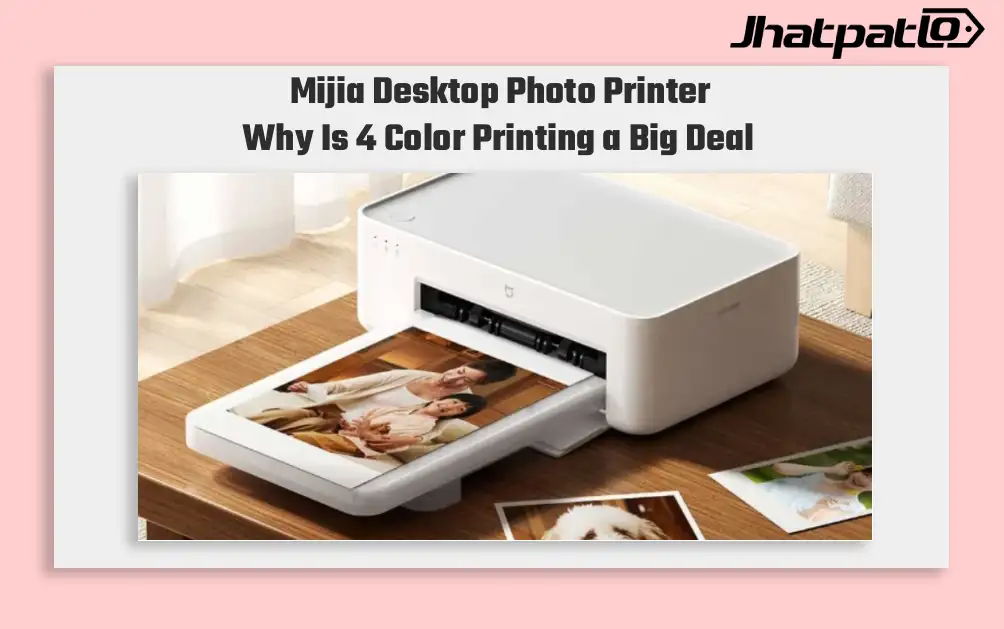
Mijia Desktop Photo Printer 2 Brings 4 Color Printing to Xiaomi Buyers
Xiaomi’s Mijia Desktop Photo Printer 2 has arrived in China with a clear focus on home photo printing. It launches at 699 yuan, goes on sale July 13, and replaces the older 1S model with 4-color dye sublimation, Bluetooth 5.2, and a few software features aimed at making phone printing simp...

Samsung Tandem OLED Laptop Panels Reach True Black 1400 Brightness
Samsung Display’s notebook OLED panels are moving into a brighter class, and the shift is being marked by VESA DisplayHDR True Black 1400 certification. The new Tandem OLED setup pushes peak brightness to 1,600 nits at the panel level, while also improving lifespan compared with a conventi...

Samsung Galaxy S27 Ultra Could Get Thinner Camera Module With Inkjet Printing
The Samsung Galaxy S27 Ultra camera leak suggests Samsung may use inkjet printing across parts of the rear camera stack, not just one lens component. The reported change could make the module thinner, reduce flare, and leave more room for other hardware inside the phone. Matte ink lens...
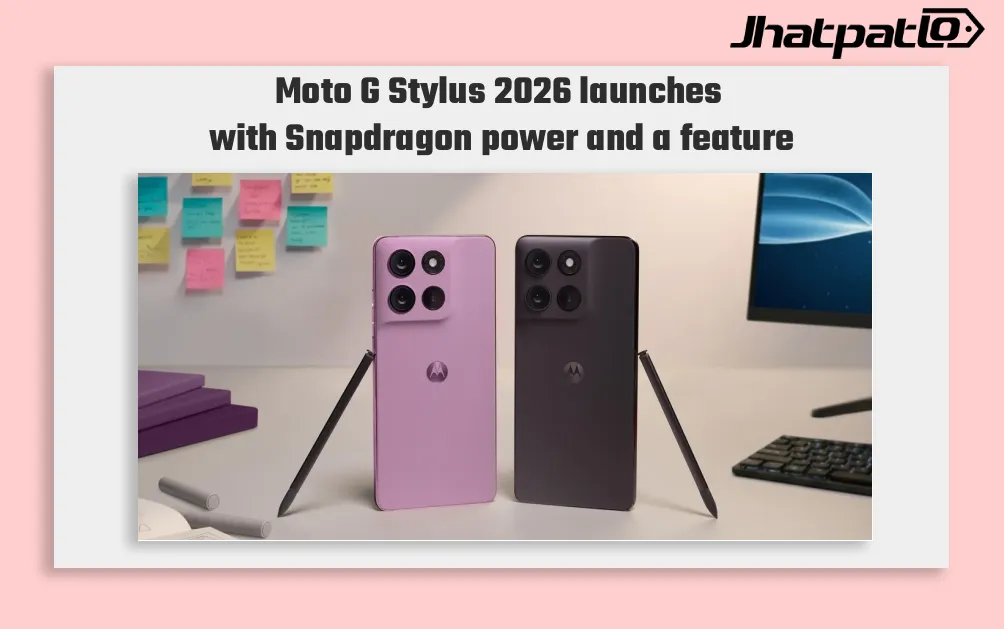
Moto G Stylus 2026 Launches With Built-In Active Stylus and Snapdragon 6 Gen 3
Moto G Stylus 2026 launches in US and Canada Moto G Stylus (2026) has been launched in the US and Canadian markets, arriving as the successor to the Moto G Stylus (2025), which was announced in April 2025. The new model keeps the built-in active stylus as its key feature and comes with a Snap...

ThinkBook 14 2-in-1 G6 IPL Global Launch With Panther Lake Chips
Lenovo has started a global release of the ThinkBook 14 2-in-1 G6 IPL, bringing the 14-inch convertible to the US and Canada after its MWC debut. The lineup begins with a Core Ultra 5 325 and goes up to a Core Ultra 7 355 with 32 GB RAM, placing it in the premium business-laptop segment....


