


Xerox WorkCentre W Laser AIO Printer (P3025D) handles high-volume home paperwork
55/100
-
 Laser
-
 Home
-
 1200 x 600
dpi
-
 Flatbed
-
 1200 x 1200
dpi

Xerox WorkCentre W Laser AIO Printer (P3025D) Price Comparison & History in India


Grab this printer at its lowest recorded price
At ₹8,349 on Flipkart, this Xerox P3025D_ BI All In One Printer is currently cheapest.
It matches the lowest recorded level, making this a strong buy today. Across 325 tracked days, its average price was ₹11,324. That puts today's offer roughly 26% below its average. It also sits at the current three-month low. The earlier listing came from Amazon, so platform pricing has changed over time. A casual shopper might miss the sharp platform shift between the two recorded deals. This printer offers a 150-sheet tray and 20 PPM printing. It's aimed at basic home or small-office document work. The model name includes “All In One,” but confirm scanning and copying features. Retail listings sometimes use inconsistent naming for older Xerox models. Check seller ratings, warranty coverage, and replacement toner costs before paying. However, only two recorded price points limit confidence about frequent sale patterns. Still, the current Flipkart listing is the lowest observed price. The Xerox P3025D_ BI All In One Printer doesn't need a deeper discount to make sense. If you need it soon, this is the right time to buy.
- 150-sheet tray cuts down on frequent refills
- 100-sheet output tray holds a decent stack
- Scans, copies and faxes from one machine
- Handles envelopes and labels
- USB cable comes included in the box
- No automatic duplex printing
- No Ethernet port for wired networks
- Only 20 copies per job
- Borderless printing isn't supported
- LED display gives limited information
Xerox WorkCentre W Laser AIO Printer (P3025D) Features & Overview
Usage
In day to day office use this Xerox P3025D BI focuses on steady, reliable performance. Xerox WorkCentre W Laser AIO Printer (P3025D) handles high-volume home paperwork. You’ll notice prints come out at a practical pace, with a 20 PPM black and white output that keeps up with quick drafts and routine reports. The unit feels compact on the desk, and the flatbed scanner sits neatly on top, ready for quick digitization whenever a memo needs to go digital. Xerox WorkCentre W Laser AIO Printer (P3025D) 15k Pages. You don’t think about it until it rains and the printer is still humming along, which is when the quiet but present fan noise becomes a comforting background hum rather than a distraction.Capacity
The device ships with a 150-sheet input tray and an output area that can handle about 100 sheets before you start slipping pages into the next slot. That capacity is forgiving for a small team or a home office, reducing the need for constant replenishment during back to back print runs. A larger job might require a quick refill, but the workflow remains smooth as you juggle scans and copies in between files.Controls
Setup is straightforward thanks to both Wi Fi connectivity and a USB 2.0 port. The control surface offers simple tactile feedback, and the USB port accepts a quick wired print if the wireless path ever drops. The whole user experience is practical rather than flashy, and the printer’s lid and tray edges have a reassuring solid feel when you latch them closed.Durability
The unit sits solidly on its own feet, its weight distributing well on busy desks. The all in one construction keeps the footprint compact while maintaining a sturdy, dependable build for everyday tasks. You get a device that feels like it can handle routine daily use without showing wear from months of printing and copying.Safety
It ships with a standard one year warranty, which provides essential coverage for the first year of office use.Installation and Warranty
The box includes the Wireless Printer, Pre installed Starter Cartridge, Software and Documentation CD with User Manual, Quick Install Guide, Safety and Regulatory sheets, Recycling and Print Drivers, and a Warranty Statement plus a Power Cord. Installation is guided by the included guides and the warranty is straightforward for a low maintenance, all in one device.Xerox WorkCentre W Laser AIO Printer (P3025D) Technical Specifications
Xerox WorkCentre W Laser AIO Printer (P3025D) FAQs
The 20 PPM speed is good for regular black-and-white documents. Its 1200 x 600 resolution keeps text looking sharp on plain paper. The first page takes around 8.5 seconds, so it doesn't keep you waiting long.
Yes, 20 pages per minute handles bills, forms, notes, and school work comfortably. It won't feel like a high-volume office machine during a large print run. For normal home paperwork, the speed is perfectly usable.
The 106R02773 black toner is rated for up to 1,500 pages. A starter cartridge comes pre-installed, so the printer is ready to use from the box. Cartridge life becomes a concern if you print heavily every day.
The flatbed scanner handles single sheets, identification cards, and occasional photo copies properly. Scan resolution goes up to 1200 x 1200, which is enough for everyday paperwork. It isn't built for quickly scanning a pile of pages.
The 406 x 257 x 360 mm body takes reasonable desk space for a printer with scanning and faxing. At 7.5 kg, it can be moved around without too much trouble. Leave some room on top because the scanner needs access.
P3025D gives you printing, scanning, copying, faxing, and Wi-Fi in one machine. Its 20 PPM speed is enough for normal home documents. HP models can feel easier to set up, while this one has stronger paper capacity on paper.
P3025D covers the basics with Wi-Fi and USB 2.0 connectivity. It also includes a 150-sheet input tray and 100-sheet output capacity. Canon imageCLASS is the safer pick if simple wireless setup is your main priority.
P3025D is suited to small workloads with its 20 PPM speed and 15,000-page monthly duty cycle. It has faxing alongside scanning and copying, which is useful for paperwork-heavy homes and small offices. Brother has a stronger reputation for easier everyday setup.
The wireless setup is the rough part of this printer. Connecting it for the first time can take some effort, and changing the Wi-Fi password may require setting up the network again. USB 2.0 gives you a straightforward wired fallback.
No, automatic duplex printing isn't supported. You have to turn the pages manually if you want printing on both sides. That gets tiring when printing long documents.
The printer supports envelopes, labels, thick paper, thin paper, card stock, and recycled paper. A4 and Letter are the supported paper sizes. Use the correct paper setting before printing so the feed works properly.
The included starter cartridge gets basic printing started immediately. Its listed black yield is 1,500 pages, though heavy printing can finish it much sooner. Cartridge cost becomes noticeable when the printer is used daily.
Stopping after a short period is a serious complaint with this model. Chip and cartridge problems have also been reported, including failures within a few months. The printer is frustrating when support is not available quickly.
Replacement toner uses cartridge model 106R02773, so the exact number is important when ordering. Service access is a weak point, especially outside larger cities. Delays become a bigger problem when the printer stops working.
The scanner is flatbed-based and doesn't have a useful automatic document feeder. Each page needs to be placed on the glass and scanned separately. That works for occasional documents but feels slow for a large stack.
Faxing is included along with printing, scanning, and copying. It supports 33.6 Kbps faxing with MH, MR, MMR, and JBIG compression. This makes it more useful for paperwork than a basic printer-only model.
Real & Verified Reviews of Xerox WorkCentre W Laser AIO Printer (P3025D)
Flipkart
Fabulous!
Flipkart
Very Good Wireless Quality Laser Printer
Flipkart
Did not meet expectations
Flipkart
WORST
Flipkart
Hated it!
Flipkart
Really Nice
Flipkart
Good
Flipkart
Slightly disappointed
 Amazon
Not good
Not functioning properly very poor quality, useless,costly maintenance,needs every maintenance,not to suggest purchase,no service centre available
Amazon
Good
Good
Amazon
Ask service person to visit and sort out the problem
It stopped working .They say we have to change a chip. But no one coming when we contact. Can you please provide some number of service provider. We are in SANKARANKOVIL Tenkasi District Tamilnadu. It barely worked for 2 months
Amazon
Great print
Excellent
Amazon
Features and function
Worst product. No life for toner comes with product
Amazon
Cartridge
Cartridge issue in just 3 months
Amazon
Nce
Nce
Amazon
Not fit modern day use
It's a nightmare to set up. The app dose not exist drivers are hard to find . Wireless connection is a pain , first you set up by computer , if wireless password changed it's a nightmare to set up network again
Related Articles

Best Printers for Home Use That Solve Everyday Printing Problems
Printing at home has become more than a luxury; it’s a quiet daily necessity for students, freelancers, and busy households. You might reach for a printer thinking, “It just needs to spit out pages,” only to end up chasing jams, messy cartridges, or hidden costs that creep up every month. The ri...

The Best 3D Printers for Home Use in 2026 That Are Worth Buying
Printing at home used to feel like a niche hobby reserved for tinkerers. In 2026, however, desktop 3D printing has matured into a practical, quiet, and surprisingly approachable tool. Whether you want to print functional parts for around the house, little toys for the kids, model scenery f...

Realme P4X Overview: A Powerful Device for Everyday Use
Realme P4X: Simple Full Review for Everyday Users The Realme P4X is for those who want a decent phone without breaking the bank. It has a neat design, a smooth screen, strong battery and capable camera that can be used every day. If you’re looking for a phone that reads like fast and dependable...

OPPO Find X9: The New Flagship That Feels Different
So, OPPO is back with another banger — the Find X9, launching in India on 18th November 2025. If you’ve been waiting for a proper flagship that doesn’t just brag about specs but actually feels smooth in daily use, this one might catch your eye. It’s got everything — a big battery, a fast proc...

Motorola Edge 70: The Ultra-Slim Phone That Impresses
The Moto X70 Air Why the thin-phone myth just got busted There’s a big lie floating around in tech circles: thin phones must come with weak batteries. Motorola took that claim, stared it down, and asked a question most ignored — can a phone be super thin, featherlight, and still last all d...

vivo X200T The True All Rounder Flagship
Flagships often force you to pick a single strength — great cameras but weak battery life, blistering performance with basic productivity, or a premium build that costs a fortune. The vivo X200T arrives with a bold claim: why choose when a phone can do it all? Launching January 27 in India, it aims...
Best Alternative Xerox WorkCentre W Laser AIO Printer (P3025D)




 Laser
Laser
Laser
Laser
Laser
Inkjet
Home
Home
Office
Office
Office
Home
 -
-
-
-
-
-
 -
-
-
-
-
-
1200 x 600 dpi
600 x 600 dpi
1200 x 1200 dpi
2400 x 600 dpi
1200 x 1200 dpi
4800 x 1200 dpi
Flatbed
-
Flatbed
Flatbed
Flatbed + ADF
Flatbed
1200 x 1200 dpi
-
1200 x 1200 dpi
600 x 2400 dpi
1200 x 1200 dpi
1200 dpi
Related News
HP Launches Six DeskJet All in One Printers in India With Dual Band WiFi
HP DeskJet All in One Printer Lineup HP has rolled out a new family of DeskJet printers for home users in India, with six models spread across the DeskJet, DeskJet Ink Advantage and DeskJet Ultra Ink Advantage lines. The lineup targets everyday printing, scanning and copying tasks and is...
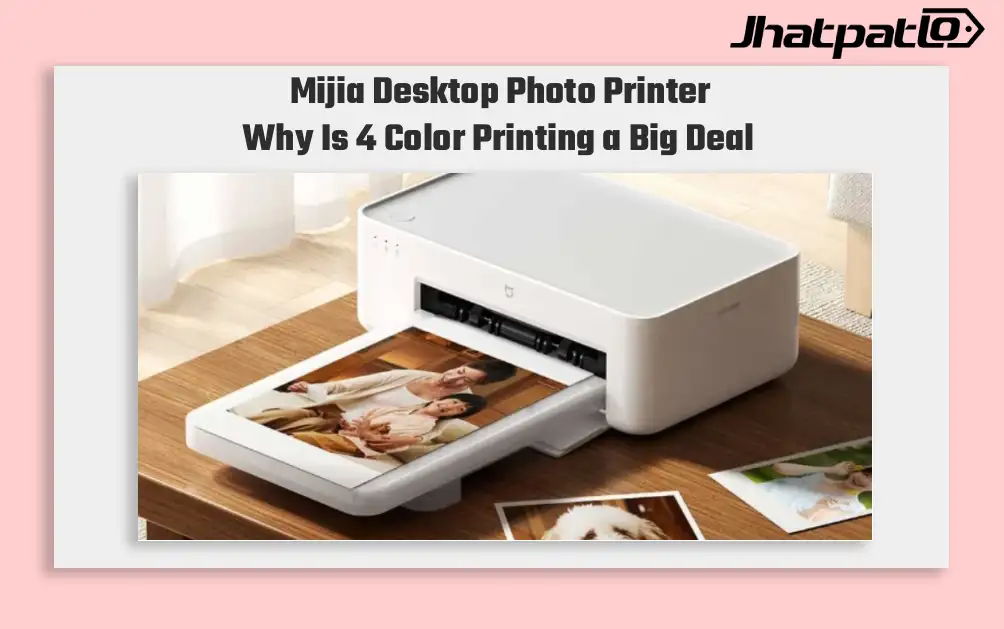
Mijia Desktop Photo Printer 2 Brings 4 Color Printing to Xiaomi Buyers
Xiaomi’s Mijia Desktop Photo Printer 2 has arrived in China with a clear focus on home photo printing. It launches at 699 yuan, goes on sale July 13, and replaces the older 1S model with 4-color dye sublimation, Bluetooth 5.2, and a few software features aimed at making phone printing simp...

Moto Pad 70 launched in India with 2.5K display and Moto Pen
Moto Pad 70 launched in India with a bundled Moto Pen, and Motorola is positioning it as a productivity-focused tablet rather than only a media device. The 12.1-inch 2.5K LCD, Dimensity 6400 and 10,200mAh battery give it a stronger hardware mix than many mid-range Android tablets. Motorol...

Poco X8 Pro Series Prices and Colourways Surface on Xiaomi Belgium Store in Europe
Pricing and Availability Poco X8 Pro and Poco X8 Pro Max have surfaced on certification sites in India and Singapore, signaling a potential global rollout. A landing page on the Xiaomi Belgium website briefly disclosed pricing, colour options and storage configurations for the two devices, and...
Poco X8 Pro Series Prices Leak Ahead of India Launch
Pricing and Availability The Poco X8 Pro series is set to launch in India later today, covering the X8 Pro 5G, the X8 Pro Max 5G and an Iron Man Edition. Prices and RAM/storage configurations surfaced online hours ahead of the official unveiling, with Flipkart named as the sale chan...

HP OmniPad 12 India sale starts at Rs. 48,999 with Snapdragon chip
HP OmniPad 12 India sale is now live through HP’s own store and major retail channels, with prices starting at Rs. 48,999. The tablet comes with a detachable keyboard, Android 16 and a Snapdragon SM6475Q-class chip, placing HP in the crowded Android 2-in-1 segment for buyers looking at bot...


