


Canon imageCLASS Laser MFP Printer (MF465dw) delivers 42 ppm printing for offices, with full specs
54/100
-
 Laser
-
 Office
-
 1200 x 1200
dpi
-
 Flatbed + ADF
-
 600 x 600
dpi

Canon imageCLASS Laser MFP Printer (MF465dw) Price Comparison & History in India


Hold off: this printer is near its recent high
Amazon currently lists the Canon MF465dw at ₹47,600, the latest tracked price. That price is 12% above its tracked average of ₹42,372. Prices were checked across 248 days, with Amazon offering the latest listing. The printer reached its lowest recorded price at ₹37,900 on Amazon. Canon MF465dw prices fell through March, then rose sharply from April onward. One July drop offered relief, but August brought another climb. That pattern matters more than the printer's strong speed and sharp print resolution. Those features remain useful for busy home offices and small workgroups.
Casual shoppers may miss the platform detail here. Amazon was cheapest on the latest date, but Flipkart wasn't listed that day. So there isn't a same-day comparison proving another seller is better. Still, this isn't a bargain against recent history. Canon MF465dw sold lower before, and today's price sits near its peak. A short-term need may justify paying more, but waiting remains safer. The printer remains capable, especially for frequent monochrome printing. However, its current pricing leaves little room for a sensible deal. Watch Amazon for a meaningful drop before placing your order.
 Print Performance
80
 Paper Handling
45
 Display & Controls
55
- Prints, scans, copies, and faxes
- Handles many paper sizes
- Supports labels, envelopes, and postcards
- Stores large print jobs with 1GB memory
- Works with Windows, Mac, and Linux
- Heavy body takes up serious desk space
- Uses 1,250 watts while active
- Cannot print borderless pages
- Only prints in black
- Replacement toner costs a lot
Canon imageCLASS Laser MFP Printer (MF465dw) Features & Overview
Usage
Canon MF465dw is built for busy workgroups. Canon imageCLASS Laser MFP Printer (MF465dw) delivers 42 ppm printing for offices, with full specs. It prints quickly—up to 42 pages per minute—and the first page comes out fast, so deadlines feel attainable rather than looming. Canon imageCLASS Laser MFP Printer (MF465dw) for fast output. With wireless support and a 5 inch color touchscreen, sending jobs from a phone or laptop is smooth; you can navigate settings and verify feeds with a gentle, satisfying click. You may not notice the hardware until a batch is needed, and then the reliability shows itself in quiet operation and predictable results.
Capacity
The printer ships with a 250 sheet input capacity and a 50 sheet auto document feeder for multi page scans. The included Cartridge 070 Black Standard yields about 3,000 pages, which buys you time between replacements. It handles Letter size media and supports automatic duplex printing to save paper.
Controls
Daily tasks are convenient thanks to the 5-inch color touchscreen and straightforward menus. Printing from mobile devices is easy via Canon PRINT Business, Apple AirPrint or Mopria Print Service, so you don’t have to sit at a desk to get things done.
Durability
With a sturdy build and a weight about 15.6 kg, this sheetfed model stands up to steady use. The two sided path and robust paper handling contribute to durable long runs without frequent jams.
Installation/Warranty
Setting up wireless connectivity is described as easy and can be completed in a few steps. The device ships with documentation and software, and Canon backs the product with a 3-year limited warranty for peace of mind.
Canon imageCLASS Laser MFP Printer (MF465dw) Technical Specifications
Canon imageCLASS Laser MFP Printer (MF465dw) FAQs
The text comes out sharp, especially on regular office documents. At 42 pages per minute, it handles reports, invoices, and long paperwork without waiting around. Photos are a weak point, so this is clearly better for documents than pictures.
The 250-sheet tray is enough for a decent office workload. Its 150-sheet output tray also stops paper from piling up too quickly. For heavier days, the 80,000-page monthly duty cycle gives it plenty of headroom.
The standard cartridge in the box is rated for around 3,000 pages. Replacement toner is the painful part, with the 070 and 070H cartridges costing much more than expected. High-volume printing will raise the running cost quickly.
The printer accepts Legal paper, but the scanner is limited to A4-sized scanning. The 50-sheet ADF is useful for batches of regular documents. Legal pages still need another scanner if you need the full sheet scanned.
Automatic duplexing works well for reports, forms, and longer documents. It prints on both sides without needing to turn pages manually. That saves paper during regular office printing and keeps large documents thinner.
The five-inch colour touchscreen keeps copying and scanning controls easy to find. The setup interface feels dated and takes more effort than it should. Once configured, common jobs are straightforward from the panel.
Wireless printing works through Canon PRINT Business, AirPrint, and Mopria. Phones and tablets connect nicely for quick document printing around the house or office. Ethernet is the better choice when several computers need the printer every day.
Driver installation is smooth on supported Windows, Mac, and Linux systems. Downloading the latest software is a better move than using the included CD. A fixed network IP also helps prevent connection trouble after setup.
The MF465dw is faster at 42 pages per minute and includes scanning, copying, and faxing. Brother models can be easier to find with cheaper cartridge options. Canon is the stronger pick when speed and multi-function work matter more.
This Canon gives you a 250-sheet tray, automatic duplexing, and a 50-sheet ADF. HP LaserJet models often have a more polished setup experience. The MF465dw still makes more sense for a busy office needing quick black-and-white output.
The MF465dw combines printing, scanning, copying, and faxing in one machine. Xerox monochrome printers can suit offices focused mostly on printing. Canon is better when one box needs to handle everyday document work.
The 50-sheet ADF handles multi-page copying without feeding each page by hand. Copy jobs can go up to 999 pages, which is useful for office paperwork. The flatbed still helps when the original is delicate or not a standard sheet.
The printer scans documents, but it doesn't include proper PDF editing tools. You won't get built-in options for adding forms or removing pages after scanning. Separate PDF software is needed for those jobs.
Check the body, paper tray, touchscreen, and print function as soon as it arrives. A damaged unit cannot be fixed through software setup. The three-year warranty gives you a support route, but the printer still needs to arrive in working condition.
Real & Verified Reviews of Canon imageCLASS Laser MFP Printer (MF465dw)
 Amazon
Nice
Printing quality is good for documents but not good for printing picture and the ink consumption is little problem. Still it is good for hd document printing
Amazon
anon imageCLASS MF465dw - Monochrome
The product received was faulty & damaged
Amazon
Cartridge Supplies are costlier on pocket
Printer is good. Scanner has limitations and there is no supporting software for pdf editing atleast to add some forums by or remove the documents. Other serious concern is cartridge as it is not locally manufactured in India it is priced around 12 thousand and some dealers are offering at 10 thousand after some discount. Using other cartridges is a risk.
Amazon
Ok ok
Toner capacity is less, and cartridge is also expensive
Amazon
Poor working
Poor working
Amazon
Scan limited upto a4 size
I don't even know the quality as delivered today. Reason of One start is in description it mentioned legal supports but no where mentioned that scanner is only limited upto a4. Might be good for office but not for Shop where legal scan is must have option.
Amazon
سريع الطباعه
ماكينه ممتازه
Amazon
Nice Laser
Great multi duty printer, clear copies in a jiffy, nice improvement over the over priced liquid jets. Nice interface with the phones, pads around the house. Wakes up quickly and does the job.
Amazon
Nice printer/copier; works flawlessly
This unit replaced an over 10 year old Canon printer, whose paper intake finally failed. (No complaints there, that one served well over the years.) We have this unit connected via Ethernet and use it as copier/printer and scanner. So far it has worked flawlessly and - unlike with a recent Brother printer that I purchased for my mom - here the driver installation was smooth and went without a hitch. As with any network device that acts as a "server" (in the broadest sense), it is a good idea to set it to a fixed IP address on your network's DHCP server (usually your router) and you should do that BEFORE installing any drivers. This is how you do that: 1. Connect the device to your network and power it up. 2. Go to your router's management interface and check the IP address and the MAC address of this printer. 3. Add this device via its MAC address as a static IP address and save this new setting. Make sure that IP address is inside your subnet, but outside of the range of dynamic IP addresses. 4. Wait until this printer has picked up the IP address, you assigned it to. This make take a few hours, but you might be able to speed this up by turning off the router and this printer, then turning on the router again and - after a minute or two - turn on this printer. 5. Get the newest drivers and software from the website, don't bother with any included CD and install them in the sequence that the manual suggests. 6. You're ready to print and scan to your heart's content.
Amazon
Best Printer/Scanner/Copier (and Fax, whatever that is) Available
I have had my only business for more than 20 years. For as long as I have been open, I have been using ImageClass printers (I think for the entire time). I generally rotate them around ever 3-4 years with a new one. I replaced my MF445dw with this MF465dw because I was getting streaking on my scans that I could not easily remove. I did not expect much difference - they look identical. I will tell you, however, that this new printer is meaningfully faster to start-up and print. It is nearly no time at all between sleeping and a completed print. Amazing for the price - really at any price, it is amazing. Despite the terrible set-up interface (definitely dates back to Windows 3.1), this is the printer you want to have as your everyday workhorse.
Amazon
Excellent multifunction printer
Had this for around 2 yrs and no problems. Print quality is fine and scanning works well on the network.
Related Articles

Best Printers for Home Use That Solve Everyday Printing Problems
Printing at home has become more than a luxury; it’s a quiet daily necessity for students, freelancers, and busy households. You might reach for a printer thinking, “It just needs to spit out pages,” only to end up chasing jams, messy cartridges, or hidden costs that creep up every month. The ri...

The Best 3D Printers for Home Use in 2026 That Are Worth Buying
Printing at home used to feel like a niche hobby reserved for tinkerers. In 2026, however, desktop 3D printing has matured into a practical, quiet, and surprisingly approachable tool. Whether you want to print functional parts for around the house, little toys for the kids, model scenery f...

Logitech MX Master 4: Overhyped or the Best Creator Mouse Yet?
So you’ve built a workspace where speed and precision aren’t just nice to have—they’re essential. A premium mouse can be the quiet workhorse that keeps creative projects moving, or a distraction that slows you down. The Logitech MX Master 4 aims to be the former, building on a legendary li...

Logitech MX Master 4 Review revealing the unexpected weakness users find
If you’ve ever tried to work on a cramped, noisy, too-light mouse for an entire day, you already know the feeling: your hand starts complaining long before your brain does. That’s exactly the space the Logitech MX Master series has always dominated. It’s the mouse people recommend when som...

Sennheiser HDB 630 Wireless Headphones Launched in India: Price, Battery, Weight & Honest Breakdown
The Sennheiser HDB 630 Wireless Headphones have officially launched in India, and they’ve already become a talking point among students, travelers, and music lovers. Sennheiser usually sticks to premium audio gear, and this new pair follows the same strategy — simple design, strong sound, and practi...

Honor 400 Lite Review: Premium Look, Mid-Range Price – Is It Worth ₹34,990?
The Honor 400 Lite is one of those phones that doesn’t try too hard but still manages to impress in many areas. It’s a mid-range phone, but at first glance it looks more premium than you’d expect for the price. If you want a stylish phone that does everyday stuff smoothly without costing a lot, this...
Best Alternative Canon imageCLASS Laser MFP Printer (MF465dw)




 Laser
Laser
Laser
Inkjet
Laser
Inkjet
Office
Office
Office
Home
Home
Small Business
 -
-
-
-
-
-
 -
-
-
-
-
-
1200 x 1200 dpi
1200 x 1200 dpi
1200 x 1200 dpi
4800 x 1200 dpi
600 x 600 dpi
5760 x 1440 dpi
Flatbed + ADF
Flatbed
Flatbed + ADF
Flatbed
-
Flatbed
600 x 600 dpi
1200 x 1200 dpi
1200 x 1200 dpi
1200 dpi
-
-
Related News
HP Launches Six DeskJet All in One Printers in India With Dual Band WiFi
HP DeskJet All in One Printer Lineup HP has rolled out a new family of DeskJet printers for home users in India, with six models spread across the DeskJet, DeskJet Ink Advantage and DeskJet Ultra Ink Advantage lines. The lineup targets everyday printing, scanning and copying tasks and is...
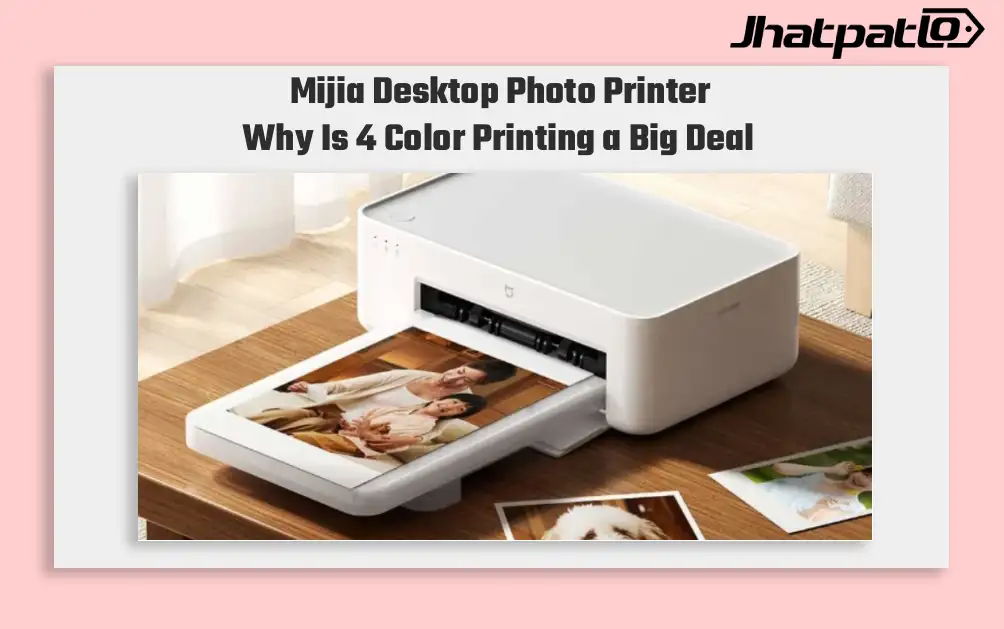
Mijia Desktop Photo Printer 2 Brings 4 Color Printing to Xiaomi Buyers
Xiaomi’s Mijia Desktop Photo Printer 2 has arrived in China with a clear focus on home photo printing. It launches at 699 yuan, goes on sale July 13, and replaces the older 1S model with 4-color dye sublimation, Bluetooth 5.2, and a few software features aimed at making phone printing simp...

Moto Pad 70 launched in India with 2.5K display and Moto Pen
Moto Pad 70 launched in India with a bundled Moto Pen, and Motorola is positioning it as a productivity-focused tablet rather than only a media device. The 12.1-inch 2.5K LCD, Dimensity 6400 and 10,200mAh battery give it a stronger hardware mix than many mid-range Android tablets. Motorol...

ASUS Chromebook CM32 Detachable Brings 640g 2.5K 2-in-1 to India
ASUS has expanded its Chromebook lineup in India with the CM32 Detachable, CM14 and CM15. The launch brings a mix of portable design, long battery claims and ChromeOS features to the student-focused segment. ASUS Chromebook CM14 and CM15 Target Longer Battery Life ASUS launches the CM32 Detacha...

Moto G67 brings big display and unexpected low price details today
Motorola Moto G67 brings highlights display and battery The Motorola Moto G67 review points to a smartphone that stands out for its 6.78-inch AMOLED display, strong battery life and low price. The device is positioned as an affordable mid-range model, but the test also notes average performan...

Motorola Edge 70 Pro+ Launches in India With 50MP Telephoto Camera
Motorola has launched the Edge 70 Pro+ in India with a 50MP telephoto camera, a 6,500mAh battery, and a price starting at Rs. 47,999. The phone sits above the regular Edge 70 Pro and keeps the Dimensity 8500 Extreme platform, which makes it a direct option for premium Android buyers looking at...


